Sow for professionals
Show them their own yard. Then send the proposal.
Design on a photo of your client's actual site with real, zone-matched plants. The plant schedule builds itself, with live nursery pricing already attached. The client approves a version online — and it stays on the record.
Pro+ $99.99/yr — the whole professional toolkit. Desktop suites start in the hundreds.
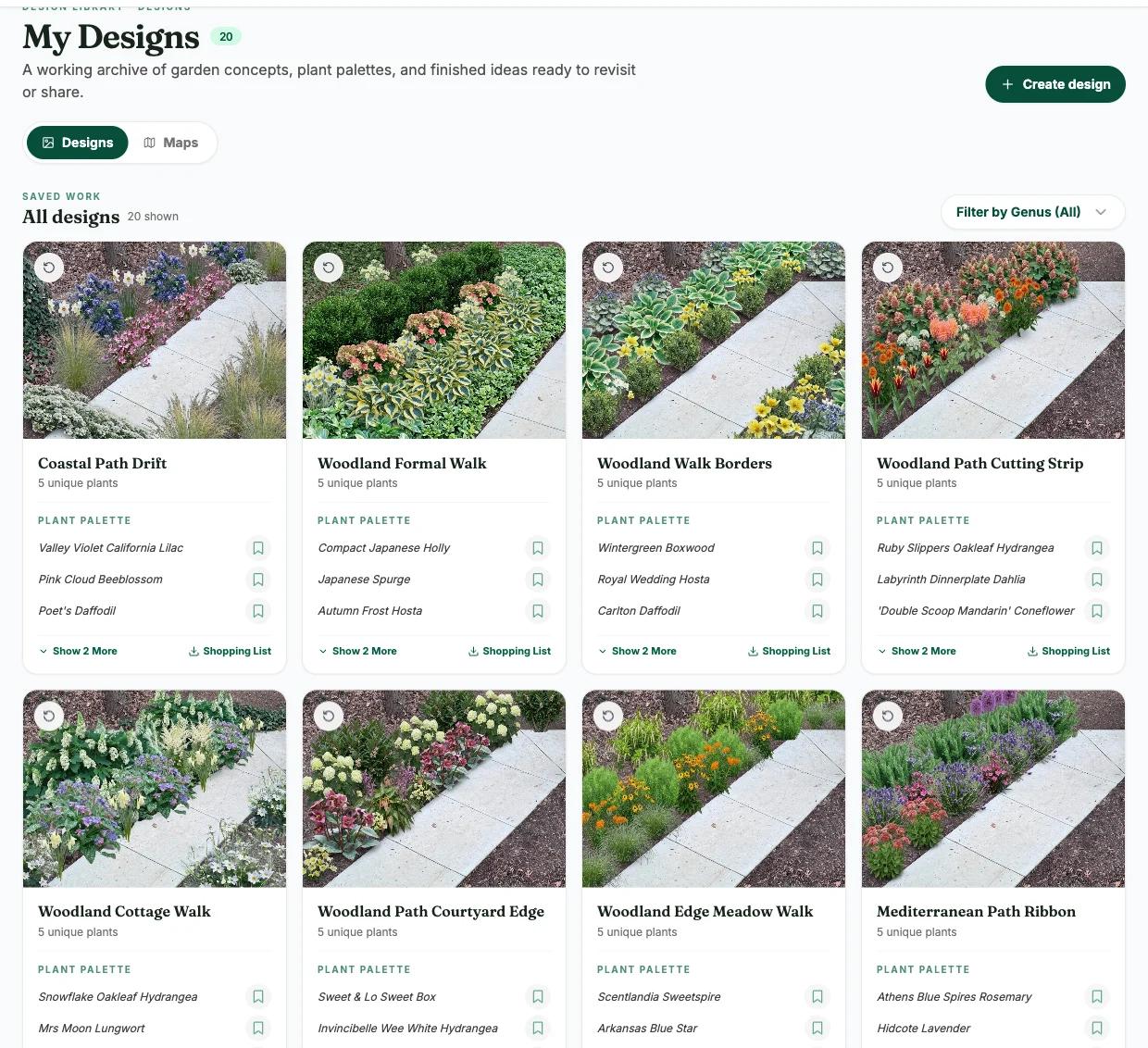
The whole job, in one place
From the site visit to the signature. No retyping the plant list into a second program.
- 01
Photograph the site
Shoot the yard on your phone. Sow works from the real photo, so the client sees their own property — not a generic render.
- 02
Design it
Generate options fast, then take manual control: place, scale, and swap real species with correct mature sizes and hardiness for the site.
- 03
Cost it
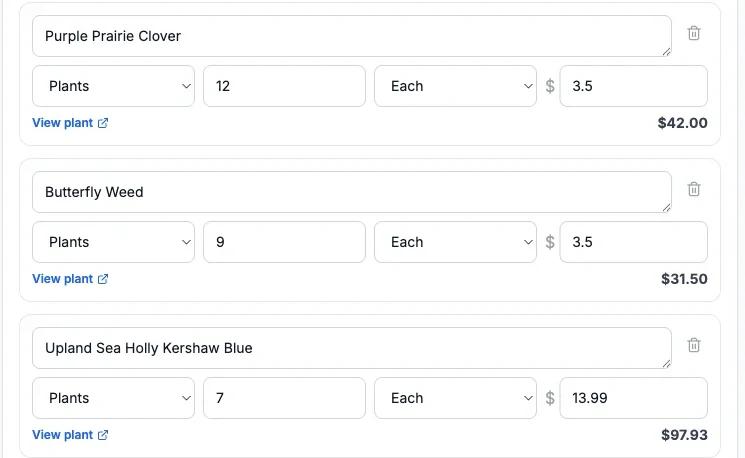
Every plant carries live pricing across the nurseries we track, so the plant schedule has real numbers in it before you send anything.
- 04
Present and get sign-off
Send a branded proposal or presentation to a client board. They comment, they approve a version, and it is on the record.
What you can hand a client
Branded, exportable, and built from the design itself — so the numbers never drift between documents.
Client brief
Capture the site, the budget, the style, and what the client actually asked for — in one shared place instead of a text thread.
Proposal
Turn a design into a proposal with the plant schedule already filled in from the plants you placed. Export a branded PDF.
Presentation
Walk a client through the design with plant detail they can see and understand, then leave them a PDF that still makes sense a week later.
Planting plan
A real plan with correct spacing and mature sizes — not a mood board. Export it or hand it to whoever installs it.
Plant list & bloom calendar
Every plant you specified, with sizes, zones, and current nursery pricing — plus a bloom calendar that shows the client what happens when.
Version-bound approvals
Clients approve a specific version, and the approval stays attached to it. No more "I never agreed to that."
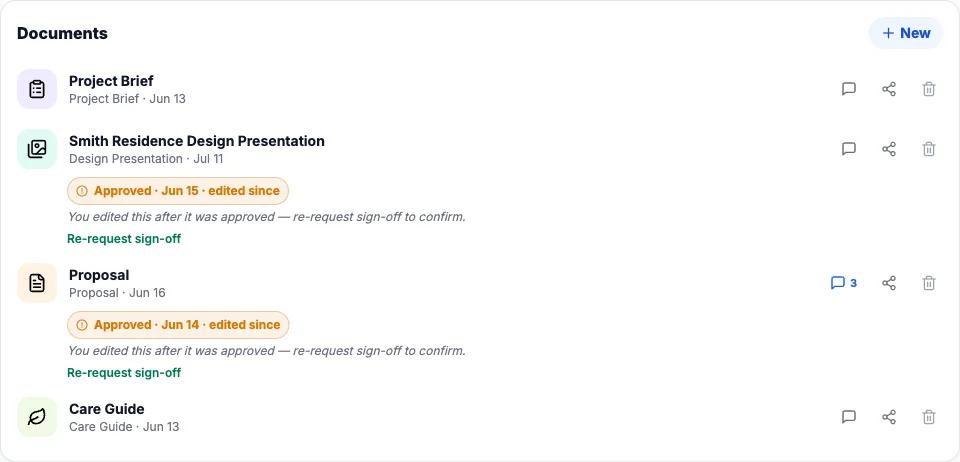
All of it is included in Pro+ ($99.99/yr) — client boards, briefs, proposals, presentations, and version-bound approvals, with branded PDF export throughout.
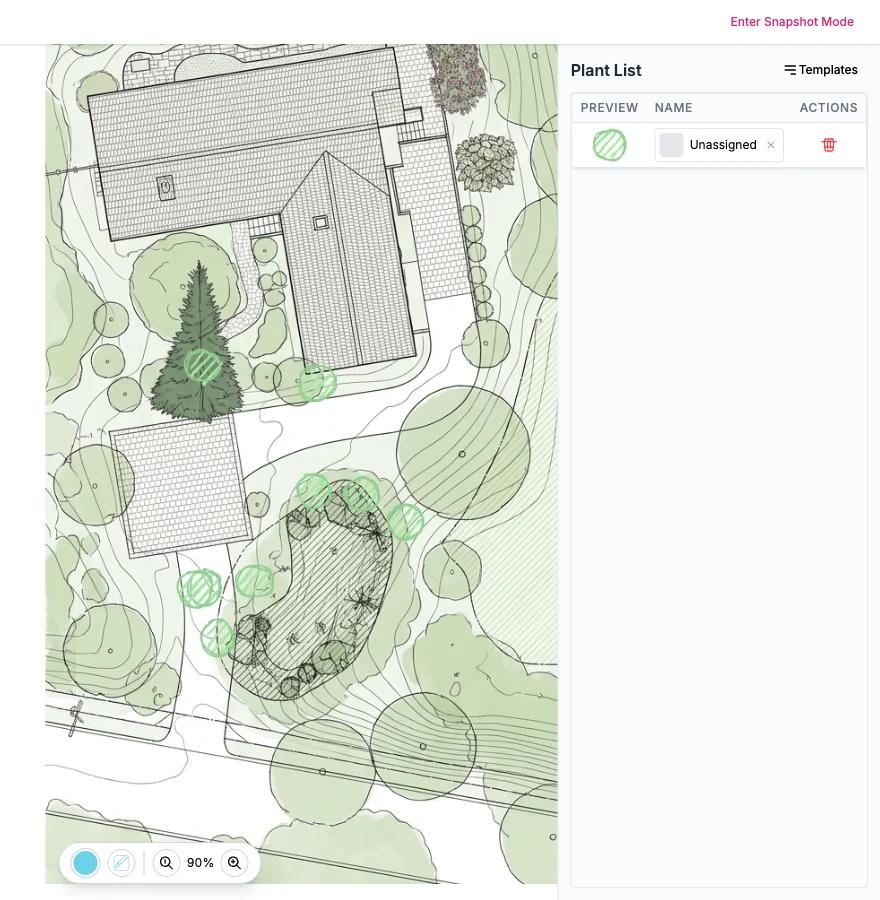
A plan, not a mood board
Draw the planting plan over the real site, with each plant placed at its true mature spread — so the bed still works in year three instead of closing over the path. Export it for whoever puts the plants in the ground.
A design you can actually source
Every plant in a Sow design is a real species or cultivar — over 11,000 of them — with hardiness zone, mature height and spread, sun and soil needs, bloom start and finish, and current pricing from the nurseries we track. A render that specifies a plant you cannot buy, or one that dies in the client's winter, is not a design. It is a liability.
- Mature sizes, so the plan still works in year three
- Zone, sun and soil filtering, so nothing specified dies in year one
- Live nursery pricing, so the schedule carries real numbers
- Companion data drawn from tens of thousands of real designs
Capture it on site. It is already on your desk.
Everything you do in the field lands in your dashboard the moment you do it. The photos you take at the walkthrough, the designs you generate in the driveway, the plants you save, the ideas you scribble down between jobs, the boards you shared with the client — all of it is on the bigger screen when you get back, ready to refine.
Shoot now, design later
Photograph the site while you are standing in it. The photos are waiting on the desktop, attached to the right project, when you have time to work them up properly.
Rough it in the driveway, refine it at the desk
Generate a concept while the client is watching, then open the same design on a large screen to place plants precisely, adjust spacing, and get the palette right.
One project, both screens
There is no export step and no second copy. The phone and the web studio are the same project — whichever you touch last is simply the current one.
Share from wherever you are
Send a board to a client from the truck or from the office. What they see is the latest version either way.
Questions from professionals
How much is Sow Pro+?
$99.99 a year ($29.99/month). That covers the whole professional toolkit: unlimited client boards and spaces, the full 11,000+ plant library with live nursery pricing, unlimited design generation, planting plans, the map editor, the web studio, watermark-free branded exports, and the client tools — briefs, proposals, presentations, and version-bound approvals. Desktop landscape suites generally run several hundred dollars or a comparable subscription.
Does it work on both mobile and desktop?
Both, and they are the same project. Photograph the site and design it on your phone while you are standing in the yard; the photos, designs, saved plants and shared boards are already in your desktop dashboard when you sit down. Refine on the big screen, then send the proposal. There is no export step and no second copy to keep in sync.
Can clients see the design without installing an app?
Yes. Client boards are shared over the web with a link, so a client can open the design, read the proposal, leave comments, and approve a version in a browser. They never have to install anything.
Do the plants in a design actually exist?
Yes — that is the point. Every plant in a Sow design is a real species or cultivar from a catalog of over 11,000 outdoor plants, with hardiness zones, mature size, sun and soil requirements, bloom timing, and live pricing from the nurseries we track. A design you cannot source is not a design.
Can I hand the plan to whoever installs it?
Yes. Export the planting plan and the plant schedule as branded PDFs — species, quantities, sizes and spacing — so the crew builds what you actually specified.
Does Sow handle invoicing, scheduling, or job costing?
No — Sow is the design-to-sign-off half of the job: site photo, design, plant specification with real pricing, client-ready deliverables, and approvals. It is built to sit alongside whatever you already run the business on, rather than replace it.
Go deeper
Landscape Design Software: What Designers Actually Need in 2026
Landscape Proposal Software: From Design to Signed, Without Retyping
Landscape Design Presentations That Close the Job
Planting Plan Software: Correct Spacing, Real Mature Sizes
Plant List Generator: Schedules With Real Nursery Pricing
A Landscape Design App That Works in the Field
Garden Design Software for Planting Designers
Free Landscape Design Software: What You Really Get
Win the next job in the driveway
Photograph the site, design it while the client watches, and send a branded proposal before you get back in the truck.