Press kit

Sow: Garden & Landscape Design

Sow is one app for the whole outdoor project: discover ideas, turn them into a real plan, and keep what you plant thriving.

Press contact: Dan Walker, Founder, Sow Platforms, Inc. [email protected]. Replies within a day, including on deadline.

95,000+
garden designs created
40,000+
registered gardeners
12,000+
real outdoor plants in the library
450,000+
plants saved to personal collections

At a glance

Fact sheet

Current as of September 2, 2026. For anything not covered here, email Dan directly.

App name
Sow: Garden & Landscape Design
What it is
Sow is one app for the whole outdoor project: discover ideas, turn them into a real plan, and keep what you plant thriving.
Price
Free to download. Sow Pro is $59.99/year after a 7-day free trial; Sow Pro+ is $99.99/year. Monthly plans and one-time credit packs are also offered — full breakdown below.
Platforms
iPhone and iPad (iOS 17.0 or later) · Android (7.0 / API 24 or later) · Web browser at usesow.com
Regional coverage
Plant matching works to USDA hardiness zones in the United States, Canadian hardiness zones, RHS hardiness ratings in the United Kingdom, and Australian climate zones. Weather-aware care — forecasts, rainfall history, drought conditions and frost dates — is currently United States only. Design, the plant library, plant identification, diagnosis, mapping and journaling work anywhere.
Release date
App Store: July 1, 2025. Android and the web app are also generally available.
Current version
iOS 2.7.6, released August 28, 2026
Developer
Sow Platforms, Inc., registered in North Carolina, United States
Category
Lifestyle (secondary: Graphics & Design)
Age rating
4+ (App Store)
Download size
187 MB (iOS)
Languages
English
App Store rating
4.3 out of 5, from 385 ratings (US)

What it costs

Pricing, in full

Sow is free to download and free to start designing. These are the full published prices, including what each paid plan adds.

Free
$0
Design from a photo of your own space, save plants, keep a space or board, browse the community feed.
Sow Pro
$59.99 / year
Seven-day free trial. Full 12,000+ plant library, no watermarks, property maps, planting plans, weather-aware care, web access, and monthly usage credits.
Sow Pro+
$99.99 / year
Everything in Pro, plus unlimited design creation and client tools for professional designers — branded presentations, proposals and sign-off.
Credit packs
$8.99
One-time in-app purchase for additional design and video creation.

Monthly and weekly plans are also offered; their price varies by platform and by the current offer, so the annual figures above are the ones that hold everywhere. Sow carries no advertising and does not share personal data with ad networks.

For immediate release

Press release

Sow Puts the Whole Garden Project — Ideas, Plan and Care — in a Single App

A drag-and-drop editor stocked with 250+ furniture and material options, a 12,000-plant library, plant identification, photo diagnosis, an AR sunlight meter, property maps, journaling and weather-aware care now sit in one app for iPhone, Android and the web.

NORTH CAROLINA — September 2, 2026

Sow Platforms, Inc. today detailed Sow, an app that carries a garden or landscape project from first idea through to season-long care. Sow is available on iPhone and iPad, on Android, and as a full web app at usesow.com. It is free to download.

A single outdoor project has typically meant assembling a handful of unrelated apps: one to identify a plant, another to work out what is wrong with it, another to sketch a bed, another to track the watering, another for the forecast. None of them share what they know, so the plant list never reaches the layout and the diagnosis never reaches the care schedule. Sow is organized instead around the three things the project actually asks for — discovering an idea, turning it into a plan, and keeping the result alive.

For the first, Sow creates designs from a photo of the user’s own yard and composes them from a catalog of more than 12,000 real outdoor plants: trees, shrubs, perennials, grasses, natives and named cultivars carried by nurseries, filtered to the user’s hardiness zone, sun exposure and space. This addresses a specific failure of current AI home-and-garden tools, which produce an attractive render and no way to act on it — the plants in those images are generated rather than selected, so they have no name, no hardiness rating and no price. Alongside the designer sits a feed of other gardeners’ real yards rather than stock photography.

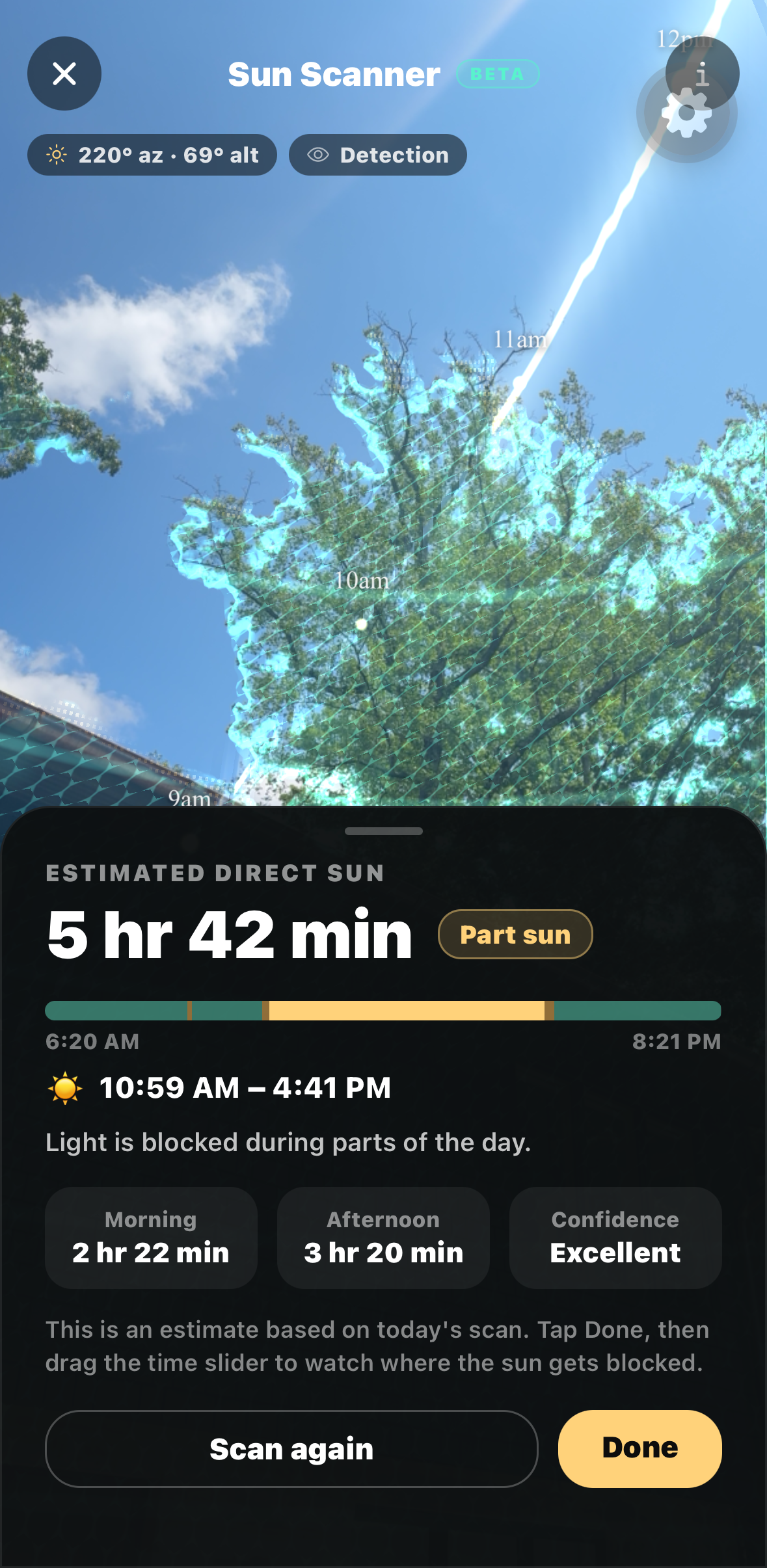
For the second, the design remains a working document. Sow’s Editor — among the most used parts of the app — is a drag-and-drop surface where plants, furniture and materials are placed by hand and then moved, resized, rotated and layered. It ships with more than 250 non-plant items, from outdoor furniture and fire pits to water features, lighting, pergolas and pools, plus material swatches for brick, stone, pavers, gravel, mulch and lawn, so a plan covers the hardscape as well as the planting. Objects snap in 15-degree increments as they rotate and furniture is drawn from every side, and a finished design can be upscaled in-app for presenting or printing. Any plant in it can be tapped for its mature height and spread, hardiness range, water and sun needs, bloom season and current nursery pricing. Beyond the Editor, Sow produces planting plans bed by bed, maps a whole property over satellite imagery, and measures the site itself: its AR sunlight meter traces the sun’s path from a chosen point in the yard, accounting for the trees, fences and rooflines that shade it, and estimates the hours of direct light that spot receives.

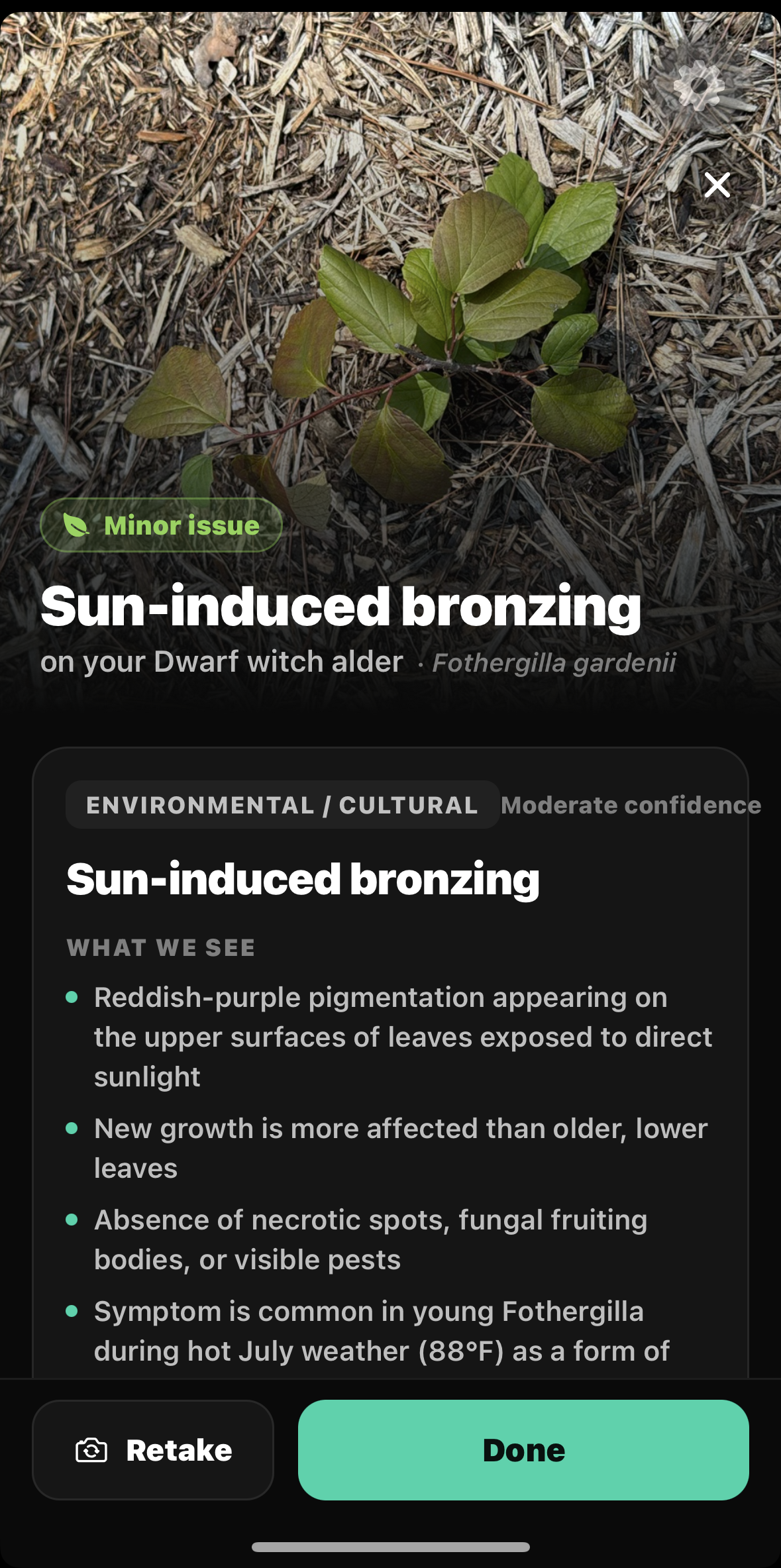
For the third — the part most design apps stop short of — Sow identifies an unknown plant from a photo, and Plant Doctor diagnoses an unhealthy plant or lawn from one, returning likely causes and treatment steps. A garden journal and per-space records track what was planted where and how it has fared; bloom and seed-starting calendars say when to act; and care reminders arrive as dated tasks. In the United States those tasks are weather-aware, drawing on local forecasts, rainfall history, drought conditions and frost dates.

The app serves homeowners and professional landscape designers from the same tool. Homeowners get a credible picture of a space before committing money to it, and the means to look after it afterwards; designers get client-ready visuals with a real plant schedule underneath, plus branded presentations, proposals and client sign-off in Sow Pro+. Designs, plants, maps and records sync between the mobile apps and the web app, so a plan sketched standing in a bed can be finished at a desk.

Gardeners have created more than 95,000 designs in Sow to date. The iPhone app holds a 4.3-star App Store rating across 385 ratings.

People do not have a design problem or a plant-care problem — they have one outdoor project, and it was being split across half a dozen apps that never spoke to each other. Sow keeps the whole thing in one place, so the plant you identified in April is the same plant in the plan, and the same plant reminding you to water it in July.

Dan Walker, founder of Sow Platforms, Inc.

Availability and pricing

Sow is available now on the App Store for iPhone and iPad running iOS 17.0 or later, on Google Play for Android 7.0 and later, and in any modern browser at usesow.com.

The app is free to download. Sow Pro is $59.99 per year following a seven-day free trial, and Sow Pro+ is $99.99 per year. Monthly plans and one-time credit packs are also available in-app. Sow carries no advertising and does not share personal data with ad networks.

Plant matching works to USDA hardiness zones in the United States, Canadian hardiness zones, RHS hardiness ratings in the United Kingdom and Australian climate zones. The weather-aware element of care guidance — forecasts, rainfall history, drought conditions and frost dates — is currently United States only.

About Sow Platforms, Inc.

Sow Platforms, Inc. is a software company registered in North Carolina, United States. It makes Sow, an all-in-one garden and landscape app for iPhone, Android and the web that takes an outdoor project from first idea to a buildable plan to season-long care, using real, regionally appropriate plants. Sow launched on the App Store in July 2025. More at usesow.com.

Press contact: Dan Walker, Founder, Sow Platforms, Inc., [email protected]

# # #
Description

About Sow

The same description at three lengths, so you can take whichever one fits the space you have. All three are cleared for use verbatim.

One sentence

Sow is one app for the whole outdoor project: discover ideas, turn them into a real plan, and keep what you plant thriving.

One paragraph

Sow is a garden and landscape app for iPhone, Android and the web that covers a project end to end. It creates designs from a photo of a real yard using a library of more than 12,000 buyable plants matched to the user’s hardiness zone; it turns those ideas into working plans with a drag-and-drop editor stocked with outdoor furniture and materials as well as plants, plus planting plans, property maps and an AR sunlight meter; and it keeps the result alive with plant identification, photo-based disease diagnosis, a garden journal, care reminders and weather-aware watering. It serves homeowners who want to see a space before spending money on it and professional designers who need client-ready work they can keep editing. Sow is free to download, with Sow Pro at $59.99 a year after a seven-day free trial.

Full story

A single garden project usually scatters across a phone. One app identifies the plant. Another guesses what is wrong with it. A third sketches the bed. A fourth remembers the watering. A fifth has the forecast. None of them know what the others know, so the plant list never reaches the layout, and the diagnosis never reaches the care schedule. Sow was built as one app for the whole job, organized around the three things a project actually asks of you: find an idea, make it real, and keep it alive.

Discovering the idea comes first. Sow creates designs from a photo of the user’s own yard, in the style they choose, and it composes them from a catalog of more than 12,000 real outdoor plants — trees, shrubs, perennials, grasses, natives and named cultivars that nurseries stock, matched to the grower’s zone whether that is a USDA zone, a Canadian one, an RHS rating or an Australian climate zone. That matters because most apps that redesign a garden from a photo return a picture rather than a plan: the foliage in the render is invented, with no name, no hardiness zone, no mature size and often no real-world equivalent. In Sow every plant is a real record, so the render doubles as a shopping list. Alongside it sits a feed of other people’s actual yards rather than stock photography.

Turning that into a plan is the second pillar, and it is where most people end up spending their time. Sow’s Editor is a drag-and-drop design surface: plants, furniture and materials are placed by hand and then moved, resized, rotated and layered. It carries more than 250 non-plant items — outdoor furniture, fire pits, water features, lighting, pergolas, fences, pools — plus material swatches for brick, stone, pavers, gravel, mulch and lawn, because a garden is rarely only its planting. Objects snap to 15-degree increments as they turn, furniture is drawn from every side so it faces the right way, and a finished design can be upscaled for a version worth printing or presenting. Any plant in it opens to its hardiness range, mature height and spread, sun and water needs, bloom season and current nursery pricing. Beyond the Editor, Sow makes planting plans and bed layouts, maps a whole property over satellite imagery, and measures the site itself: its AR sunlight meter traces the sun’s path from a chosen spot, accounting for the trees, fences and rooflines that shade it, and estimates the hours of direct light that spot really gets. Professional users get client-ready presentations, proposals and sign-off on top.

Keeping it thriving is the part most design apps stop short of. Sow identifies a plant from a photo and saves it to a collection. Plant Doctor diagnoses a struggling plant or lawn from a photo and returns likely causes and treatment steps. A garden journal and per-space plant records track what was planted where and how it has done since; bloom and seed-starting calendars say when to act; and care reminders arrive as tasks rather than a list to remember. For United States gardens, those tasks are weather-aware, drawing on local forecasts, rainfall history, drought conditions and frost dates.

The app runs on iPhone, iPad, Android and the web, and the same designs, plants, maps and records appear on all of them. Gardeners have created more than 95,000 designs in it to date. Sow is made by Sow Platforms, Inc., a company registered in North Carolina; the iPhone app launched in July 2025 and is rated 4.3 stars.

What it does

Three jobs, one app

A garden project has historically meant assembling several unrelated apps — one to identify a plant, one to diagnose it, one to draw a bed, one to remember the watering. Sow is organized instead around the three things the project actually asks for.

01

Discover new ideas

Find out what a space could become, using plants that exist and will survive where you live.

  • Sow creates landscape designs from a photo of the user’s own yard, in a chosen style, using real species and cultivars rather than invented AI foliage.

  • The plant library holds more than 12,000 outdoor plants — trees, shrubs, perennials, grasses, natives, groundcovers and named cultivars — filterable by sun, mature size, bloom season, water needs and goals such as privacy or pollinator support, and matched to USDA, Canadian, UK (RHS) or Australian growing zones.

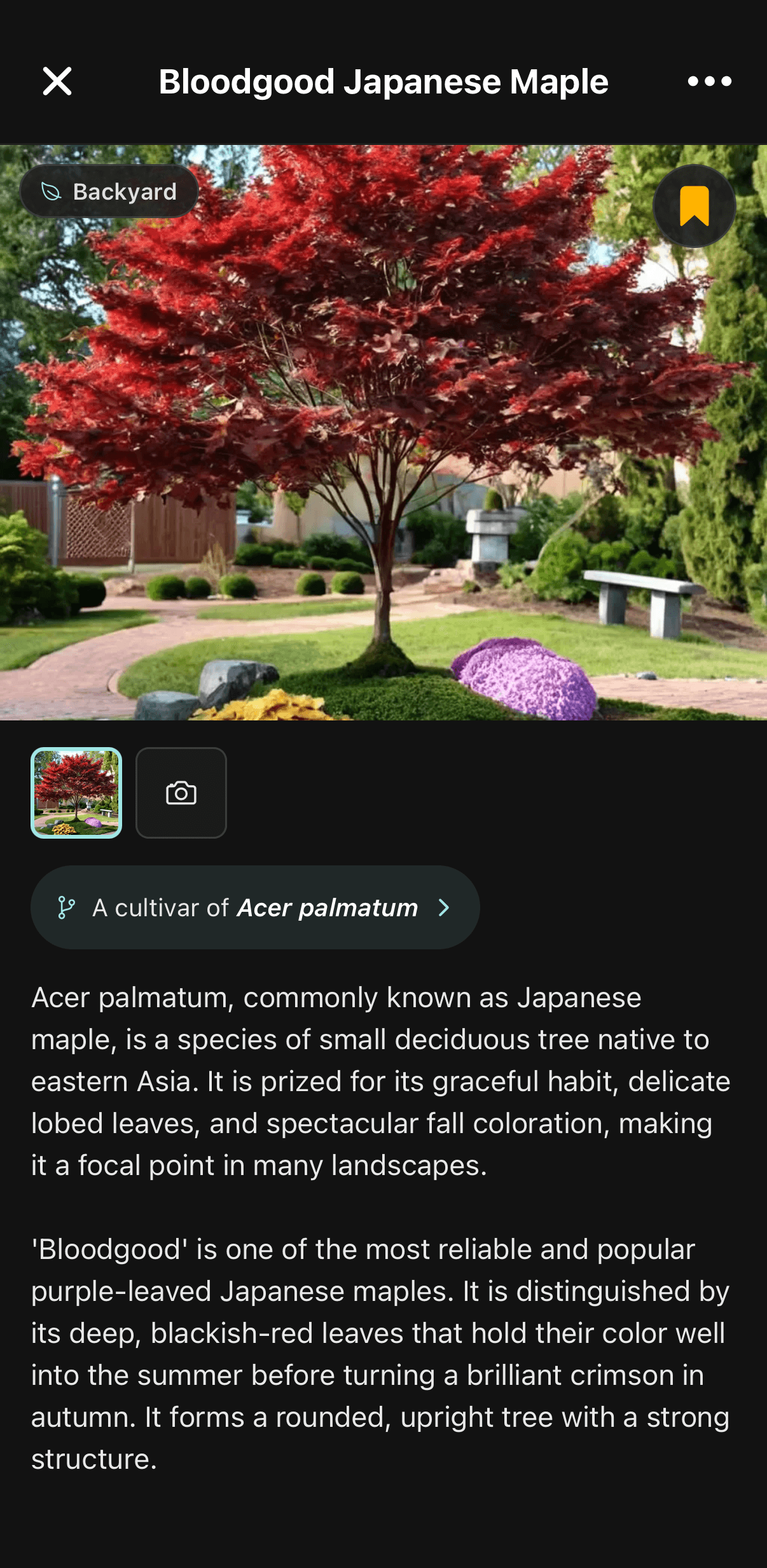
  • Every plant page carries real horticultural detail, including the cultivar’s parent species, mature height and spread, hardiness range, bloom season and care profile.

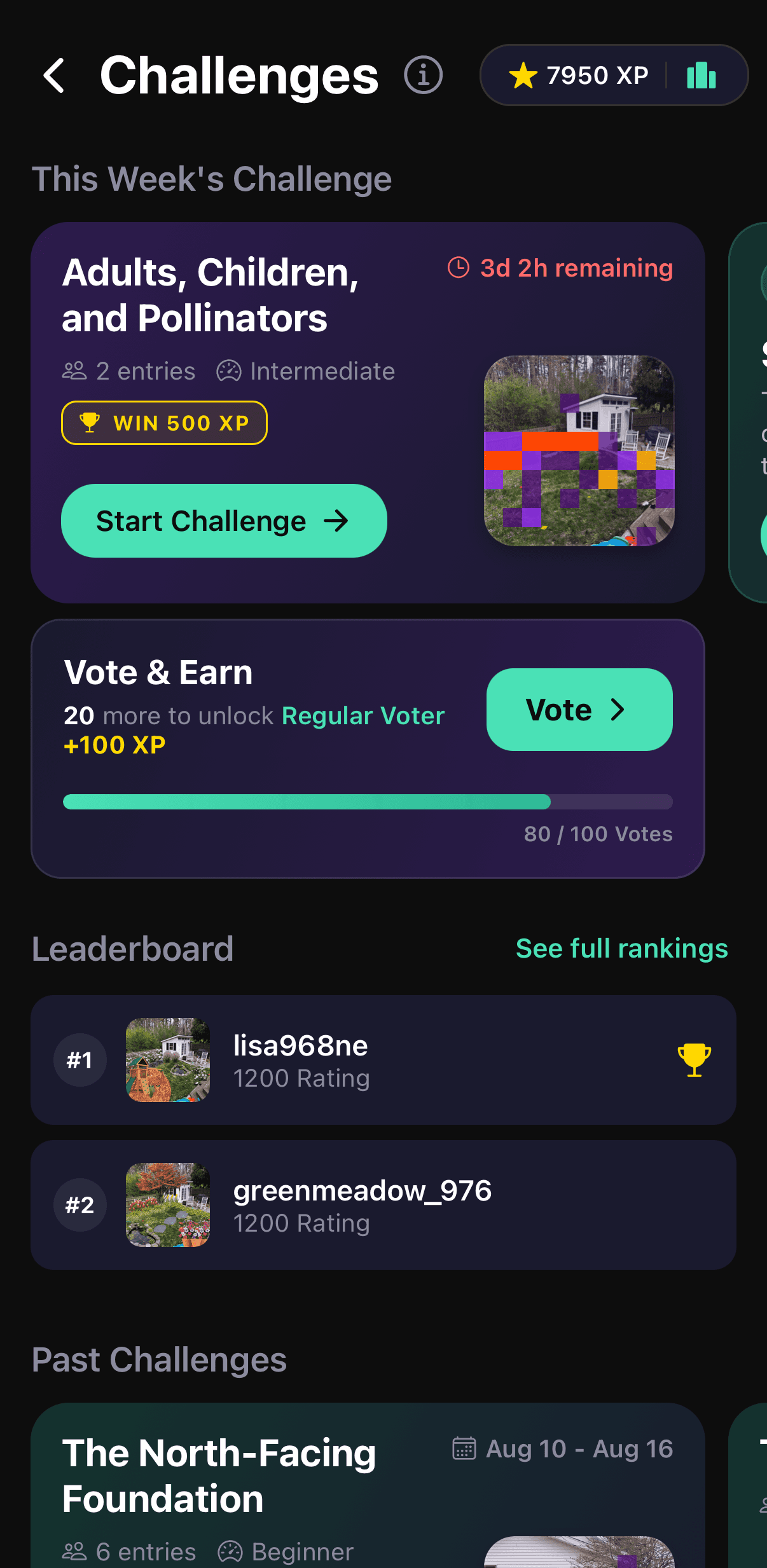
  • A community feed shows other gardeners’ actual yards rather than stock photography, and weekly design challenges give people a reason to keep looking.

02

Create a plan

Turn the idea into something buildable — a hand-editable layout, the hardscape as well as the planting, a real plant list, and a measured site.

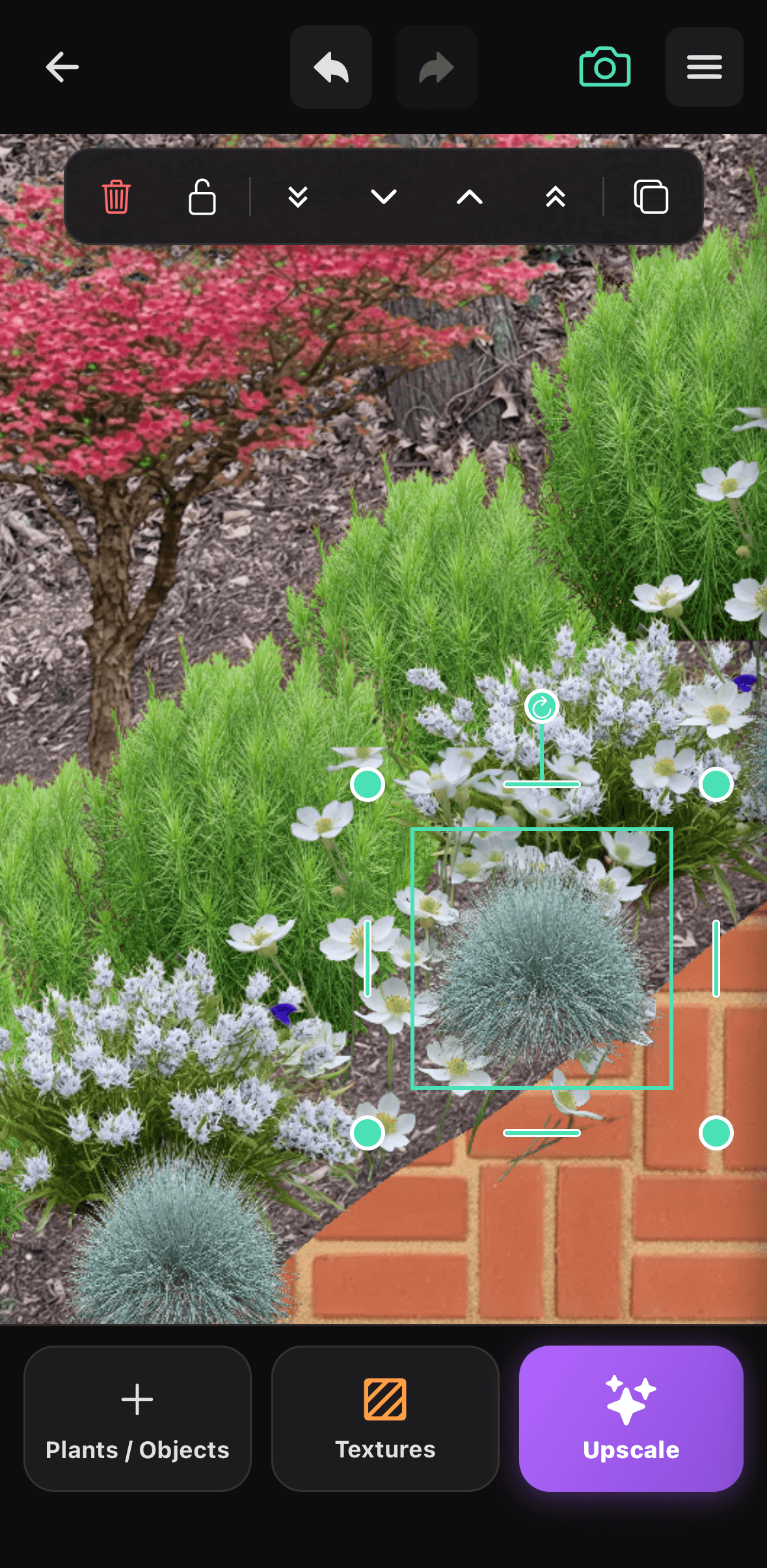
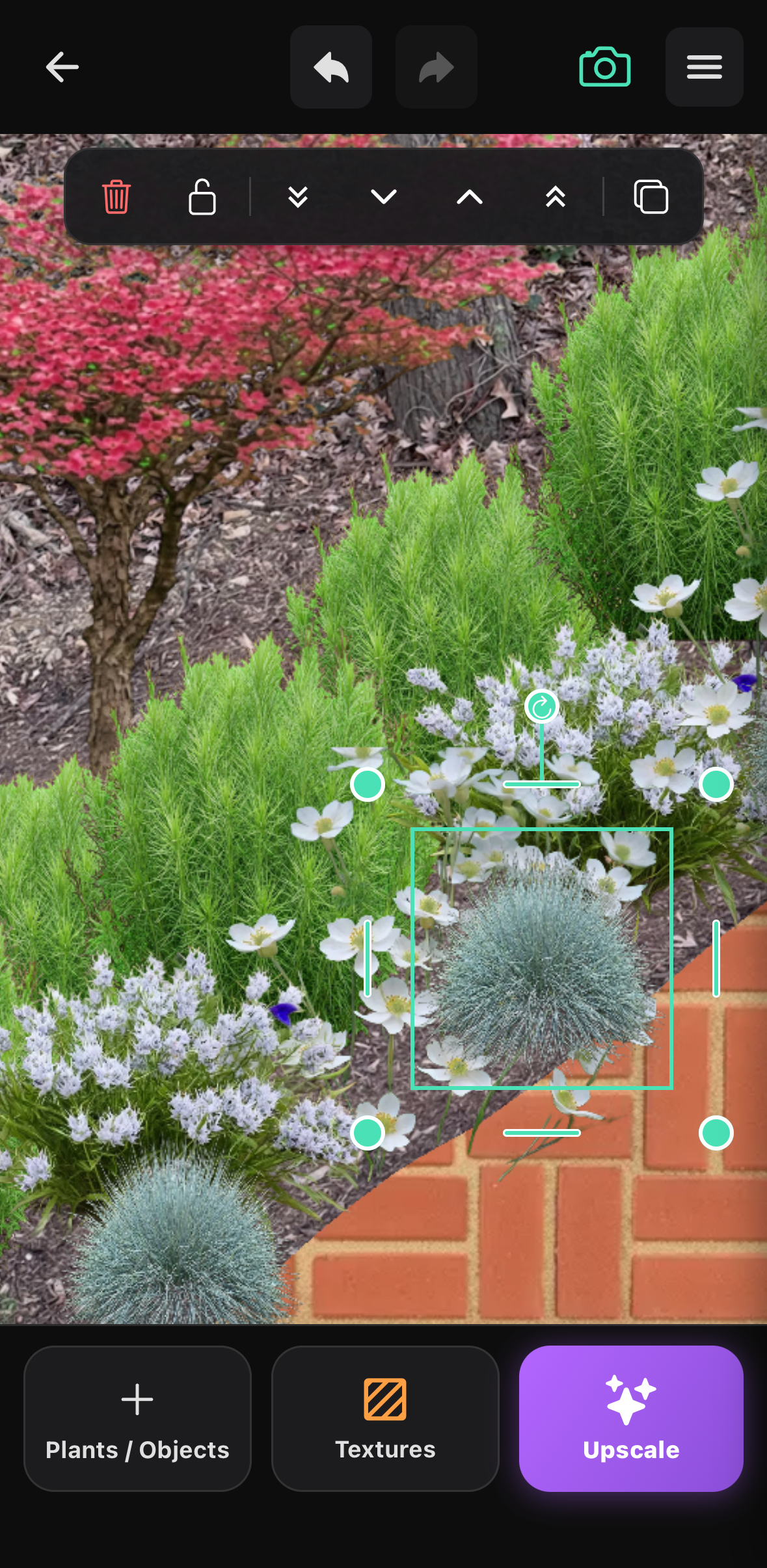
  • The Editor is a full drag-and-drop design surface rather than a one-shot render: plants, furniture and materials are placed by hand, then moved, resized, rotated and layered until the space looks right.

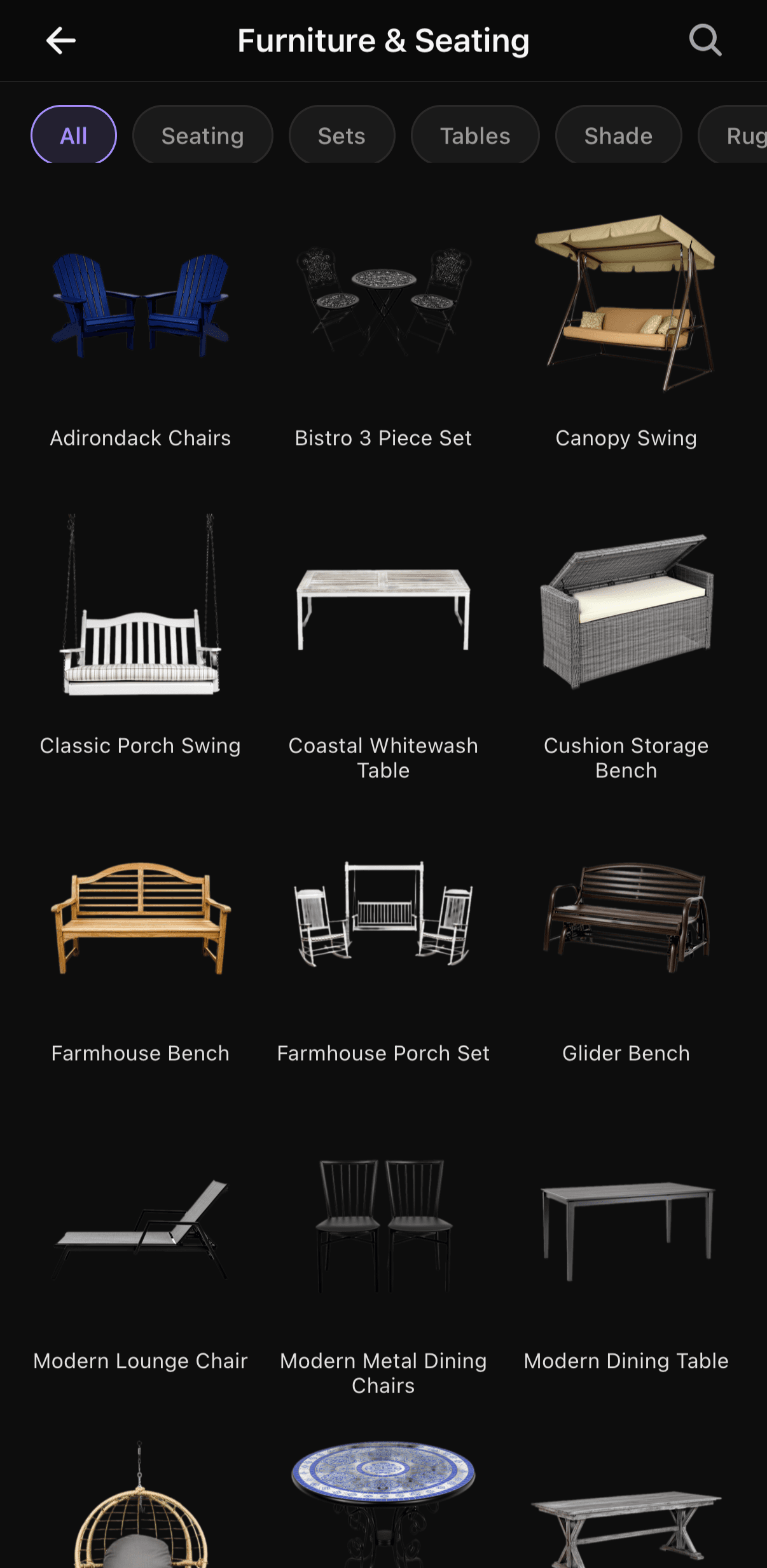
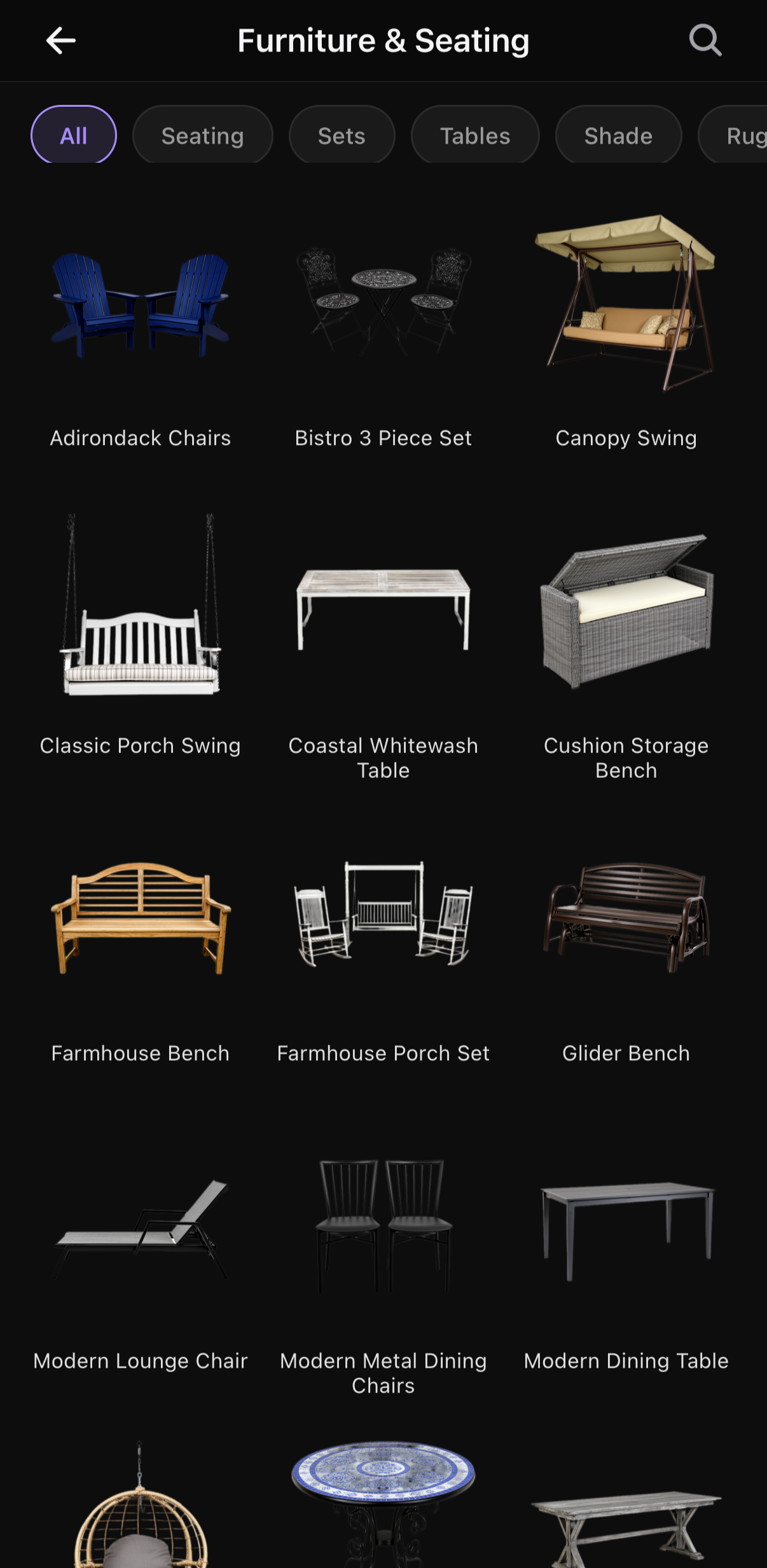
  • More than 250 non-plant items ship with it — outdoor furniture and seating, fire pits and outdoor kitchens, water features, lighting, pergolas and other structures, fences, pools and spas — alongside material swatches for brick, stone, pavers, gravel, mulch, concrete and lawn, so a design covers the hardscape and not only the planting.

  • Objects rotate freely and snap in 15-degree increments, and furniture is drawn from the front, the back and both sides, so a chair genuinely faces the way it is turned instead of staying flat to the camera.

  • Plants are assembled into a working palette to place from, with suggested planting combinations that can be dropped straight into it.

  • Any plant in a design opens to its hardiness zones, mature size, sun and water requirements and current pricing from online nurseries, so the design doubles as a shopping list.

  • A finished design can be upscaled in the app for a higher-resolution version to present, print or hand to a client.

  • Planting plans lay out beds and borders plant by plant, and property maps record beds, paths, structures and individual plants over satellite imagery.

  • Sow’s AR sunlight meter traces the sun’s path from a chosen spot in the yard, accounting for trees, fences and rooflines, to estimate the hours of direct light that spot actually receives.

  • Professional users can produce branded presentations, proposals and client sign-off from the same project.

03

Keep it thriving

Look after what went in the ground — identify it, diagnose it, record it and water it at the right time.

  • Plant identification names an unknown plant from a photo and saves it into the user’s own collection.

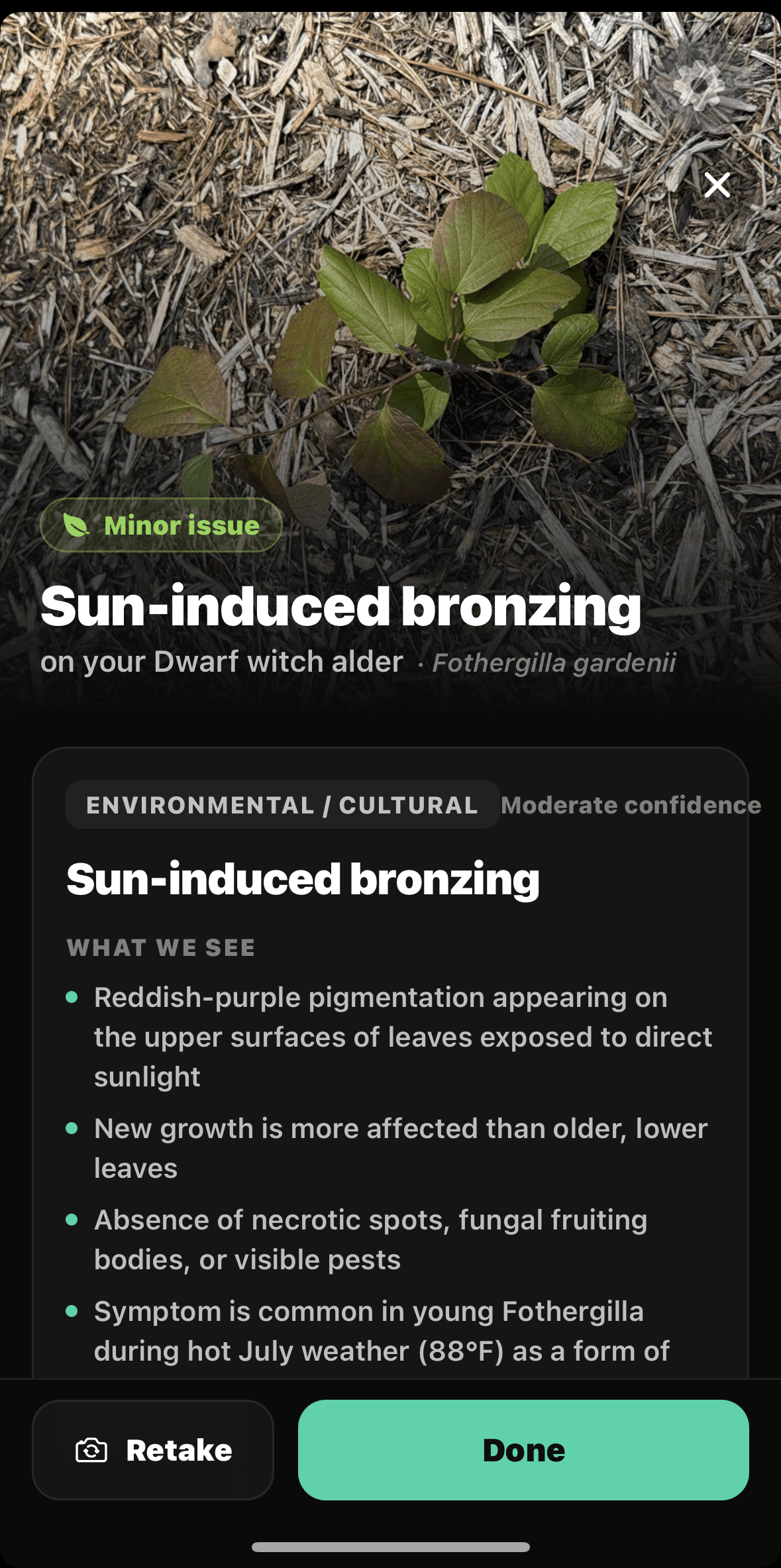
  • Plant Doctor diagnoses a struggling plant or lawn from a photo, identifying likely causes such as pests, disease, scorch or overwatering, and returning treatment steps.

  • A garden journal and per-space plant records track what was planted where and how it has done since, with photos over time.

  • Care reminders arrive as dated tasks per plant, and bloom and seed-starting calendars say when to sow, prune and expect flower.

  • For United States gardens, care guidance is weather-aware, drawing on local forecasts, rainfall history, drought conditions and frost dates.

Assets

Screenshots and logos

Raw iPhone screenshots at full device resolution — no frames, no captions and no marketing overlays, so they can run as editorial images. Taken from real accounts with real garden data; only the phone’s status bar was cropped. Take them individually below, or everything in one file.

01

Discover new ideas

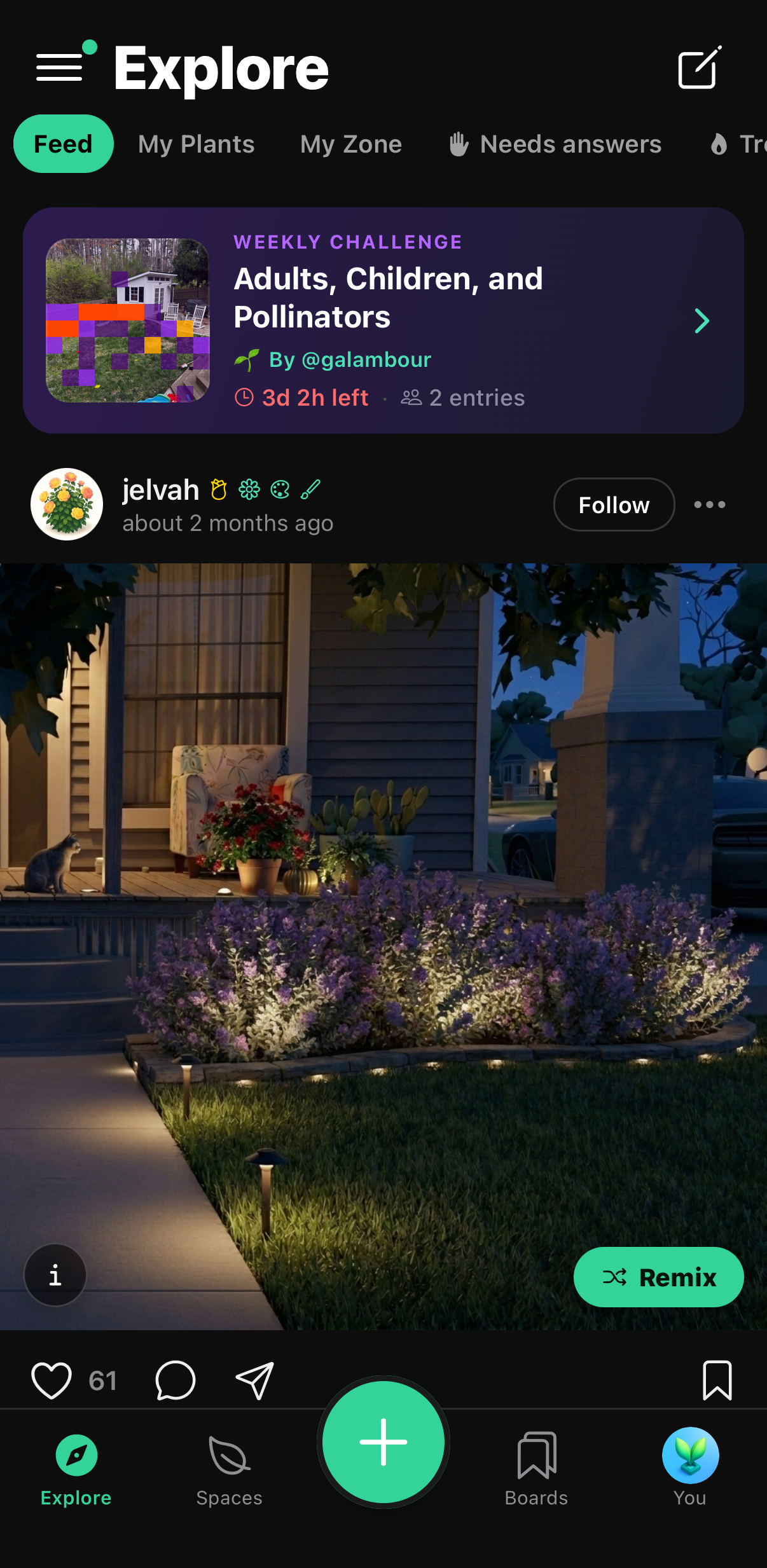
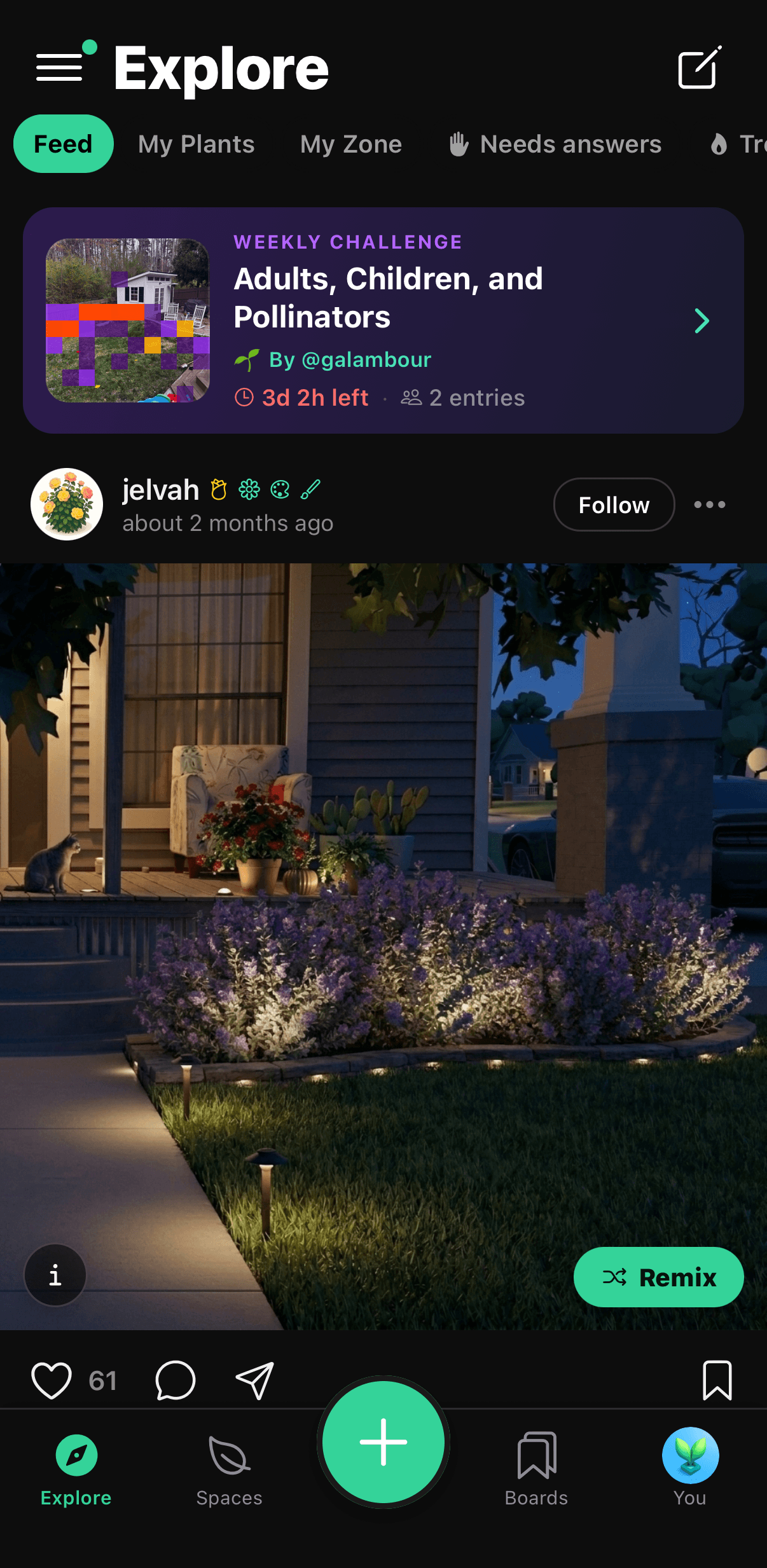
The Sow explore feed showing a lit garden path and border shared by another gardener.

Real yards, not stock photography

PNG · 1206 × 2466
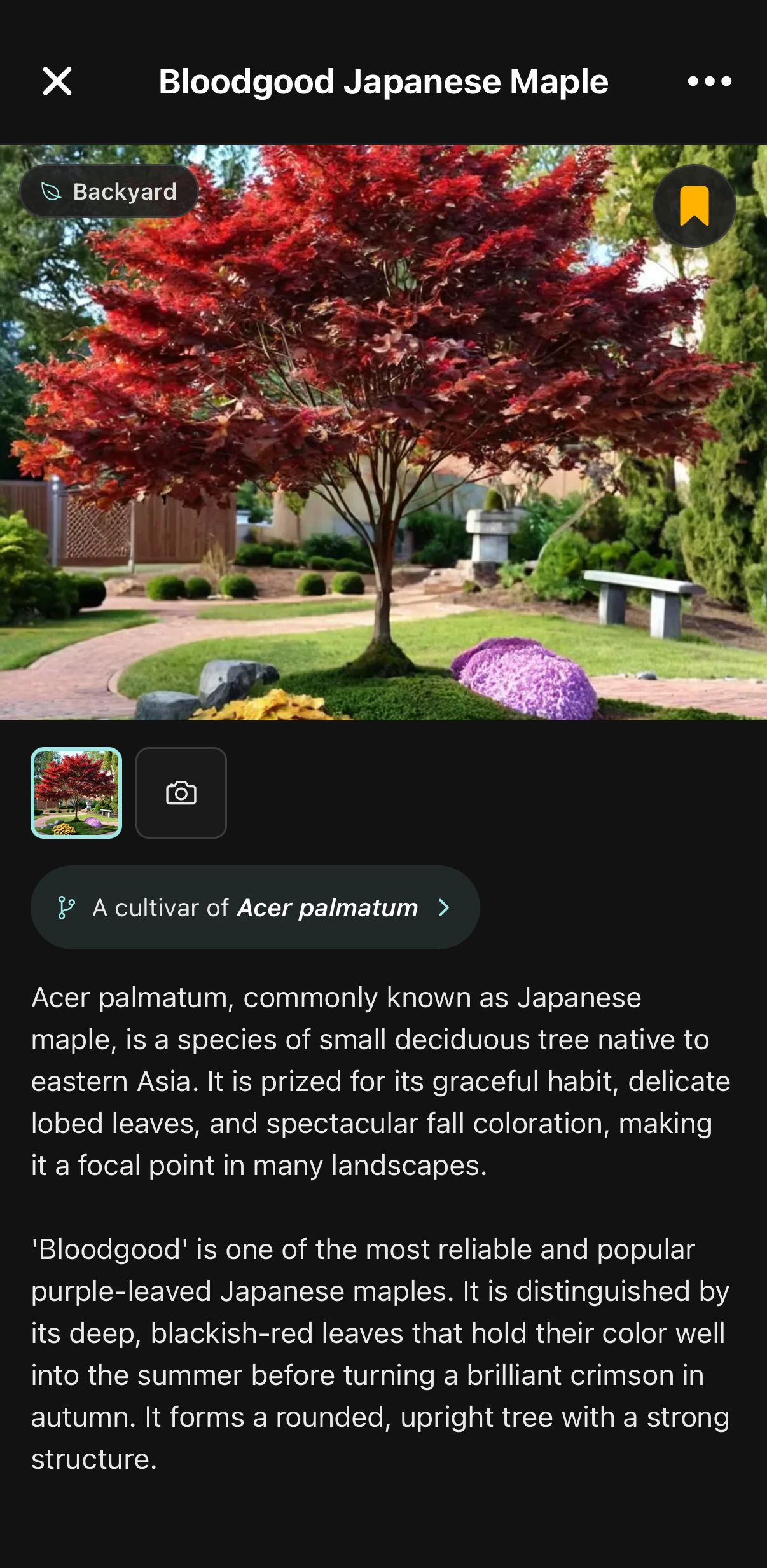
The Sow plant page for Bloodgood Japanese Maple, showing it as a cultivar of Acer palmatum with a botanical description.

Every plant is a real record

PNG · 1206 × 2466
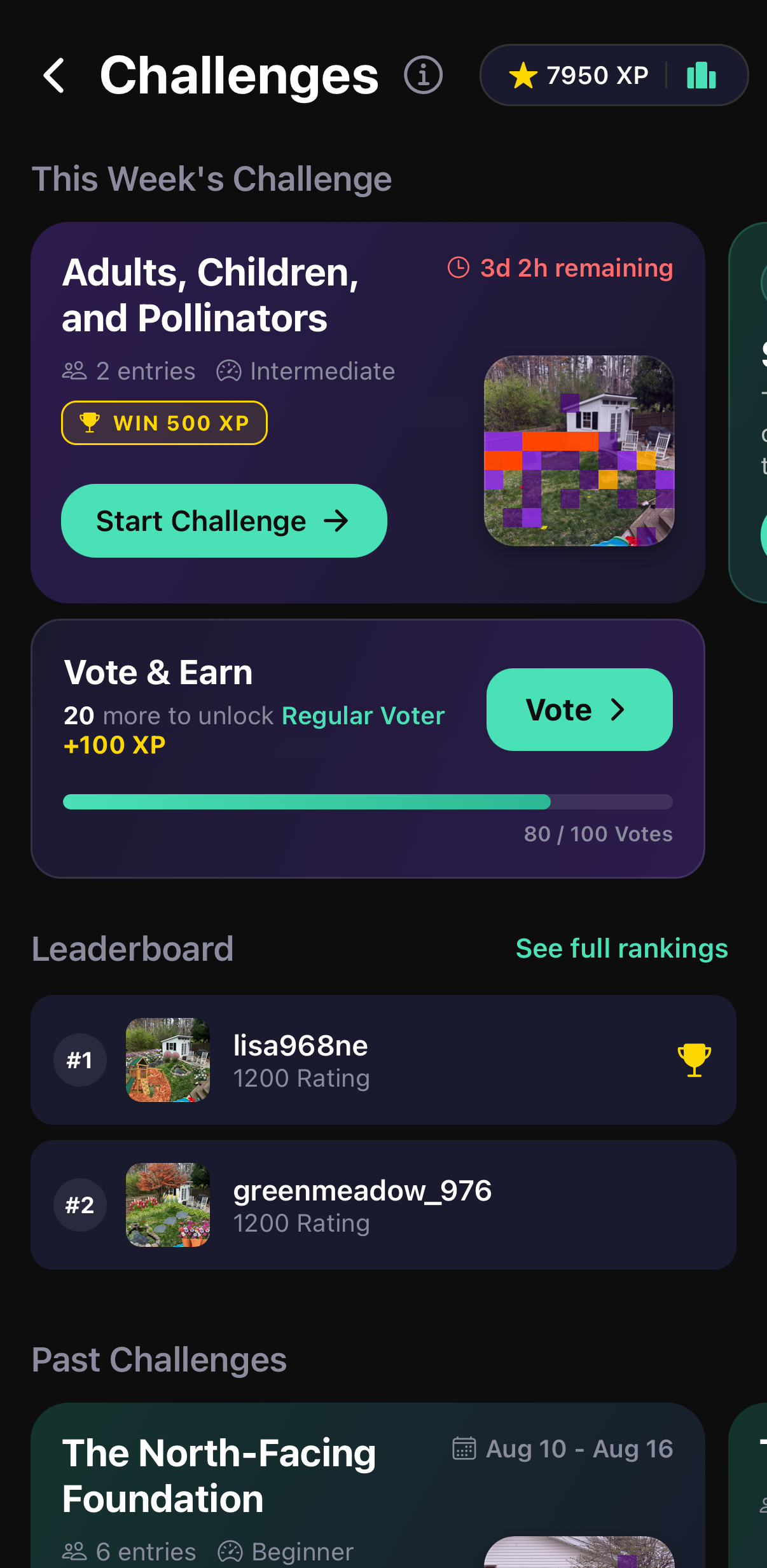
The Sow challenges screen with this week’s challenge, an XP total and a leaderboard.

Weekly community design challenges

PNG · 1206 × 2466
02

Create a plan

The Sow editor with an ornamental grass selected in a planted border, showing resize and rotate handles, the layering toolbar, and brick paving laid in as a material.

Select, rotate and layer by hand

PNG · 1179 × 2411
The Sow editor’s Furniture and Seating catalog, showing Adirondack chairs, a bistro set, porch swings, benches and dining tables.

Furniture and materials, not just plants

PNG · 1206 × 2467
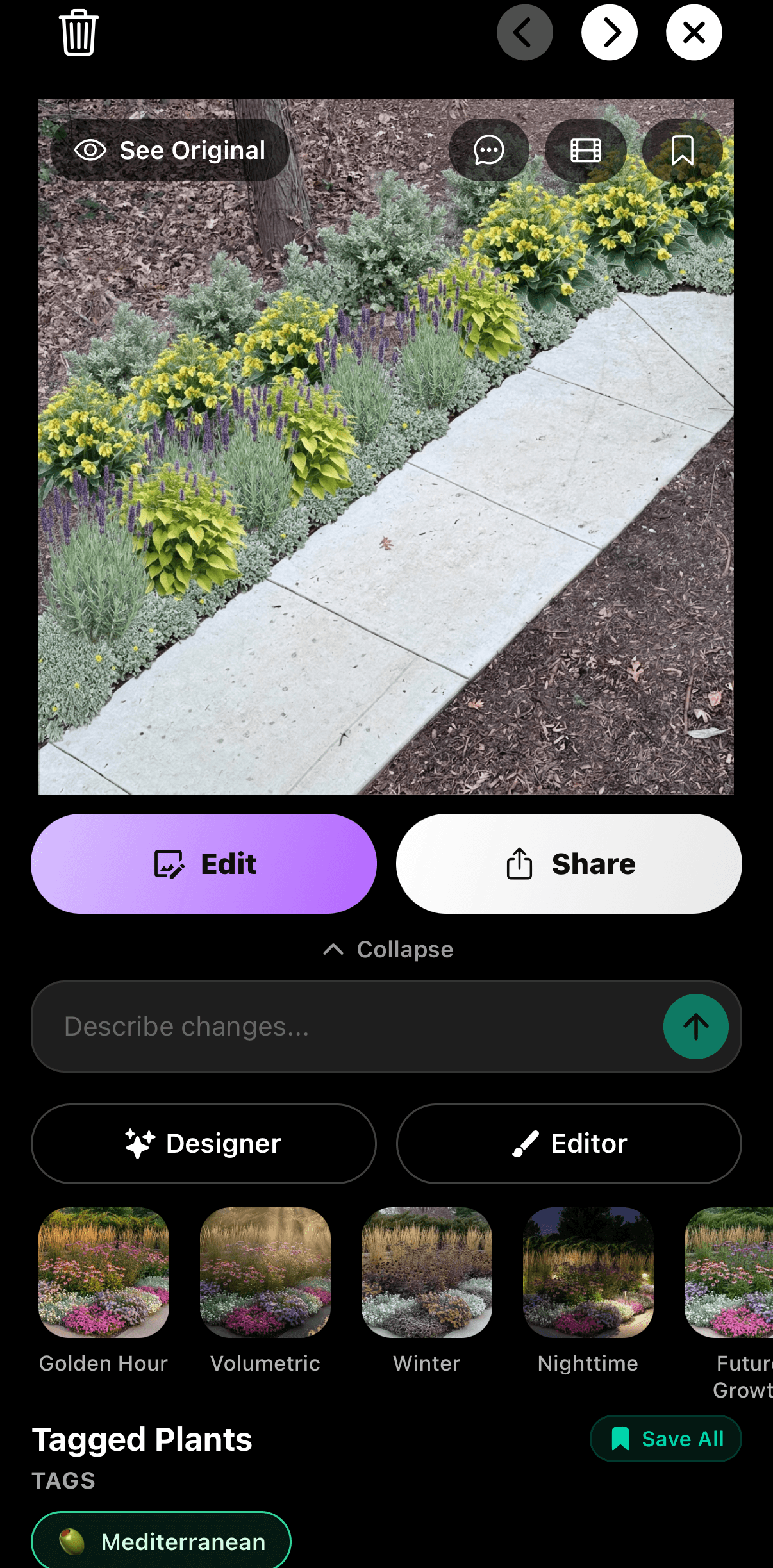
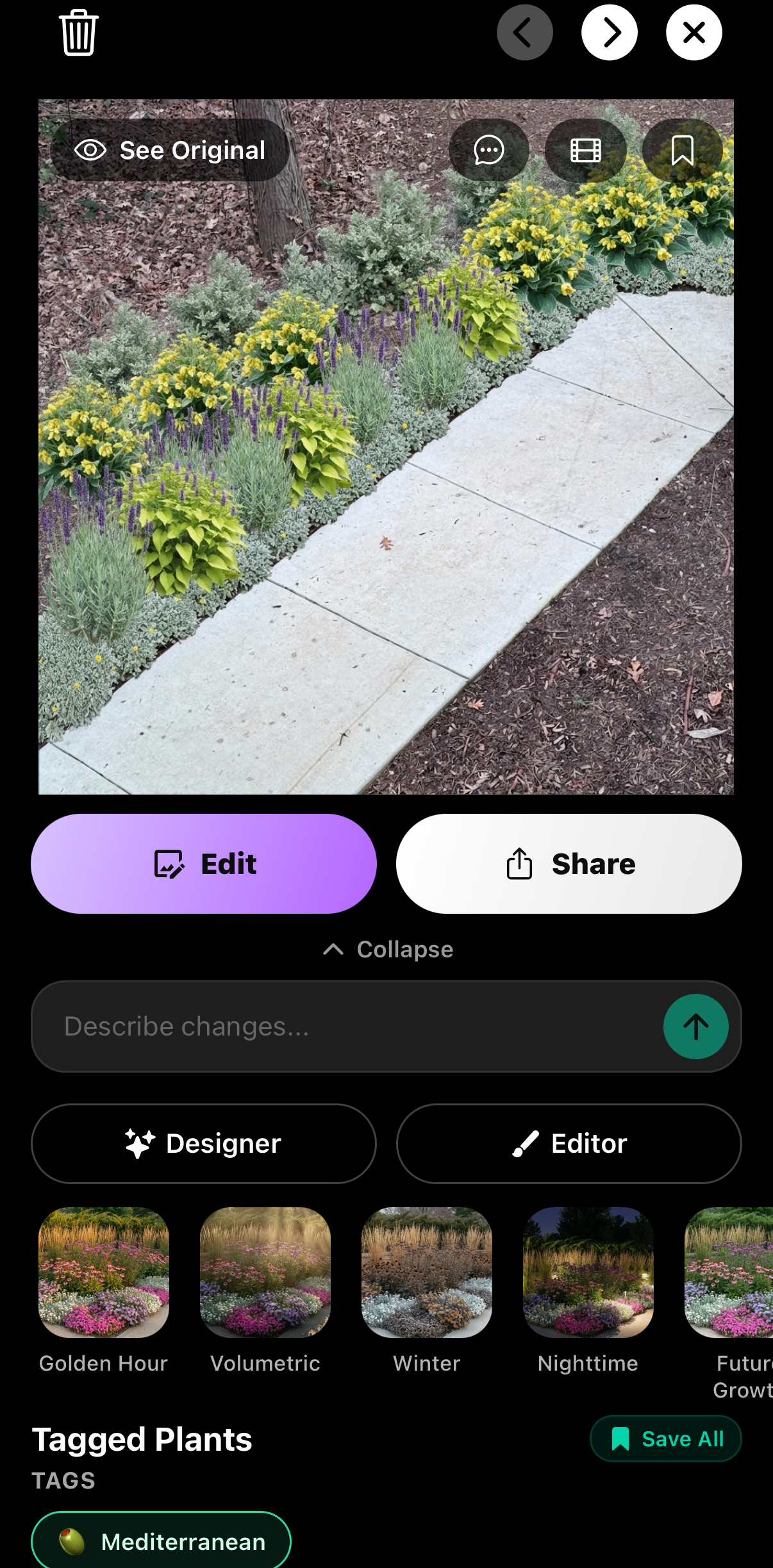
A completed Sow garden design of a planted path edge, with Edit and Share actions, alternative style variants and a tagged plant list beneath it.

A finished design stays editable

PNG · 1206 × 2447
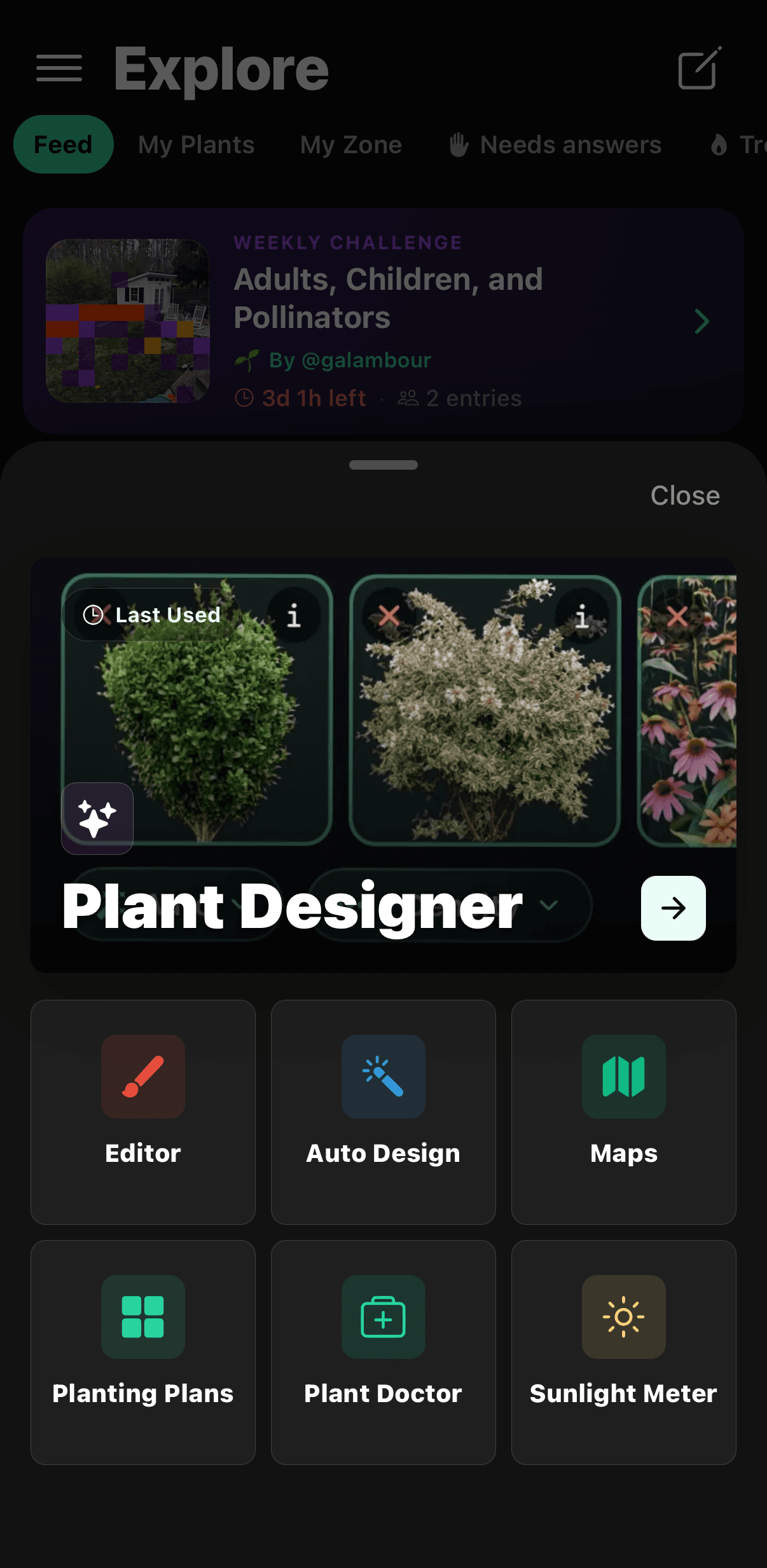
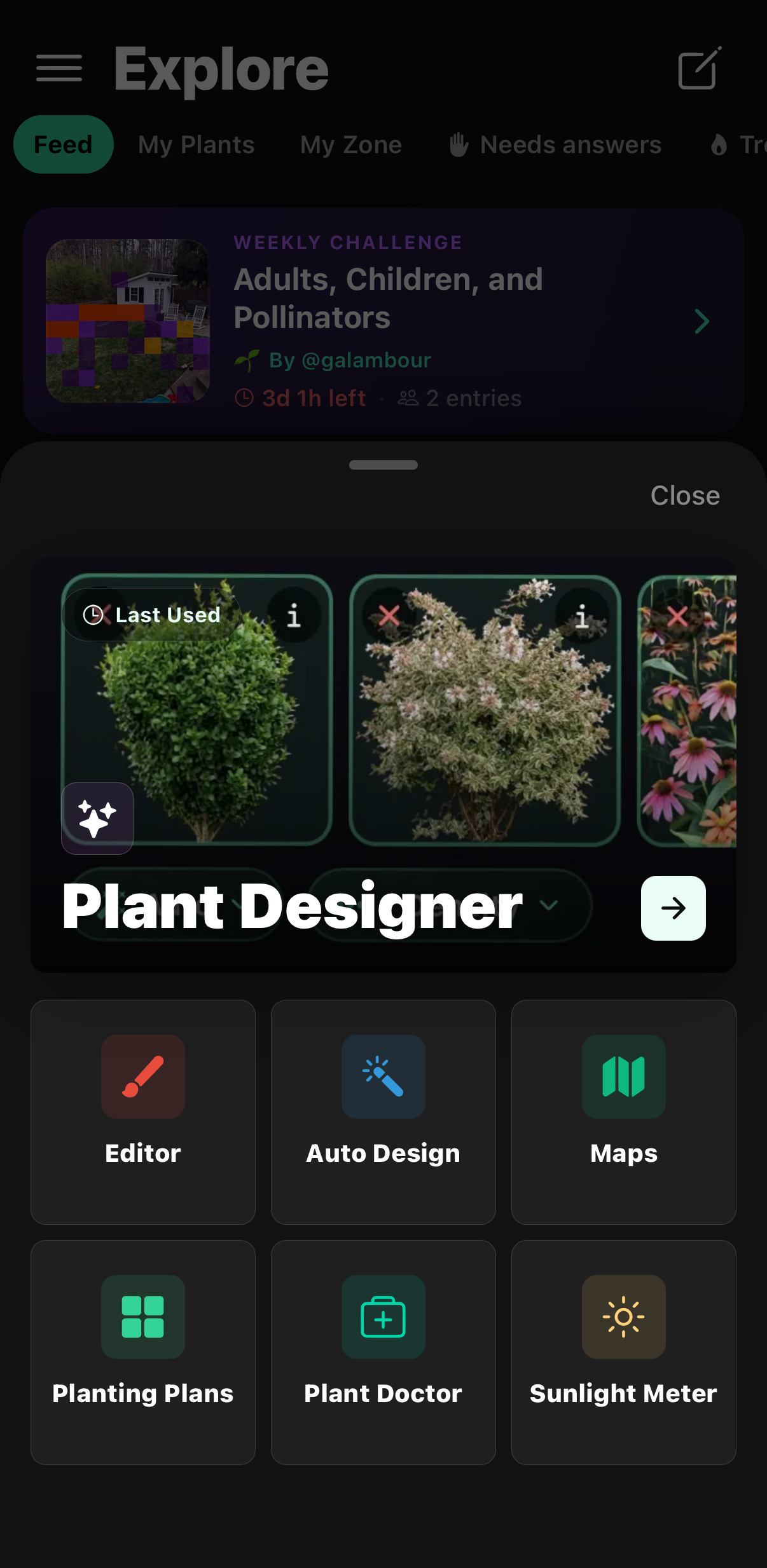
The Sow create menu showing Plant Designer, Editor, Auto Design, Maps, Planting Plans, Plant Doctor and Sunlight Meter.

The full toolset, one tap from anywhere

PNG · 1206 × 2467
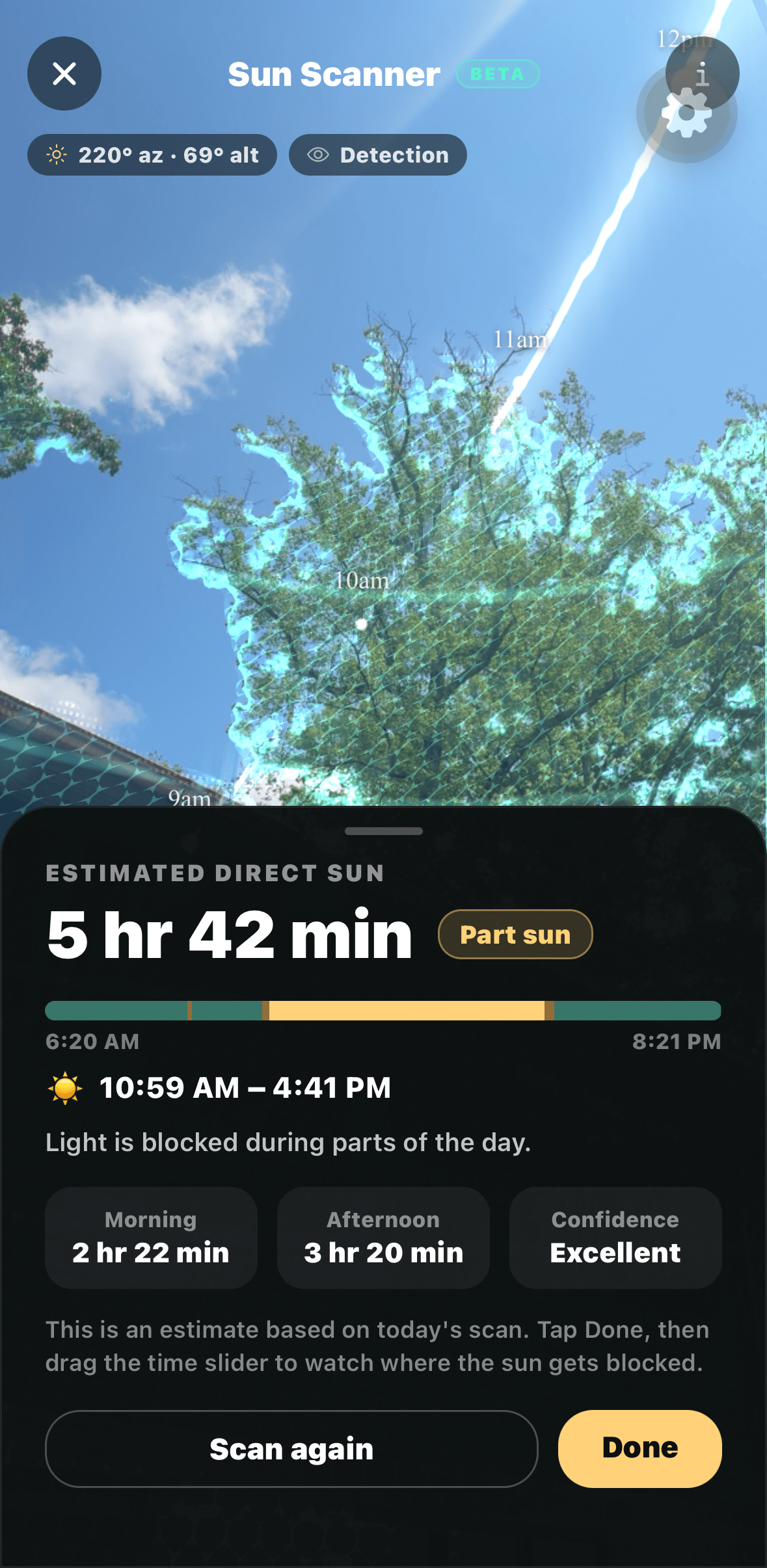
Sow’s AR Sun Scanner tracing the sun’s path over a tree, estimating 5 hours 42 minutes of direct sun and rating the spot part sun.

Measuring the sun before you plant

PNG · 1179 × 2411
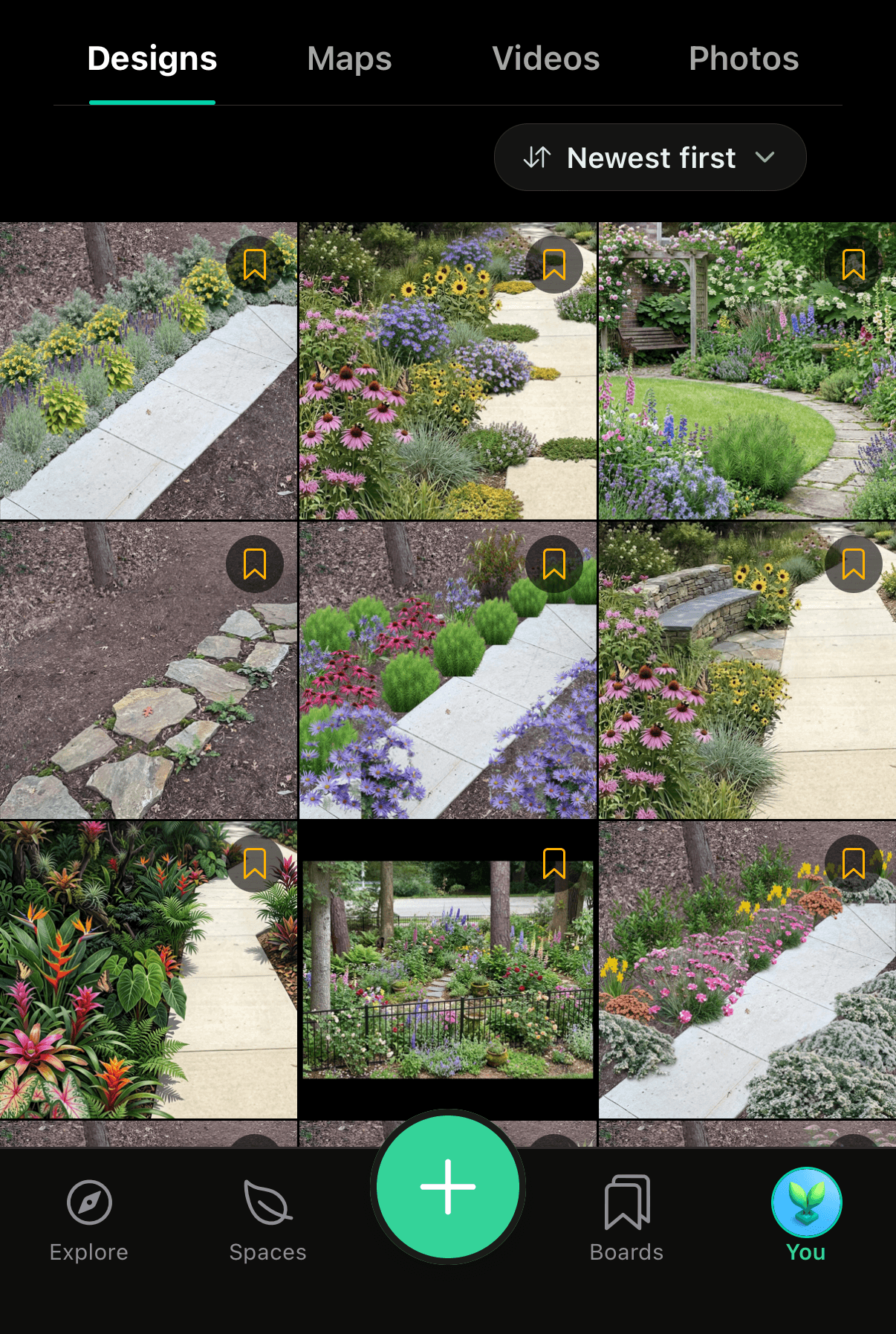
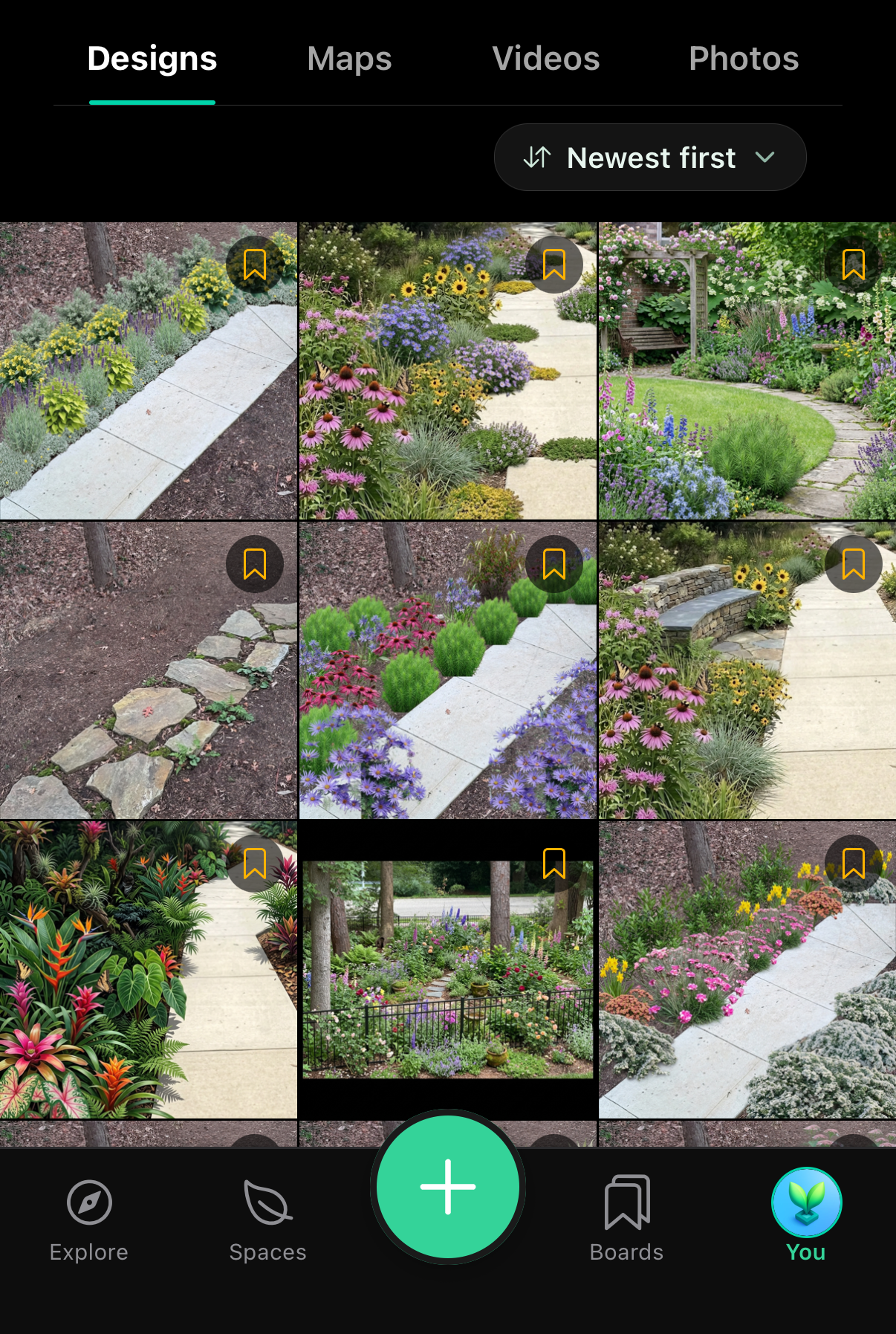
A grid of nine finished garden designs in a Sow user’s profile.

A portfolio of everything designed

PNG · 1206 × 1795
03

Keep it thriving

Sow’s Plant Doctor diagnosing sun-induced bronzing on a dwarf witch alder, listing what it sees in the photo.

A diagnosis with a name and a cause

PNG · 1179 × 2367
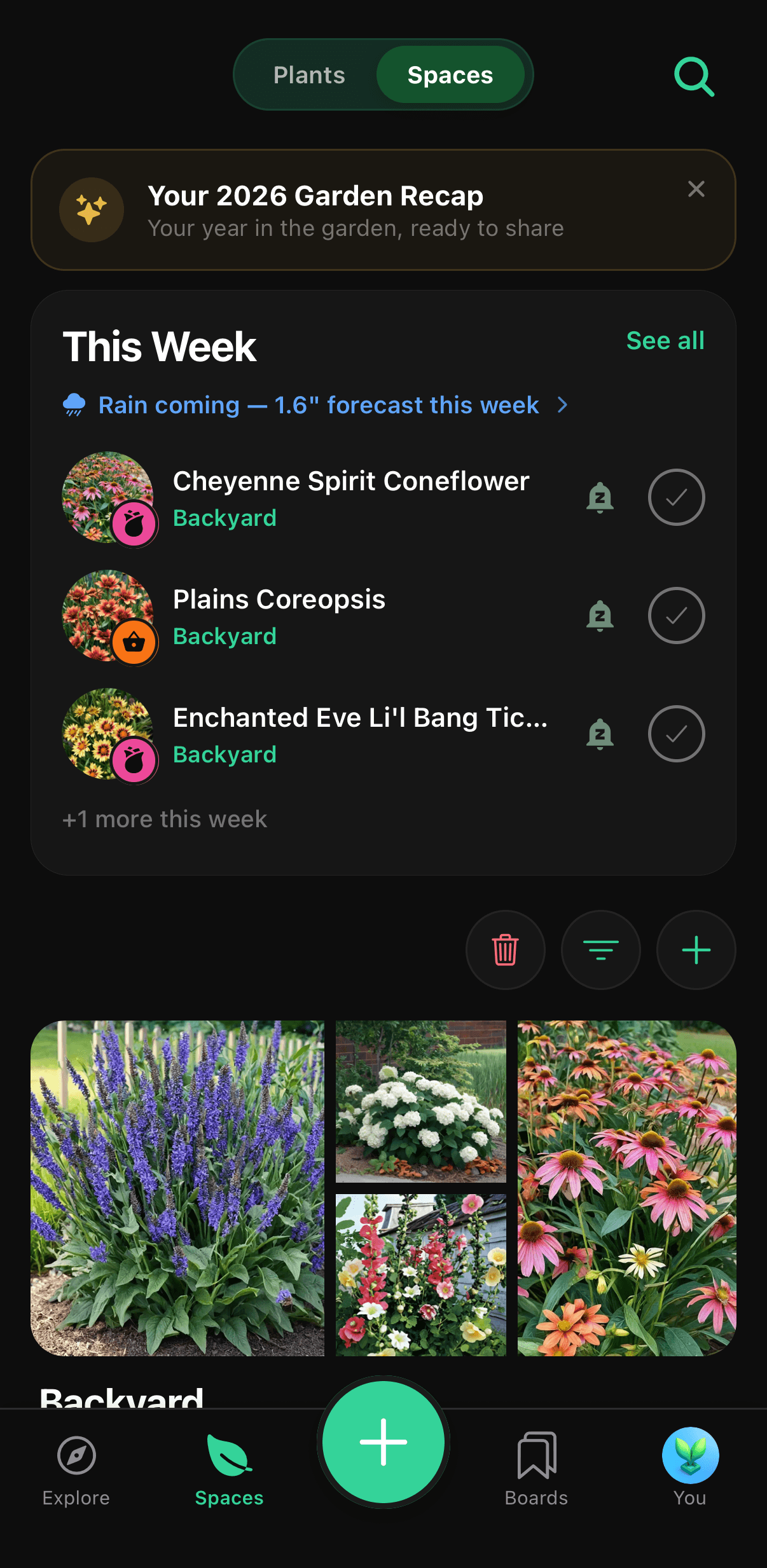
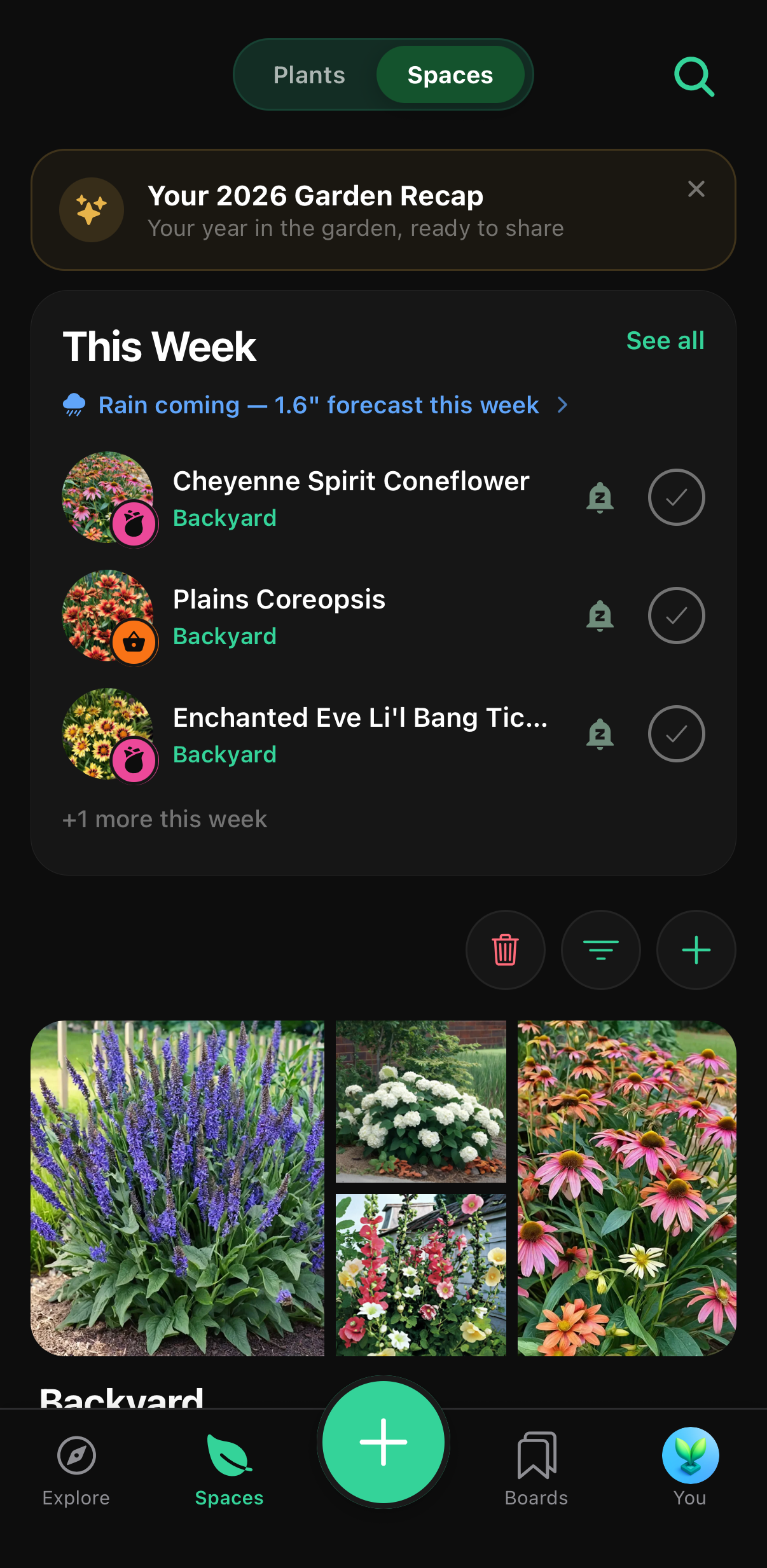
The Sow spaces screen showing this week’s plant care tasks and a rainfall forecast.

This week’s care, already worked out

PNG · 1206 × 2466
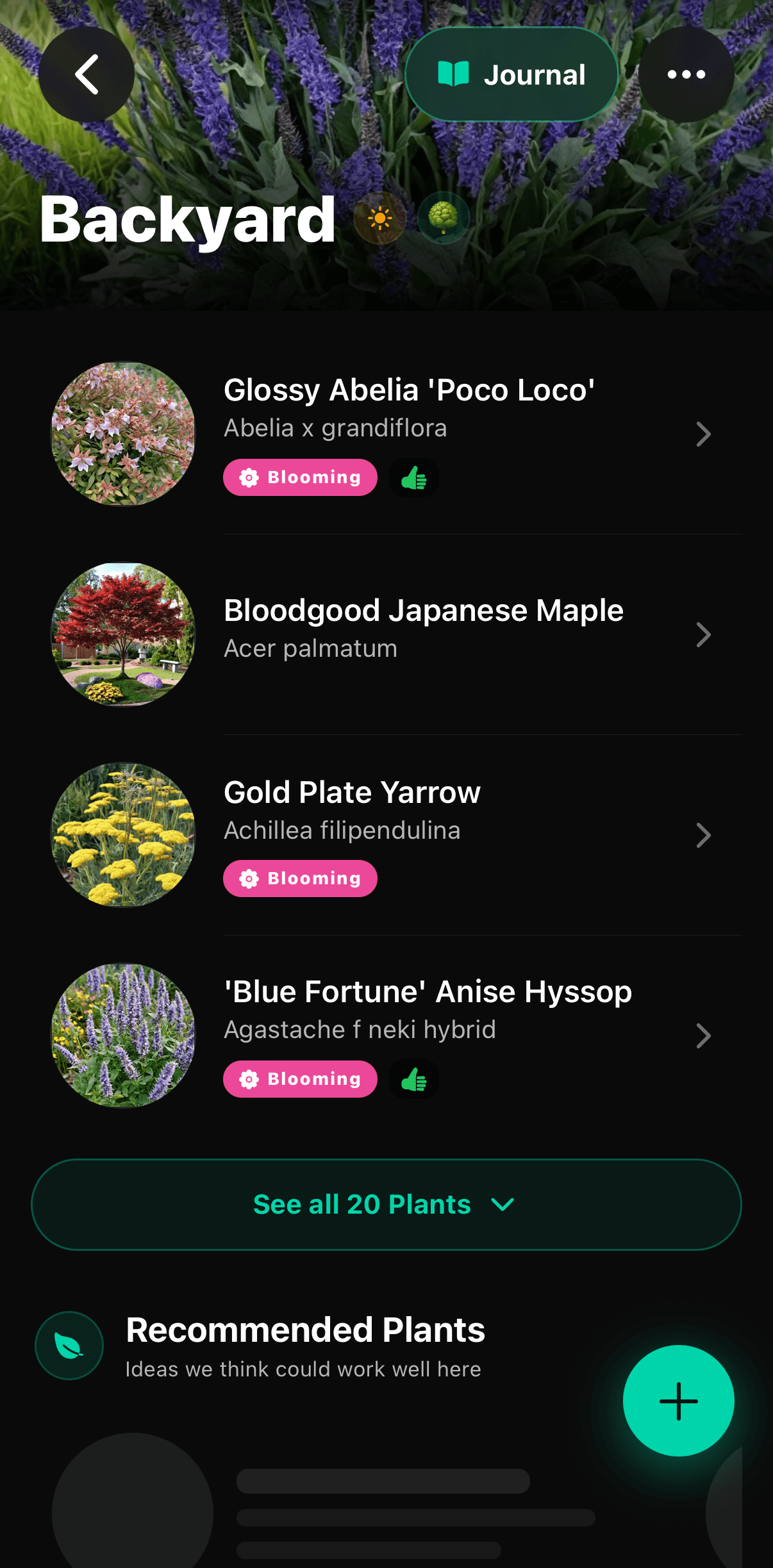
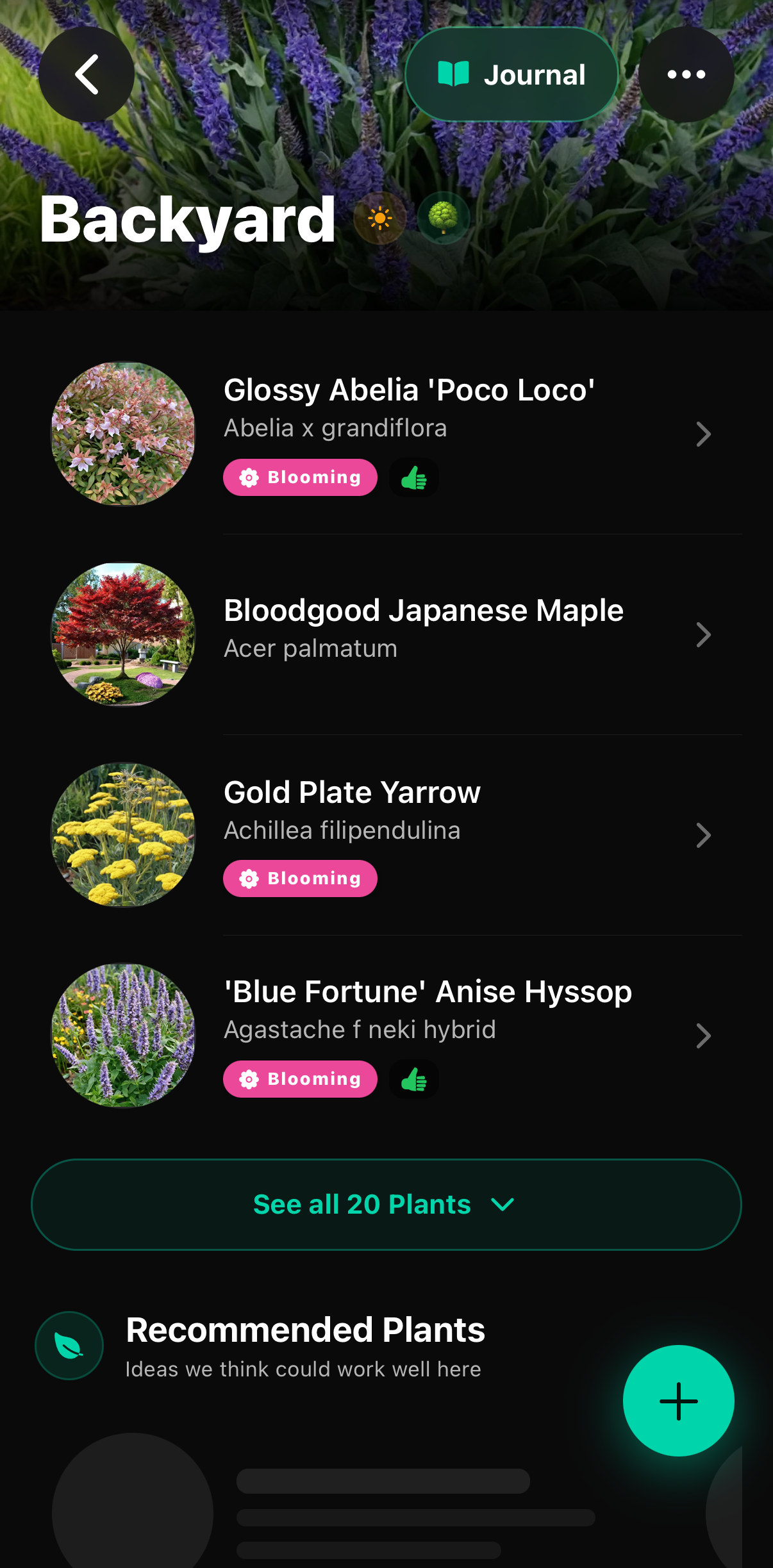
A Sow garden space listing the plants growing in it with their blooming status.

Each space knows what is planted in it

PNG · 1206 × 2447

Icon and logos

Sow app icon

App icon

PNG · 1024 × 1024
Sow app icon

App icon

PNG · 512 × 512
Sow logo mark, transparent

Logo mark, transparent

PNG · 1024 × 1024

What users say

Reviews

Quoted verbatim from the public US App Store listing, with each reviewer’s own display name and the version they reviewed.

Not only does it allow a user to drag and drop plants (from an extensive selection including hybrids & nativars) — it also tracks rainfall (including 1 weeks worth), overall weather, has a seed starting tracker, a plant ID tool, and gives you plants tasks! It’s literally 6+ apps in one!

JennicaRachelle

★★★★★ · App Store review of version 1.6.7

It’s not just generic suggestions. You can actually move stuff around and think through a space before you spend any money. This feels closest to real landscape planning to me.

J96117

★★★★★ · App Store review of version 2.0.8

I can put together ideas quickly from my phone and it saves them and makes them presentable. Plant ID also helped me log what I had and then map it so I don’t forget where I planted everything.

dnnn12

★★★★★ · App Store review of version 2.0.8

Who makes it

About the developer

Sow is built by Dan Walker, founder of Sow Platforms, Inc., a software company registered in North Carolina. He has led the product since the iPhone app launched on the App Store in July 2025, and it now runs on iPhone, Android and the web.

He is happy to talk through how Sow’s plant catalog is assembled, how the design engine places real species into a photograph, or how the AR sunlight measurement works — and is available for interviews, demos and review accounts.

Contact

Ask me anything, on any deadline

Review accounts, a walkthrough of how the plant catalog is built, additional screenshots or a specific shot you need — just ask.

Dan Walker

Founder, Sow Platforms, Inc.

[email protected]

Screenshots and logos on this page may be reproduced in coverage of Sow without further permission. Information current as of September 2, 2026.