Sow for professionals
A Landscape Design App for iPad and iPhone: Design in the Field, Present on Their Own Photo
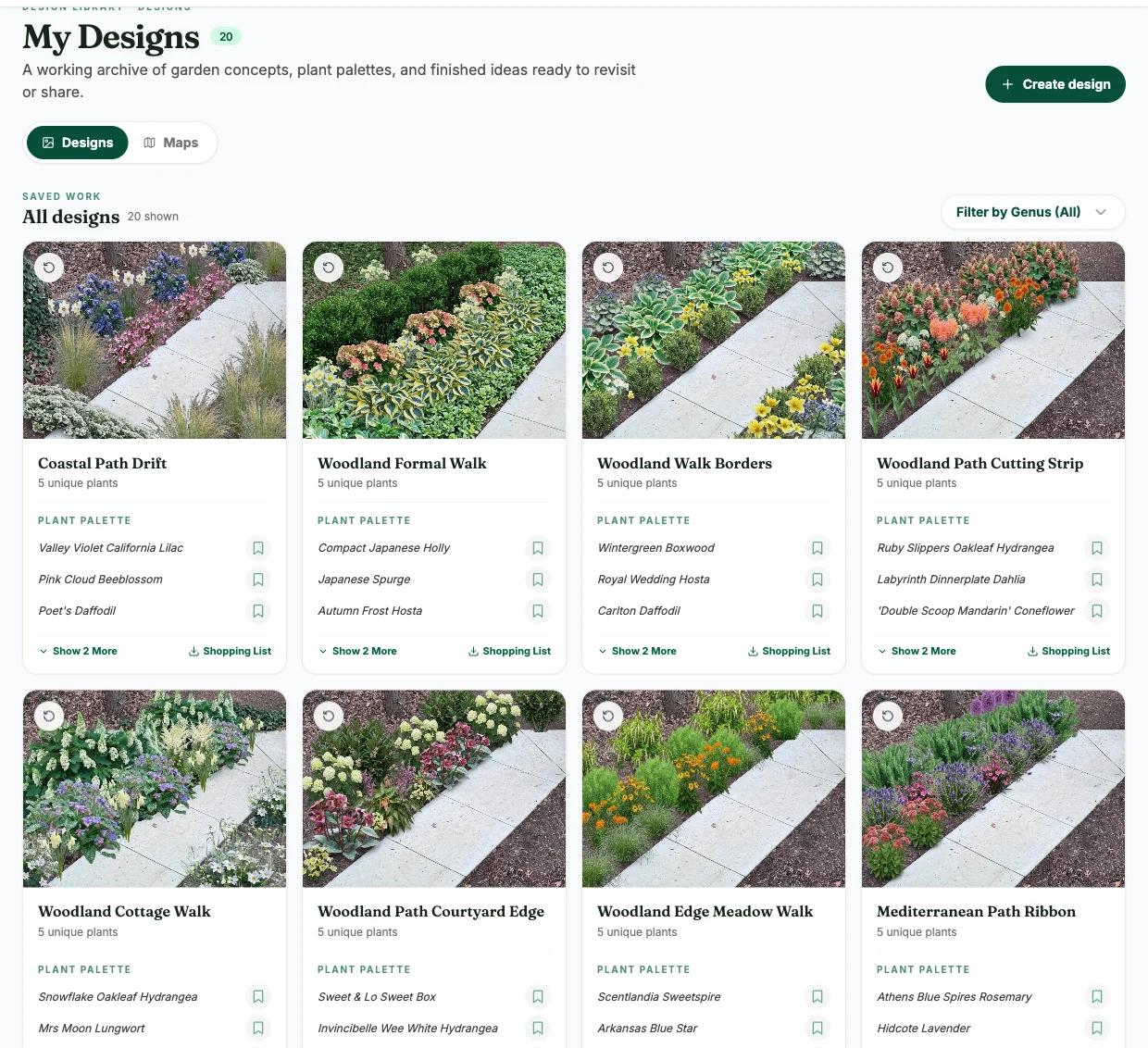
The site visit is where the information is, and a tablet is the right thing to be holding there. Sow is an iPhone app that also installs on iPad, where it opens in iPhone layout, and its web dashboard opens in the iPad's browser. Photograph the yard, generate a design on that photo with real plants that suit the light and the zone, change any species on the spot, and show the client something that looks like their own property rather than a template. The image above is the design library in the web dashboard.
Everything starts from the Create tab
Each space you set up carries its sun and its hardiness zone, so a part-sun bed in zone 8a is labelled as such before you design anything. From the Create tab you reach Auto Design, which makes up to nine designs from one photo, then Plant Designer, the Editor, Maps, Planting Plans, Plant Doctor and the Sunlight Meter. In Auto Design you set the style, the sunlight, which is pre-filled from the space, and any must-haves, then take the photo from the space, the camera or the library. On our test, the front-yard design came back in under three and a half minutes with five named species, botanical names included, and a count for each: a rose, a foxglove, a daffodil, an anemone.
Change one plant, not the whole design
Tap any species in the design and you get Remove, Fewer, More and Swap, so a client who does not like the roses loses the roses and keeps everything else. The Edit design sheet adds a chip per species to swap it, a text box for a change in plain words, restyles such as Golden Hour, Winter, Nighttime and Future growth, and two ways to edit by hand: the Plant Editor, where you drag plants onto the design and place them yourself, and the Plant Designer, where you choose the plants and let Sow paint them in. Before and After sits on the result the whole time, which is the view a client asks for first.
The plan, the schedule and the client tools
When the concept is agreed, Planting Plans takes the satellite view of the saved address, outlines the beds, and fills each one with species that suit its light and the zone, with four layout styles per bed and a swap or remove on every species. Share the whole plan and Review Costs lists each bed with a quantity, an editable unit price and a line cost per species, subtotals and a total, then builds the PDF. On Pro+ the same project carries the client tools: a board the client opens in a browser, a brief, a proposal with live nursery pricing, a presentation and a version-bound approval. All of it is in your desktop dashboard when you get back, because the app and the web studio are the same project.
What you can hand a client
Client brief
Capture the site, the budget, the style, and what the client actually asked for — in one shared place instead of a text thread.
Proposal
Turn a design into a proposal with the plant schedule already filled in from the plants you placed. Export a branded PDF.
Presentation
Walk a client through the design with plant detail they can see and understand, then leave them a PDF that still makes sense a week later.
Planting plan
A real plan with correct spacing and mature sizes — not a mood board. Export it or hand it to whoever installs it.
All included in Pro+ ($99.99/yr), with branded PDF export throughout.
Capture it on site. It is already on your desk.
Everything you do in the field lands in your dashboard the moment you do it. The photos you take at the walkthrough, the designs you generate in the driveway, the plants you save, the ideas you scribble down between jobs, the boards you shared with the client — all of it is on the bigger screen when you get back, ready to refine.
Shoot now, design later
Photograph the site while you are standing in it. The photos are waiting on the desktop, attached to the right project, when you have time to work them up properly.
Rough it in the driveway, refine it at the desk
Generate a concept while the client is watching, then open the same design on a large screen to place plants precisely, adjust spacing, and get the palette right.
One project, both screens
There is no export step and no second copy. The phone and the web studio are the same project — whichever you touch last is simply the current one.
Share from wherever you are
Send a board to a client from the truck or from the office. What they see is the latest version either way.
The plant data behind every design
You do not have to take our word for the catalog — it is published. Over 12,000 outdoor species with hardiness, mature size, bloom timing, and prices we re-check daily against the nurseries we track.
Questions from professionals
What does Sow Pro+ cost?
$99.99 a year ($19.99/month) — the whole professional toolkit, including the client tools: boards, briefs, proposals, presentations, and version-bound approvals.
Can I start on my phone and finish on my desktop?
Yes, and that is the normal way to work. Photograph and design the site on your phone while you are standing in the yard; the photos, designs, saved plants and shared boards are already in your desktop dashboard when you sit down. Same project, bigger screen — no export step.
Do clients need to install anything?
No. Client boards open in a browser from a link — the client reads the proposal, comments, and approves a version without installing an app.
Does Sow handle invoicing, scheduling, or job costing?
No. Sow covers design through client sign-off. It does not do invoicing and job costing, crew scheduling and dispatch, a full crm, irrigation or hardscape cad engineering — it is built to sit alongside whatever you already run the business on.