
Which landscape design apps are complete on Android?
Sow, Neighborbrite, DreamzAR and Planner 5D are. iScape holds back 2D, 3D and AR, and Gardenly has no Android app.
Complete means the Android app does the job the tool is sold on, with nothing held back for iPhone. We checked each tool's official platform list and feature notes in October 2026. Here is the split, tool by tool.
- Sow: iPhone, Android and the web, with the same project on all three. Photo redesign with real species, per-species editing and a drag-and-drop Editor, a grid bed planner, planting plans and the satellite map editor, Plant Doctor, care, live nursery prices and plant ID. The one iPhone-only tool is the Sunlight Meter.
- Neighborbrite: web, iPhone and Android. Free photo redesign with a named plant list; nothing marked iOS only.
- DreamzAR: iPhone, Android and the web. Photo redesign, a 2D editor and a 3D AR walkthrough, listed for all three.
- Planner 5D: web, iPhone, Android, Mac and Windows. 2D and 3D home and outdoor planning everywhere.
- iScape: iPhone and Android, but the pricing page marks "2D & 3D design (iOS only)" on every tier, and AR is an iOS feature.
- Klora and Hadaa: browser only. Both run in Chrome on an Android phone. Hadaa mentions a Play listing, which we treat as a browser wrapper until we see otherwise. Klora ran our test address in a desktop browser.
- Gardenly: web and iPhone. No Android app; the web version runs in a browser.
| Feature | Sow | Neighborbrite | DreamzAR | Planner 5D | iScape | Klora | Hadaa | Gardenly |
|---|---|---|---|---|---|---|---|---|
| Redesigns a photo of your own yard | Yes | Yes | Yes | Partly | Partly | No | Yes | Yes |
| Plants are real, named species | Yes | Yes | Yes | No | Partly | Yes | Yes | Yes |
| Checks hardiness zone or climate | Yes | Partly | Partly | No | No | Yes | Yes | Yes |
| Move or swap individual plants after generation | Yes | Partly | Yes | Yes | Yes | Yes | No | Partly |
| Drag-and-drop editor for plants, objects and paving | Yes | Partly | Yes | Yes | Yes | Yes | No | Unverified |
| Top-down planting plan or layout | Yes | No | No | Partly | Partly | Yes | Yes | No |
| Grid bed planner with companion planting | Yes | No | No | No | No | No | No | No |
| Plant list or shopping list | Yes | Yes | Unverified | No | Yes | Yes | Yes | Yes |
| Diagnoses a sick plant from a photo | Yes | No | No | No | No | No | No | No |
| Measures the sun a spot gets | Yes | No | No | No | No | No | No | No |
| AR view | No | No | Yes | Partly | Yes | No | No | No |
| 3D model or walkthrough | No | No | Partly | Yes | Partly | No | No | No |
| Hardscape and construction tools | Partly | No | Partly | Yes | Yes | Partly | Partly | No |
| Free tier | Yes | Yes | No | Yes | Yes | Yes | No | No |
| Watermark on free output | Yes | Unverified | Unverified | Unverified | Unverified | Unverified | Unverified | Unverified |
| Works in a browser | Yes | Yes | Yes | Yes | No | Yes | Yes | Yes |
| iPhone app | Yes | Yes | Yes | Yes | Yes | No | No | Yes |
| Android app | Yes | Yes | Yes | Yes | Yes | No | Partly | No |
Prices on this page were checked October 2026. iScape, DreamzAR, Hadaa, Planner 5D and Gardenly are described from their official pages; anything they do not state is marked unverified in the table rather than guessed.
What does the same yard look like from the apps that are on Android?
Neighborbrite and Sow both gave a convincing design in under two minutes. Only Sow's plants stay editable.
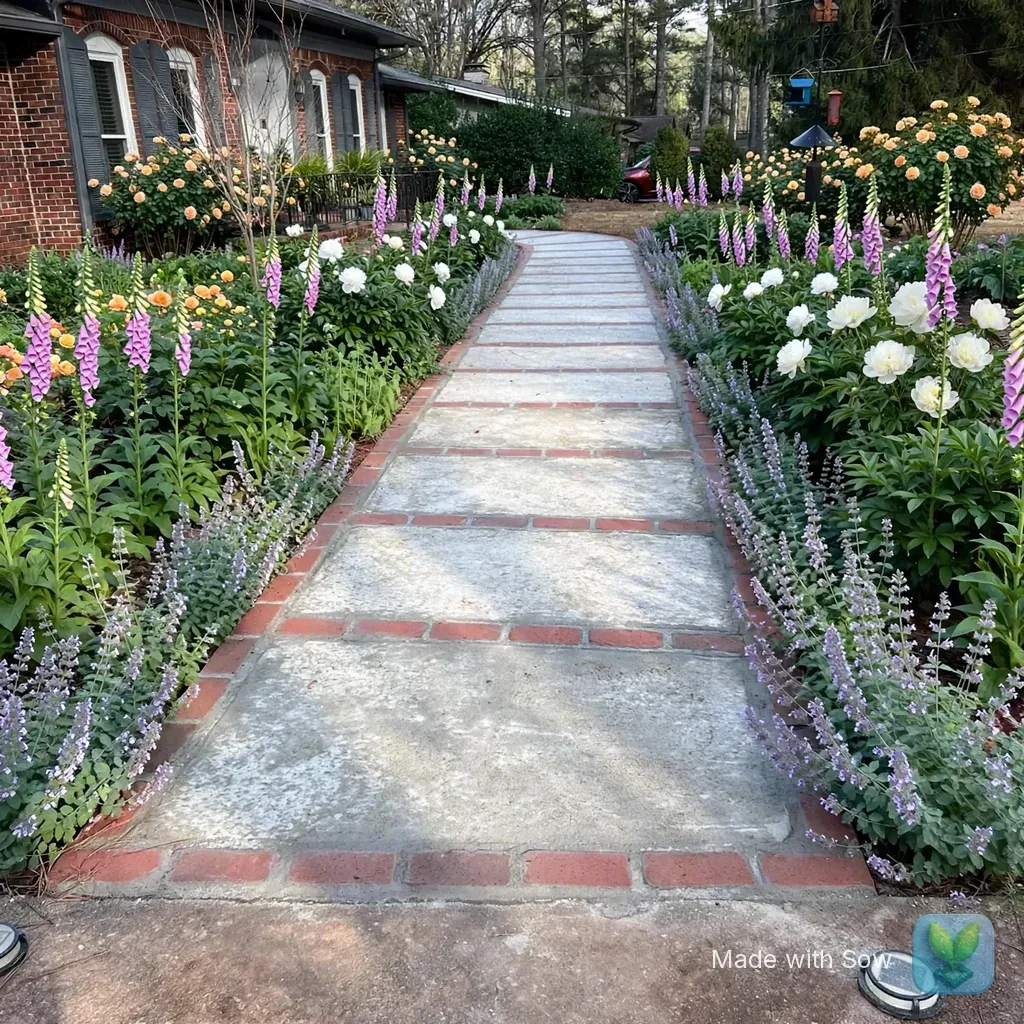
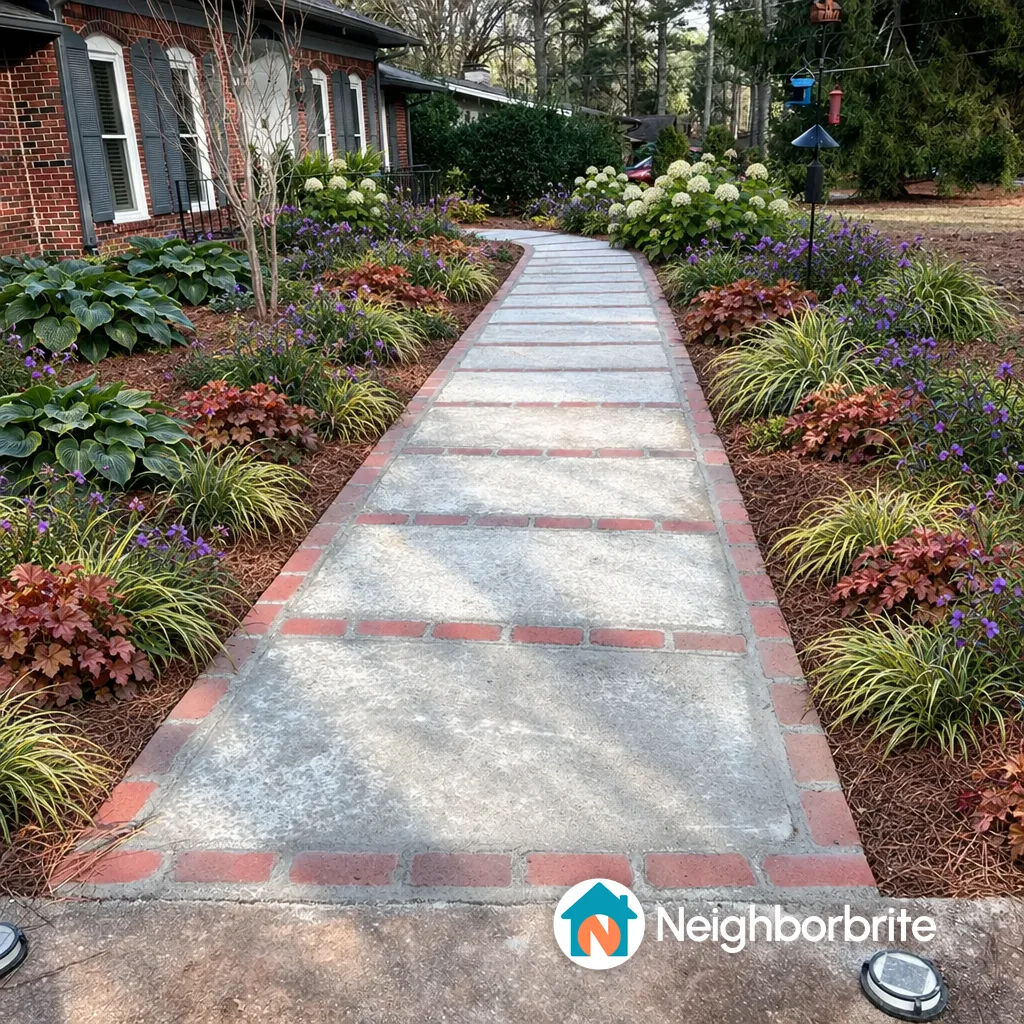
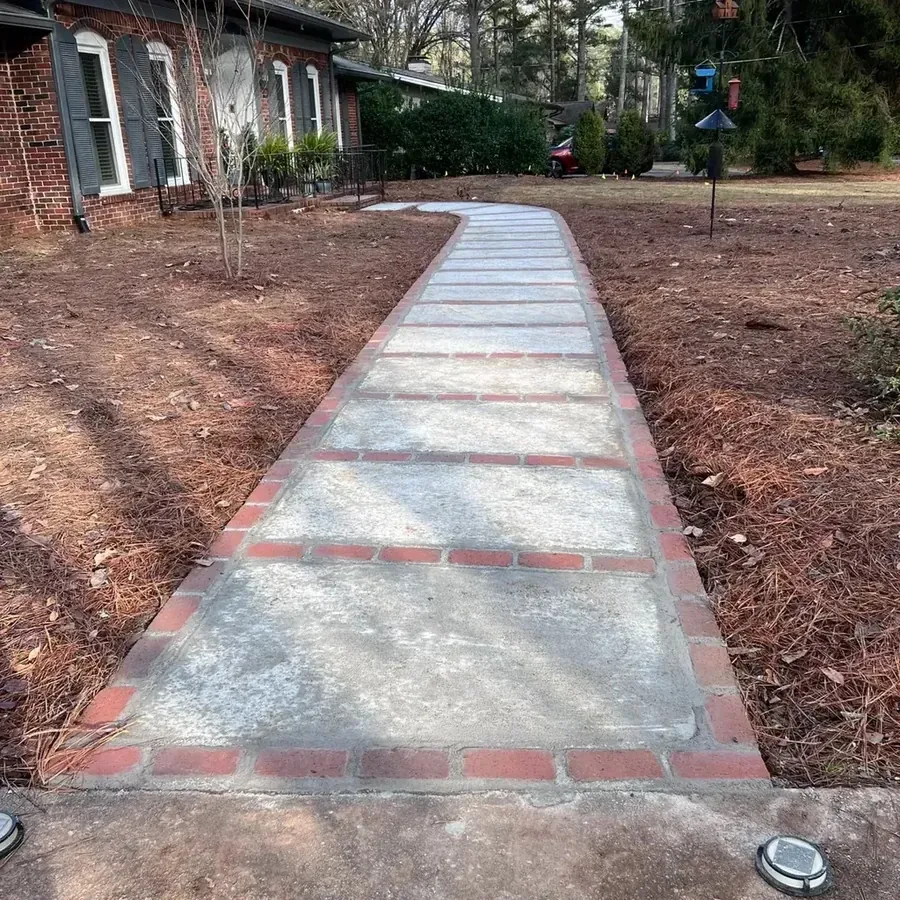
Two of the Android-complete tools, Neighborbrite and Sow, got our real test yard: a brick ranch front walkway in Raleigh, NC, zone 8a, part sun, under pines, with a cottage brief. We ran both on the web, and we ran Sow on an iPhone development build as well.
Neither capture here is from an Android phone, and we say so because a platform roundup that hides where its screenshots came from is not much use.
Neighborbrite inferred Raleigh and zone 8a, guessed full sun (we corrected it to partial sun on the confirm step), wrote a plan in about 60 seconds with five named cultivars, and drew the image in about 33 seconds. House, walkway and bird feeder were kept; the watermark sits bottom right.
The list that came with this first design had 41 plants across 5 varieties with botanical names and nursery prices adding up to about $1,049. Free is 4 designs a day.
Sow, on a fresh free web account, returned Romantic Cottage Walkway with five named plants linked to catalog pages: Buff Beauty rose, Duchesse de Nemours peony, Camelot Lavender foxglove, Baltic parsley and Snowflake catmint. The render itself took under a minute; the gallery showed it 90 to 150 seconds after we submitted.
On the phone app, where each space carries its sun and zone, the same yard came back with part-sun picks and a count per species: The Fairy Rose x8, Foxglove Sugar Plum x28, Hawera Daffodil x66, Anemone x14 and one more.
Both tools kept the house and hardscape, both named real plants, and both watermark free output. The difference on Android, as on any platform, is what happens after the picture. Neighborbrite gives you an image and a list.
Sow gives you a list of species, and on mobile every generated species can be removed, counted up or down, or swapped, and the Plant Editor lets you drag in plants, furniture, lighting and paving by hand, on a generated design or a plain photo; on the web, Design Studio places plants and objects over the render.
Is iScape fully available on Android?
No. Its own pricing page marks 2D and 3D design as iOS only, at the same price.
iScape's store listings sit near the top of Google for most landscape app searches, so it is usually the first app an Android owner installs. The app is on Android.
The design features it is known for are not all there. iScape's own pricing page, captured October 13, 2026, lists "2D & 3D design (iOS only)" on the Free, Pro and Enterprise tiers, and its AR mode is iOS. What the Android app can do without 2D and 3D design is not spelled out on that page.
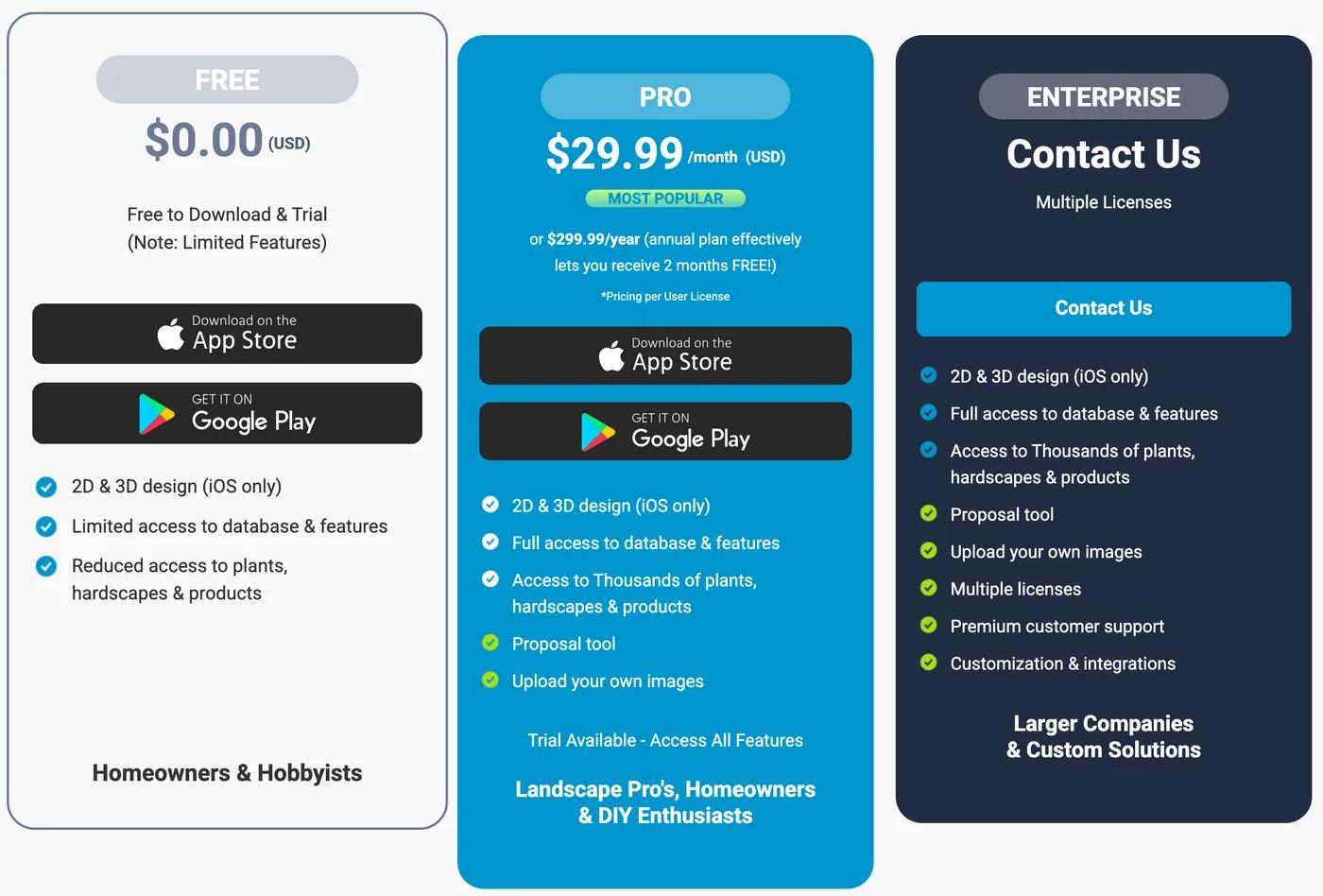
The price is the same on both platforms: Pro is $29.99 a month or $299.99 a year, which is $359.88 a year if you pay monthly.
What you would be buying on Android, by iScape's own account, is the established object and hardscape library, manual placement over a photo and the proposal tool for pros, without the 3D and AR that make the iPhone version worth that money. We could not confirm iScape's free-tier limits or whether free output is watermarked.
If you own an iPhone, iScape's AR and 3D are a real advantage. On Android they are not on offer.
Is Sow any good on Android? The honest answer
The same product runs on every platform; our captures are from iPhone and the web.
Here is what we can and cannot say. Sow is on Google Play and the App Store, and the same project opens on iPhone, Android and the web. Those are the live figures and we are printing both rather than the better one.
We captured Sow on an iPhone and on the web for this page, so every Sow screenshot here is an iPhone or web screen. Sow's place at the top of the ranking is earned by what the product does, shown on iPhone and the web, and the same project runs on Android.
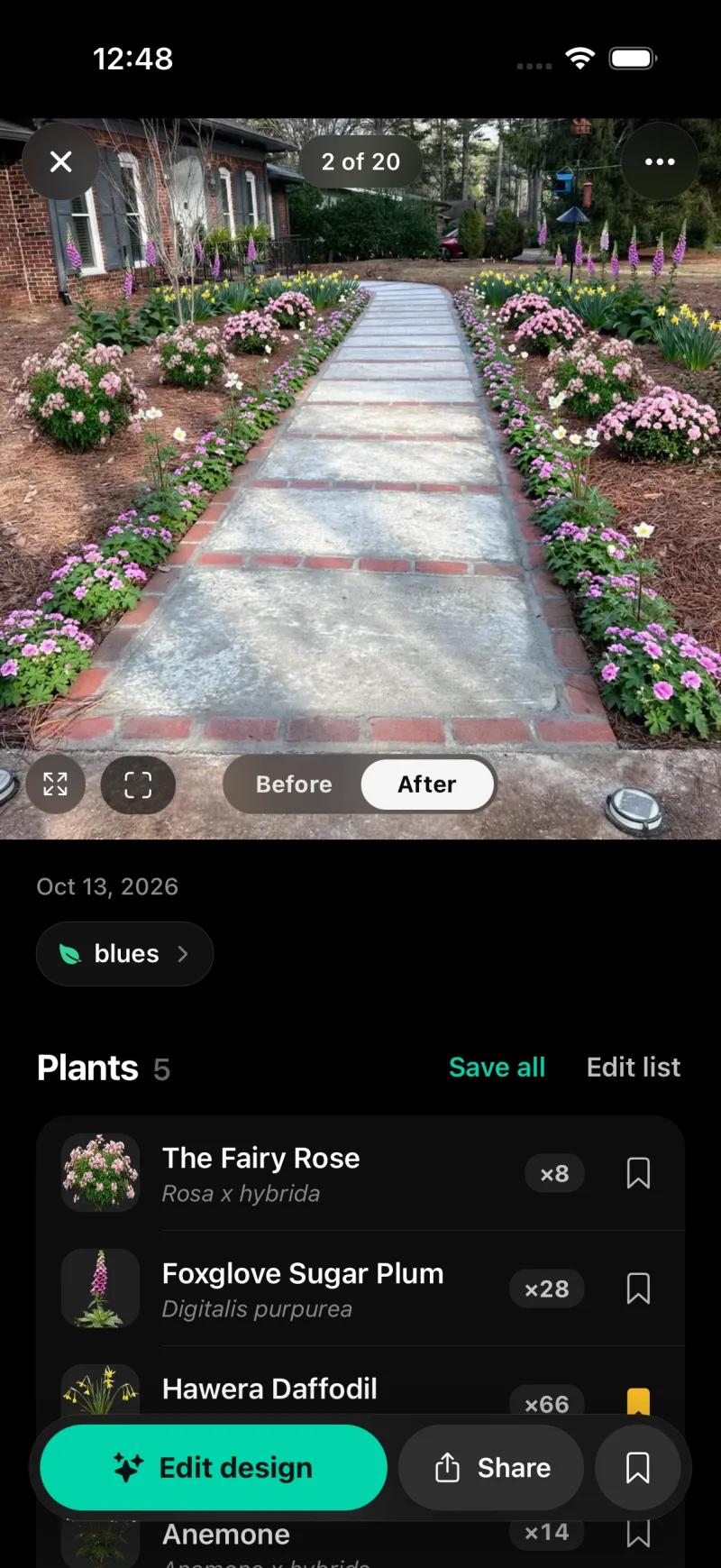
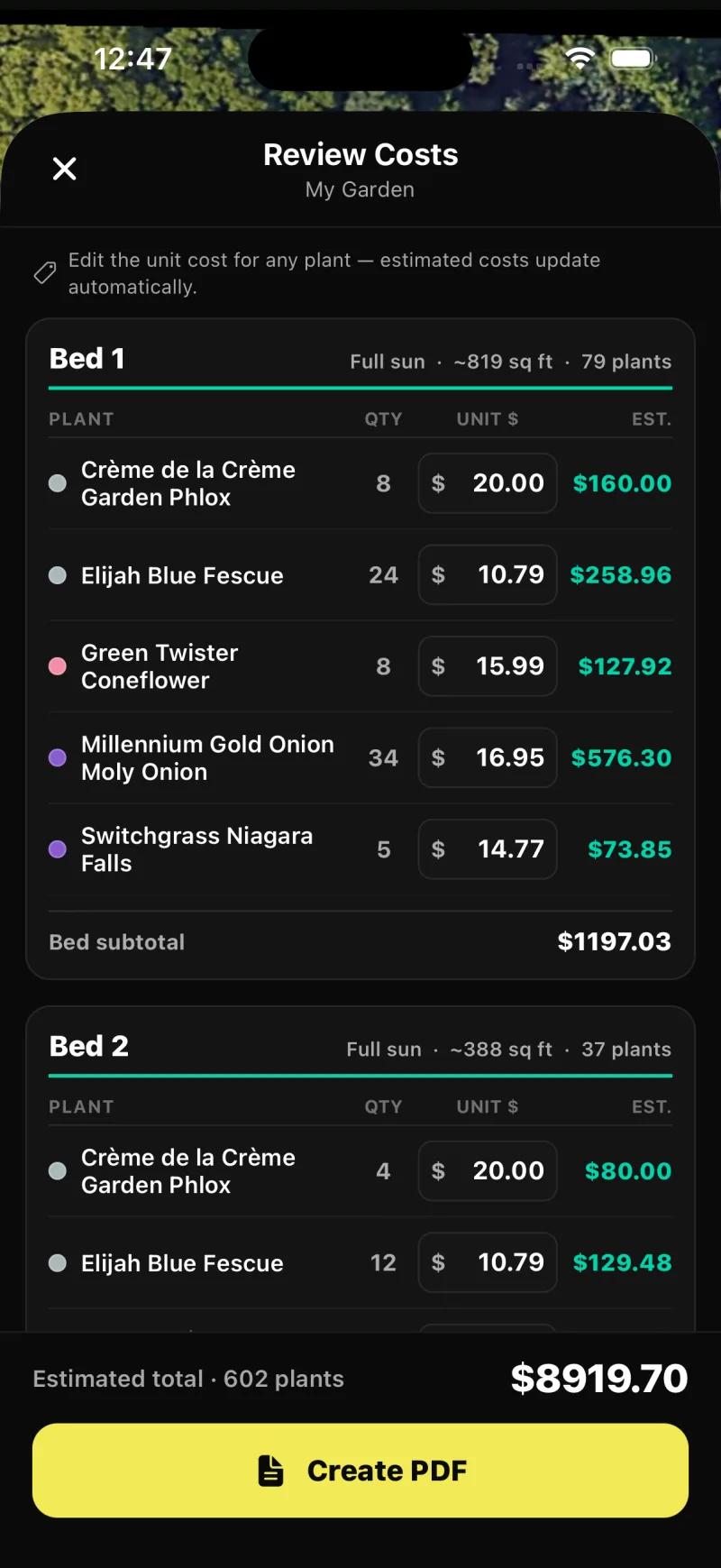
What the product does, from our test. A Create tab where each space carries its sun and zone; Auto Design with style, sunlight and must-have chips; a front-yard result with five species, botanical names and quantities in under three and a half minutes; per-species Remove, Fewer, More and Swap; a Plant Editor for dragging plants, furniture and paving by hand; and Planting Plans that find beds on the satellite view, with a per-bed editor and a Review Costs step that priced 602 plants at $8,919.70 in our test plan. Zone matching covers the US, Canada, the UK and Australia. Weather-aware care uses US forecasts. Outdoor plants only.
Which browser tools work on an Android phone?
Klora, Hadaa and Gardenly run in Chrome. Klora gives one free design, and you will want a bigger screen for it.
Three of the tools on this page do not have a Play app and do not need one. Klora, Hadaa and Gardenly are websites, and Neighborbrite and Sow run in a browser too, so an Android phone with Chrome can reach every tool here except iScape's and DreamzAR's native features.
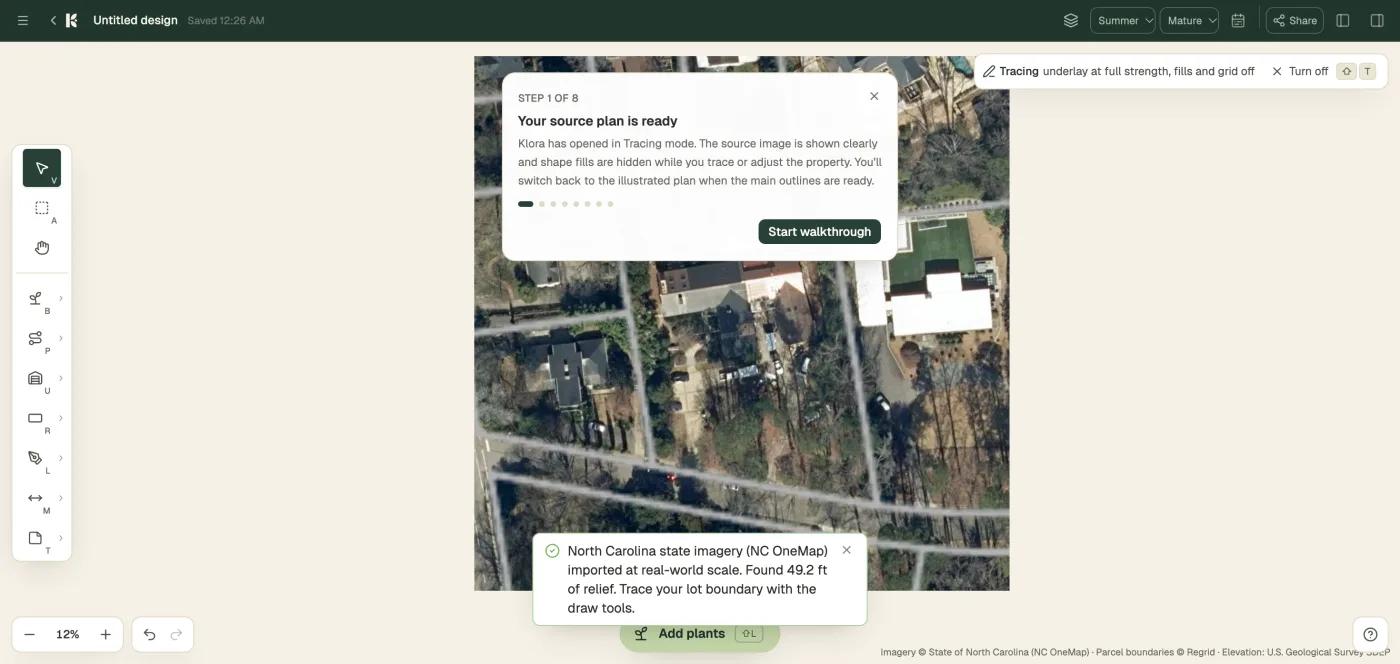
Klora is the one we tested. With no account, it took our Raleigh address and pulled aerial imagery at 5.5 inches per pixel with parcel lines and 5-foot contours in about 30 seconds, then opened a scaled drawing editor with bed, path, structure and measure tools, season views from spring to winter, growth stages from Year 1 to Mature, and a library of 1,422 species with sun, deer and pollinator icons.
One design is free; PDF export and more designs need the $24 pass or $69 a year. Nothing is generated for you. We ran it in a desktop browser, and because it is a drawing tool you will want a bigger screen than a phone.
Hadaa is pay per render, $12 or $9 each for three or more, and each render comes with a zone-verified planting guide with quantities, a contractor blueprint and a bill of quantities. Browser only, one-shot renders. Gardenly is $54 or $84 a year for photo redesign with a climate-zone plant list and a shopping list; web and iPhone only, no free tier.
What do landscape design apps for Android cost?
Sow and Neighborbrite are free to start, and Sow Pro is $39.99 a year on the web. iScape costs the same for less on Android.
Vendor prices as published in October 2026. Sow's row shows web prices; the App Store annual price is $59.99, and we did not separately verify the in-app price on Google Play for this page.
| Tool | Free | Paid | Checked |
|---|---|---|---|
| Sow | Yes | Pro from $39.99 a year on the web ($59.99 through the App Store); Pro+ $99.99 a year | Oct 12, 2026 |
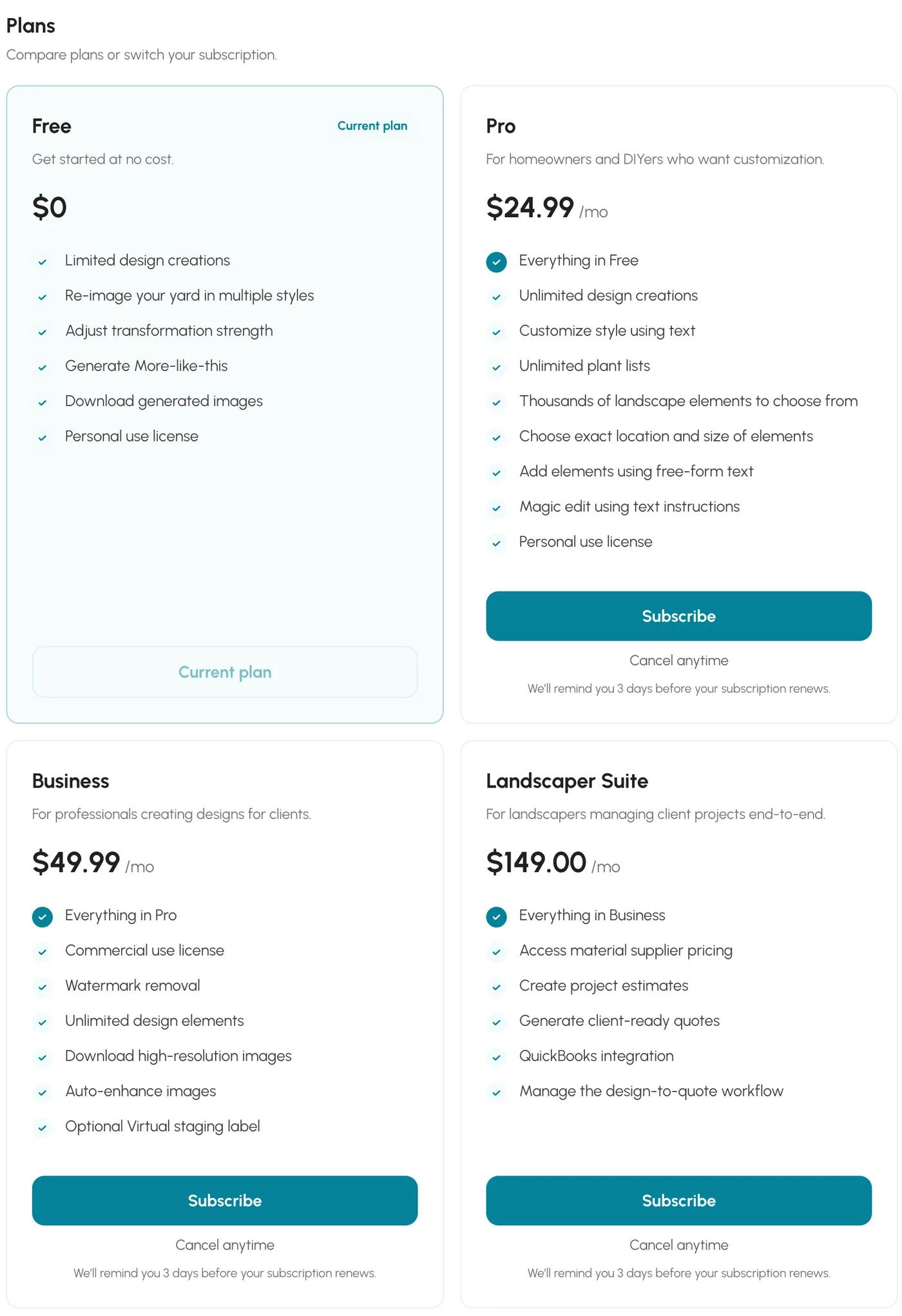
| Neighborbrite | Yes | Pro $24.99 a month; Business $49.99 a month | Oct 13, 2026 |
| DreamzAR | No free tier | $19.99 a month or $199 a year | Oct 12, 2026 |
| Planner 5D | Yes | Premium $19.99 a month or $59.99 a year; Professional $49.99 a month or $399.99 a year | Oct 12, 2026 |
| iScape | Yes | Pro $29.99 a month or $299.99 a year | Oct 12, 2026 |
| Klora | Yes | $24 project pass or $69 a year | Oct 12, 2026 |
| Hadaa | No free tier | $12 per render, or $9 each for three or more | Oct 12, 2026 |
| Gardenly | No free tier | $54 or $84 a year | Oct 12, 2026 |
The cheapest routes to a photo redesign with named plants on Android are the two free tiers, Sow (10 designs to start and more for taking part) and Neighborbrite (4 a day); the cheapest paid plan is Sow Pro from $39.99 a year on the web.
DreamzAR is $199 a year with no free tier. iScape is $299.99 a year without the 2D and 3D design an iPhone owner gets for the same money. Planner 5D has a free tier with unlimited projects and half its catalog, and Premium at $59.99 a year, but it has no plant data.
Are there AI apps for landscaping on Android?
Yes. Neighborbrite, Sow and DreamzAR all redesign photos on Google Play.
Yes. This comes up as a People Also Ask entry on the Android search, and the answer is that the photo redesign tools on Google Play are Neighborbrite, Sow and DreamzAR. The keyword-named generators that rank as App Store listings (Yard AI, AI Garden Design, Garden AI) are listed on the App Store, and we found no Android versions of them.
What the generator buys you differs by tool. Neighborbrite writes a plan and picks a palette, then draws it. Sow reads your photo and places real catalog plants, then keeps them as editable species. DreamzAR adds chat-based refinement and an AR walkthrough, by its own description. Planner 5D has a generator, but it is built for interiors and we could not confirm what it does with a yard photo.
What is the best free app for easy landscape design on Android?
Sow, for free designs you can plant and edit. Neighborbrite, for four fresh pictures a day.
Sow, if you want free designs made of real plants that you can edit afterwards: 10 free designs to start and more for taking part (posting a design earns 25 credits, a referral 100). Pro is from $39.99 a year on the web ($59.99 a year through the App Store); Pro+ is $99.99 a year.
Neighborbrite, if you want a fresh allowance every day: four designs a day, a watermark on every image, downloads allowed, and the first design came with a plant list and prices in our test. Its Pro tier at $24.99 a month keeps the watermark; only Business at $49.99 a month removes it.
Planner 5D, if you want a free 3D layout of a patio and do not need plant data: unlimited projects and half the catalog free. Klora, if you want a free scaled plan and a browser is fine.
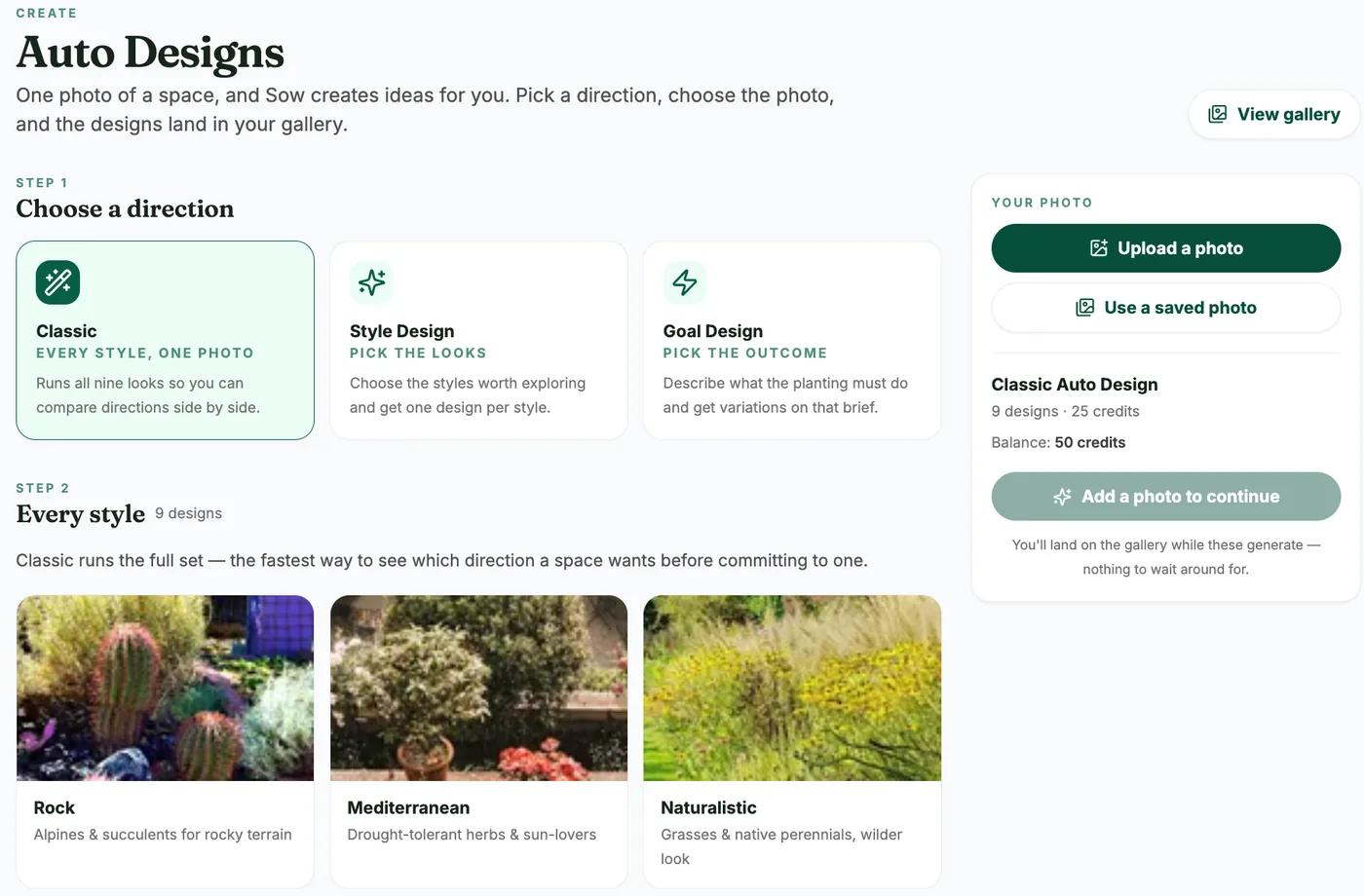
The ranking
1. Sow
Best for designing a real yard on Android with plants that will live, then editing it plant by plantOn Google Play, the App Store and the web with one project across all three. Photo redesign with real, zone-checked species you can remove, recount or swap on mobile, planting plans with a priced schedule, care and prices. No AR, 3D or CAD.
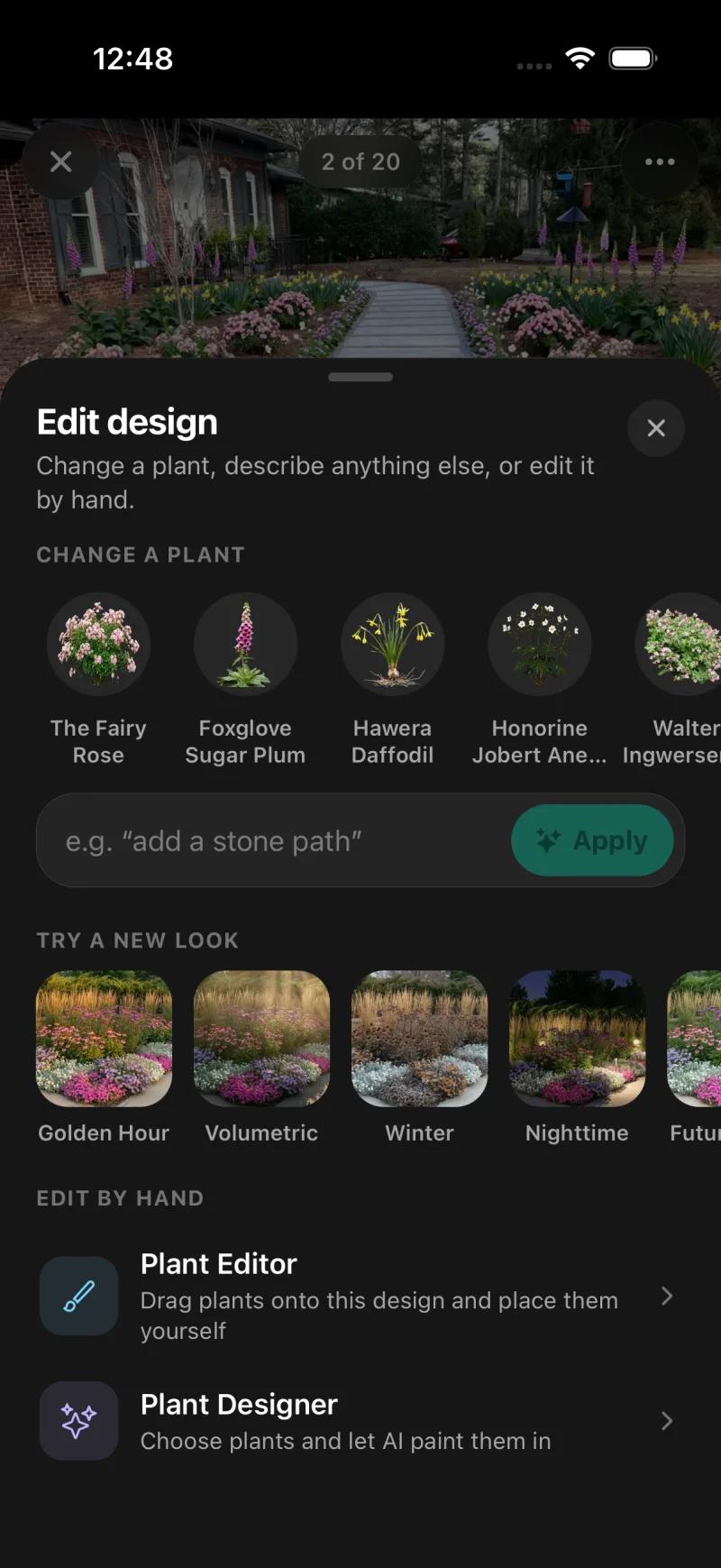
Edit design: change any species, describe a change, restyle, or edit by hand in the Plant Editor. 2. Neighborbrite
Best for a fast first design on an Android phoneWeb, iPhone and Android with nothing marked iOS only. Free for 4 watermarked designs a day, fast (plan in about 60 seconds, image in about 35), named cultivars with zone and sun, and a priced list on our first design. Not editable plant by plant; no planting plan, care or mature-size data.
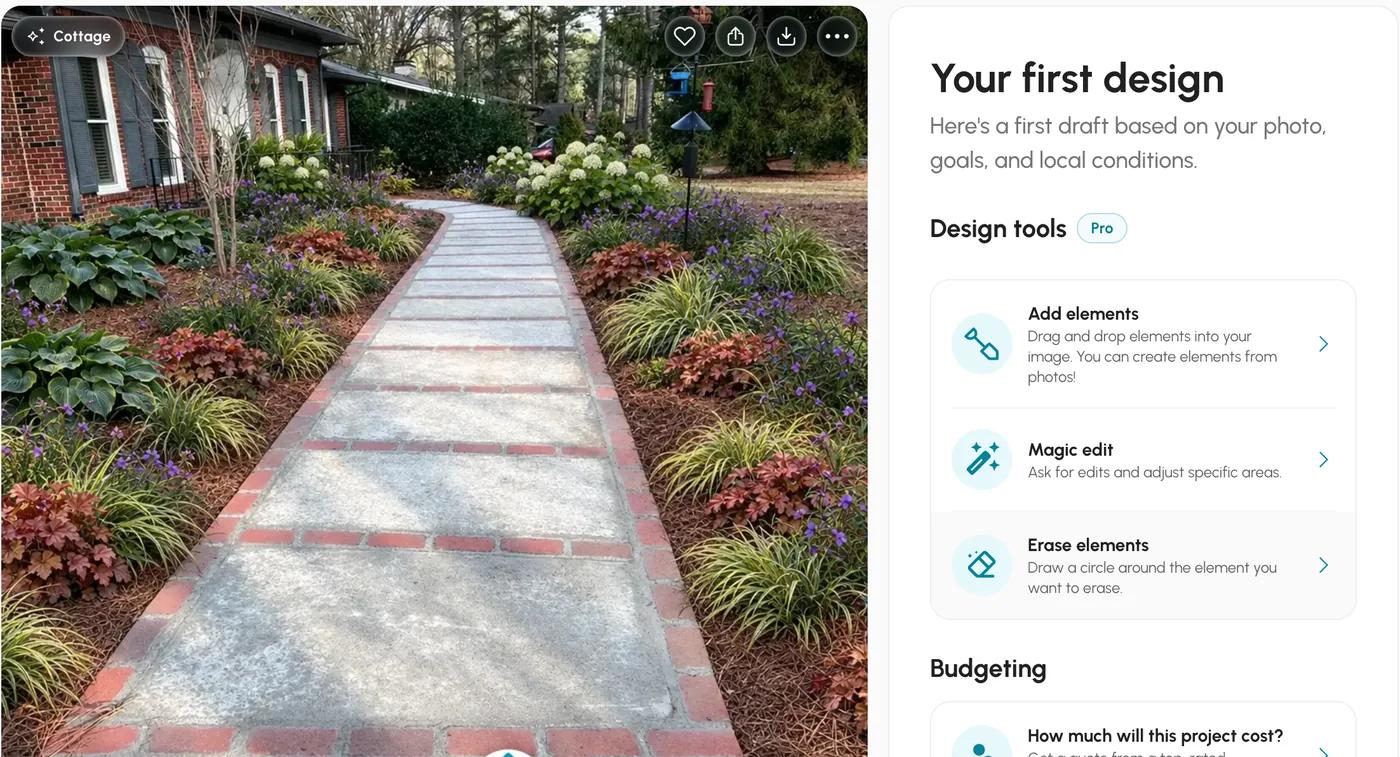
The result page. Its design tools, Add elements, Magic edit and Erase elements, sit under a Pro badge. 3. DreamzAR
Best for an AR walkthrough on AndroidPhoto redesign, a 2D drag-and-drop editor and a 3D AR walkthrough on iPhone, Android and the web, which makes it the AR option that does not need an iPhone. 2,000+ plants, no free tier, $19.99 a month or $199 a year, no planting plan, care or prices.
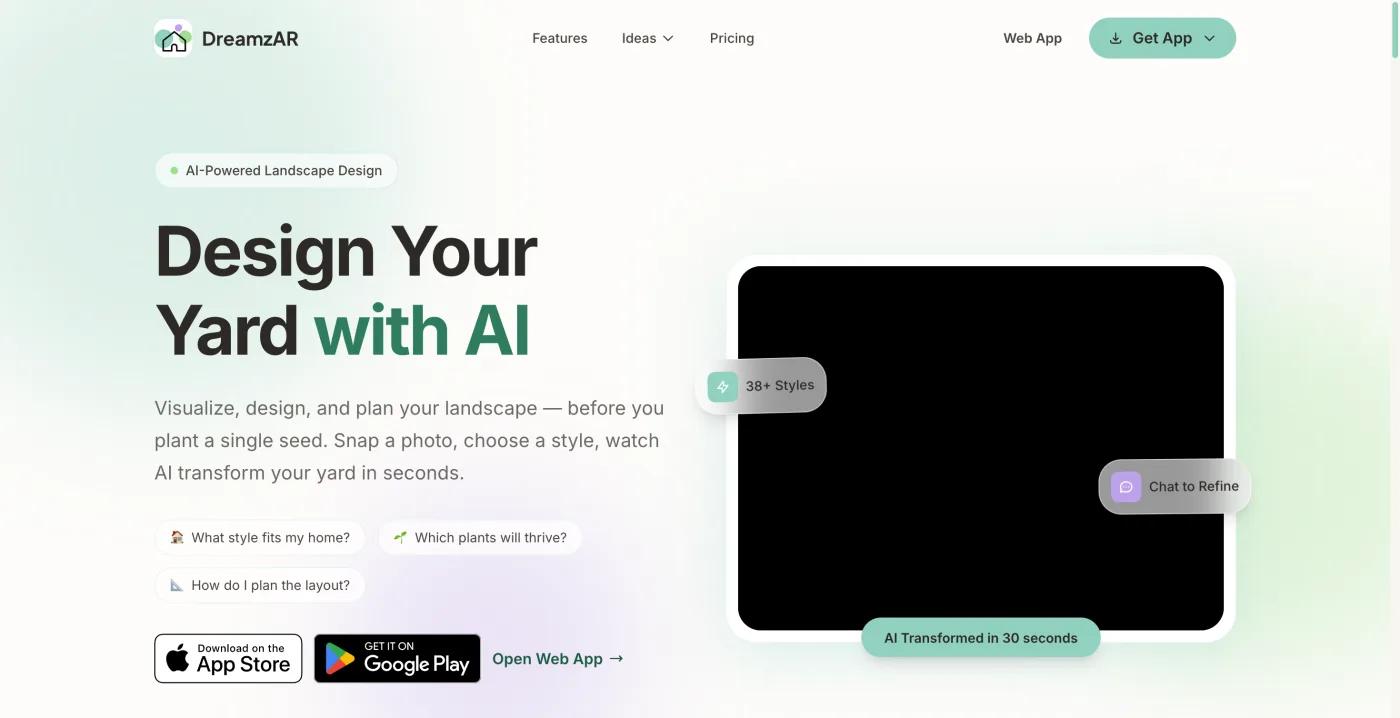
DreamzAR's home page, captured October 13, 2026. 4. Planner 5D
Best for 3D patio and layout planning on Android without plant dataReal 3D with walkthroughs, floor plans and hardscape layout on web, Android, iPhone, Mac and Windows, with a free tier of unlimited projects and half the catalog. No plant species, hardiness or climate data.
5. Klora
Best for a plan to scale when a browser is fineBrowser only, runs in Chrome on Android. Aerial imagery to scale, beds and paths you draw, 1,422 species with sun and zone data, season and growth views; one design free with no account, PDF export on the $24 pass or $69 a year. Entirely manual; no photo render.
6. Hadaa
Best for a priced blueprint for one project from an Android browserBrowser only; $12 a render or $9 each for three or more, with a zone-verified planting guide with quantities, a contractor blueprint and a bill of quantities. One-shot renders, not editable plant by plant.
7. iScape
Best for iPhone owners; on Android, look elsewhere firstAn Android app exists, but iScape's pricing page marks 2D and 3D design as iOS only and AR is iOS. Pro is $29.99 a month or $299.99 a year. On Android you pay the iPhone price for less than the iPhone app.
8. Gardenly
Best for a cheap redesign in a browser if you accept having no appNo Android app; the web version runs in a browser. $54 or $84 a year for photo redesign with a climate-zone plant list and a shopping list, no free tier.
The bottom line
If you are on Android and want a design of your actual yard with plants that will live, start with Neighborbrite free and Sow free the same afternoon. Both are complete on Android, both name real plants, and together they cost nothing. Keep Sow if you want to change the plants afterwards and want a planting plan with quantities and prices behind the picture. Keep Neighborbrite if the free quota and the priced list matter more than editing.
Skip iScape on Android unless you need its object library, because the 2D and 3D design you would be paying for are iOS only. Choose DreamzAR for AR on Android, and Planner 5D for 3D layout without plants. Our Sow evidence is from iPhone and the web.
Questions people ask
Is there a landscape design app for Android?
Yes. Sow, Neighborbrite, DreamzAR and Planner 5D all have Android apps with nothing marked iOS only on their official pages. iScape has an Android app but marks 2D and 3D design as iOS only. Klora and Hadaa run in a browser on Android, and Gardenly has no Android app.
Is iScape available on Android?
The app is on Google Play, but iScape's own pricing page, captured October 13, 2026, marks "2D & 3D design (iOS only)" on every tier, and AR is iOS. The price is the same on both platforms: Pro at $29.99 a month or $299.99 a year.
Does Sow work on Android?
Sow is on Google Play, with the same project on iPhone, Android and the web and nothing marked iOS only. The screenshots on this page come from an iPhone and the web.
What is the best free landscape design app for Android?
Neighborbrite: 4 designs a day, watermarked, with a plant list and prices on our first design. Sow gives 10 free designs made of real plants to start and more for taking part. Planner 5D has a free tier with half its catalog but no plant data. Klora gives one free scaled plan in a browser, then $24 or $69 a year.
Can ChatGPT do landscape design?
It can describe one and paint one, but not of your yard as it is. In our test it removed the porch from our front-yard photo, redrew the walkway, named none of the plants, and rewrote the whole picture when we asked to move one camellia. Nothing in it can be dragged, counted or priced. Our ChatGPT page has the full test.
Do Android landscape design apps check my hardiness zone?
Sow stores zone and sun on each space and every plant in a design carries zone, sun, mature size, bloom and care data, with zone matching for the US, Canada, the UK and Australia. Neighborbrite inferred zone 8a for our yard and shows zone and sun on its plant list, without mature size. DreamzAR says each plant has regional compatibility data, though its own FAQ says it does not know your USDA hardiness zone, and Hadaa says every plant is verified against your USDA zone. Planner 5D has no species or climate data.
Can I start a design on my Android phone and finish it on a computer?
With Sow, yes: the same project opens on iPhone, Android and the web, and the web Design Studio opens a generated design for manual placement over it. Neighborbrite has a web app and both mobile apps. Klora and Hadaa are websites, so a phone and a computer see the same thing.
What is the best landscape design software overall, not just on Android?
It depends on the job. For a photo redesign with real plants, Sow or Neighborbrite. For AR, iScape on an iPhone or DreamzAR anywhere. For 3D and floor plans, Planner 5D. For a scaled plan you draw yourself, Klora. For a blueprint a contractor can price, Hadaa. Our full roundup across every platform is linked below.
Keep comparing
- Ranked and testedBest landscape design appsRead
- Platform roundupBest landscape apps for iPhone and iPadRead
- Free tiers, testedBest free landscape design appsRead
- Honest reviewiScape review: is it free?Read
- Hands-on reviewNeighborbrite review (2026)Read
- Honest reviewDreamzAR review (2026)Read
- HubAll comparisonsBrowse
Design your yard from a photo on Android, free
Upload one photo. Sow places real plants that suit your zone and light, names every one, and lets you remove, recount or swap any species. Same project on your phone and the web.
We make SowTested October 13, 2026Same yard photos for every tool we ranWe paid nothing for the testsHow we tested
How we tested
- Test subject: a brick ranch front walkway with bare pine-straw beds and a fenced backyard with a patchy lawn, both in Raleigh, NC (zone 8a, part sun); the same two photos went to every tool we ran.
- What we paid: nothing; Neighborbrite free tier and Klora free with no account in a desktop browser, a fresh Sow free web account, and an existing Sow Pro+ test account on an iPhone development build. No Android phone was used.
- Checked each tool's official platform list and feature notes for anything marked iOS only, and recorded iScape's pricing page as captured.
- Gave Neighborbrite and Sow the same brief on the web: cottage style, low maintenance, part sun, keep the walkway and the fence; timed every step and saved the results.
- Ran Sow on an iPhone development build to record what the mobile app does after the design: per-species controls, the Plant Editor, Planting Plans and Review Costs.
- Read the official pages of DreamzAR, Planner 5D, iScape, Hadaa and Gardenly in October 2026 and recorded their claims as claims, marked unverified where we could not check them.
- Checked each tool's official platform list and feature notes on October 12, 2026.
Read it the way you would read any maker's comparison
This page is written by the Sow team. We show our work in the screenshots and say where Sow is not the right answer.
Where Sow loses here
- we captured Sow on iPhone and the web, not on an Android phone
- no AR or 3D walkthrough (DreamzAR has both on Android)
- no hardscape CAD or construction documents
- weather-aware care is US-only
Spotted a change? Email [email protected] and we will re-test and correct the page.