
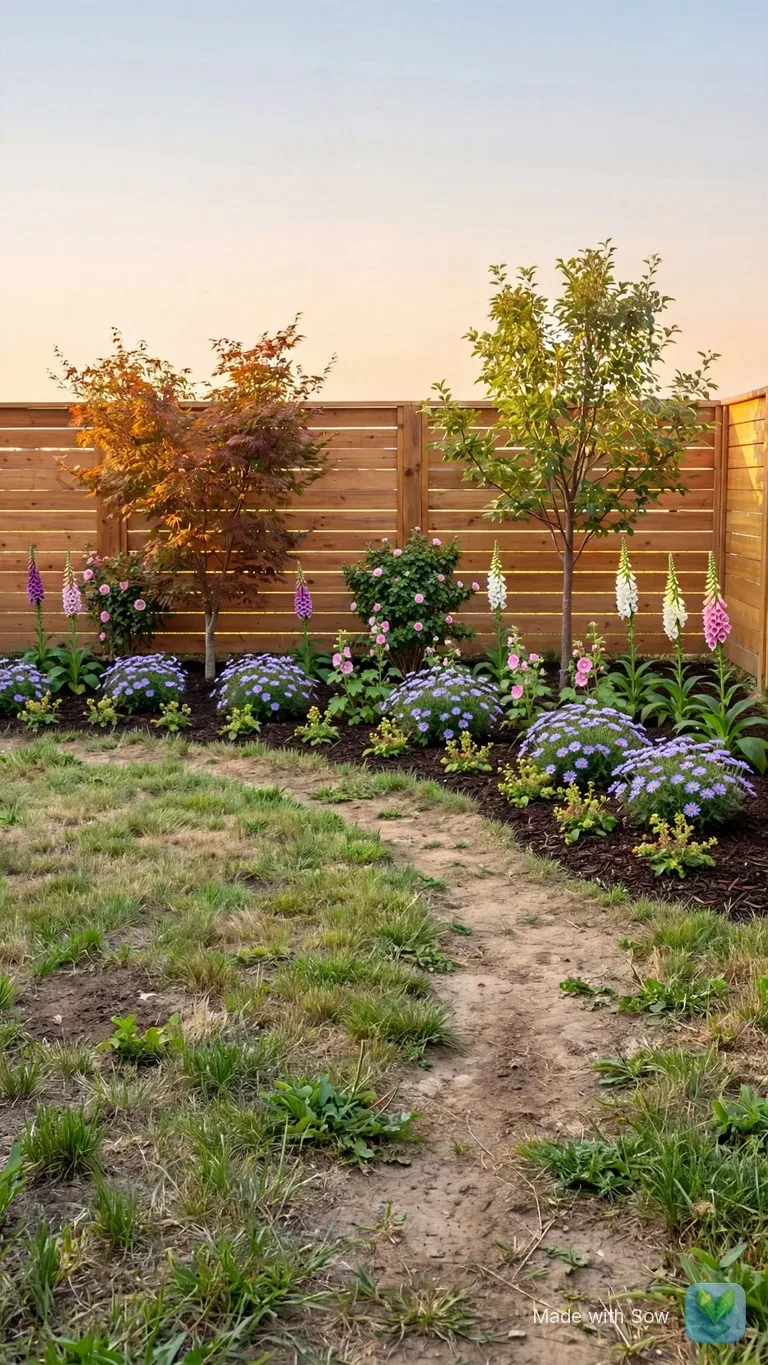
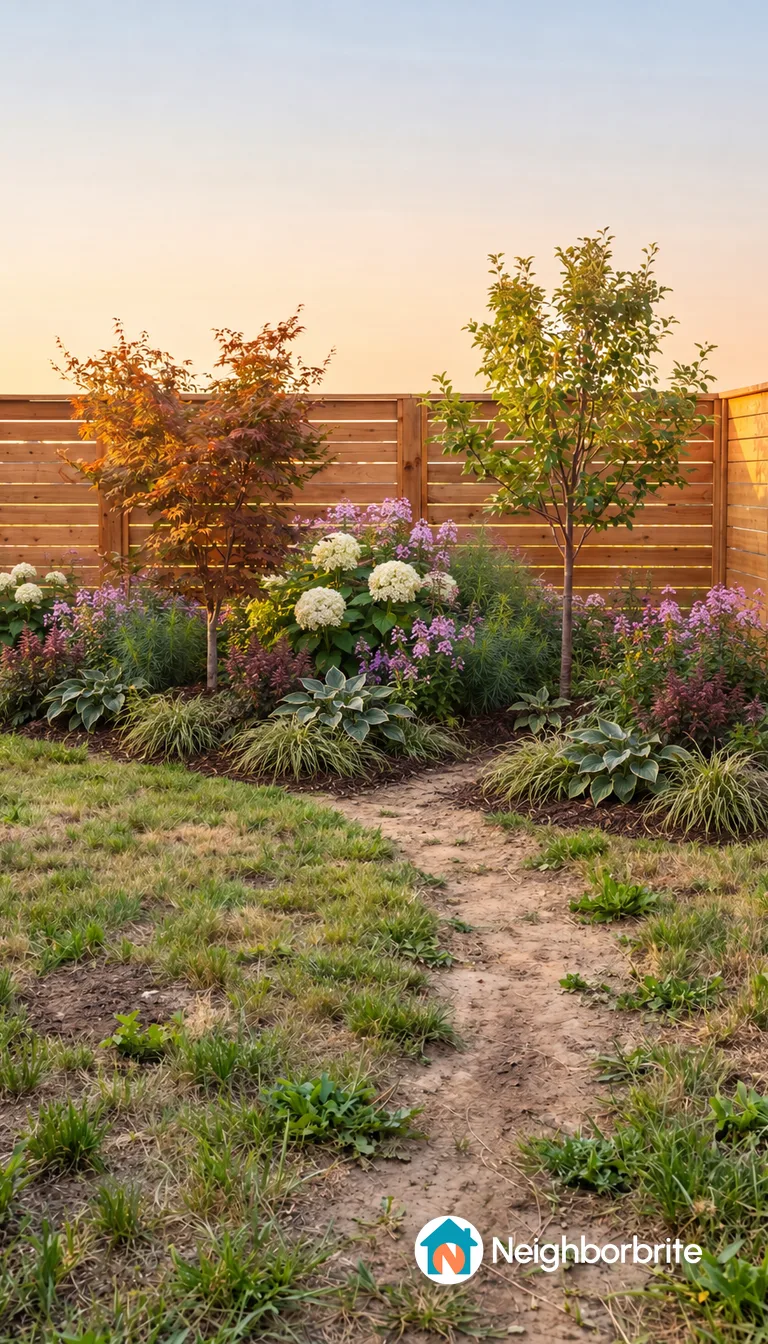
Which apps are the "AI yard design" apps?
Three keyword-named App Store generators: Yard AI, AI Garden Design and Garden AI.
Search for "ai yard design app", "ai garden design" or "ai backyard design" and, alongside the websites, you will see App Store listings with the search terms in their names. Three come up repeatedly: Yard AI: Backyard Design, AI Garden Design: Landscape AI, and Garden AI: Landscape Design.
They are keyword-named photo generators: you upload a picture of your yard, pick a style, and get a redesigned picture back. That much the listings say.
When we pulled the live results for six searches in this cluster on October 12, 2026, AI Garden Design: Landscape AI appeared at position 8 for "ai landscape design", position 6 for "ai landscape design app" and position 7 for "ai yard design free".
Garden AI: Landscape Design appeared at position 4 for "landscape design ai free" as an App Store listing, and a Google Play listing for it appeared at position 7 for "ai landscape design app".
Yard AI: Backyard Design did not appear in those six result pages; it ranks as a listing on other "yard" searches, which is why it belongs in the same group.
A fourth listing titled "AI Garden Design: AI Landscape" sat at position 5 for "ai garden design"; we could not tell from the results whether that is the same app under a shortened title, so we do not count it.
What the listings do not say is the part a homeowner actually needs: whether the plants in the picture are named species, whether the app knows your hardiness zone, whether you can change one plant after generation, whether the free output carries a watermark, and what the subscription costs by the year rather than by the week.
That is the review you are reading, and it is why we compare them with two apps we could test on those exact points.
What do their listings and third-party estimates say?
People pay for them, an estimated $15K to $70K a month. The listings do not say whether plants are named.
ScreensDesign, a third-party app-intelligence service, publishes rating and revenue estimates for App Store apps. These are estimates, not store figures, and we did not pull live rating counts for this page. For scale, the same source estimates iScape, the long-running manual landscape app, at $250K a month, and Planner 5D at $750K a month.
Two things follow from those numbers. First, these apps have paying users, which means the generators work well enough that people keep subscribing; the question is what you get beyond the picture.
Second, the revenue sits in the App Store, where pricing is usually a weekly or annual auto-renewing subscription shown inside the app rather than on a website, so you will often not learn the price until after you have uploaded a photo. Read the subscription screen before you tap.
Whether any of the three names plants, checks zone, or allows per-plant editing is not stated on the listings we saw. The plan we work from marks all of that "verify in app", and that is still where it stands.
What should you check before paying for an AI yard design app?
Named plants, zone and sun, single-plant edits, the watermark and the yearly price. Each takes under a minute.
Five checks, in the order they will save you money. Each takes under a minute on any app that gives you one free design.
- Named plants. Open the plant list, if there is one. You want a common name and a botanical name (Hydrangea arborescens 'Annabelle', not "hydrangea") for every plant in the picture. No list, or no botanical names, means you cannot buy what you are looking at.
- Zone and sun. Did it ask for your location or zone, and did it ask about the light in that bed? A bed under pines is not full sun. If it asked for neither, the plants in the picture were chosen for looks.
- Editability. Try to change one plant. Can you swap, remove or move that one species, or does any change regenerate the whole image and lose the parts you liked?
- Watermark. Download the free result and look at the corners. Then find out which tier removes it; it is not always the first paid tier.
- Subscription terms. Find the price per year, not per week, the trial length, and whether it auto-renews. Note whether the plant list or the download is behind the paywall.
- Two bonus checks: did it keep your house and walkway intact, and did it give quantities per plant so you can price the design?
How did Sow and Neighborbrite do on the same five checks?
Both kept the house and walkway and watermarked the free image. The differences are in the checks below.
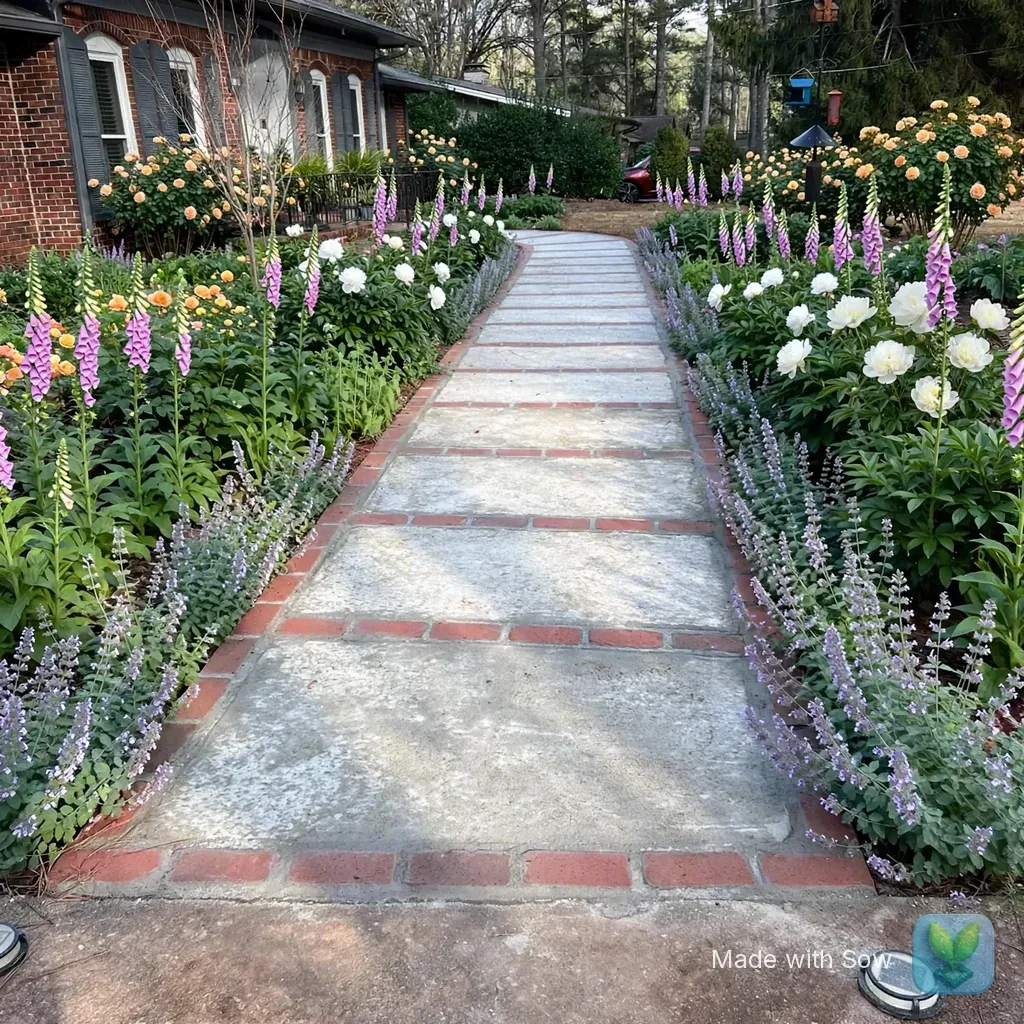
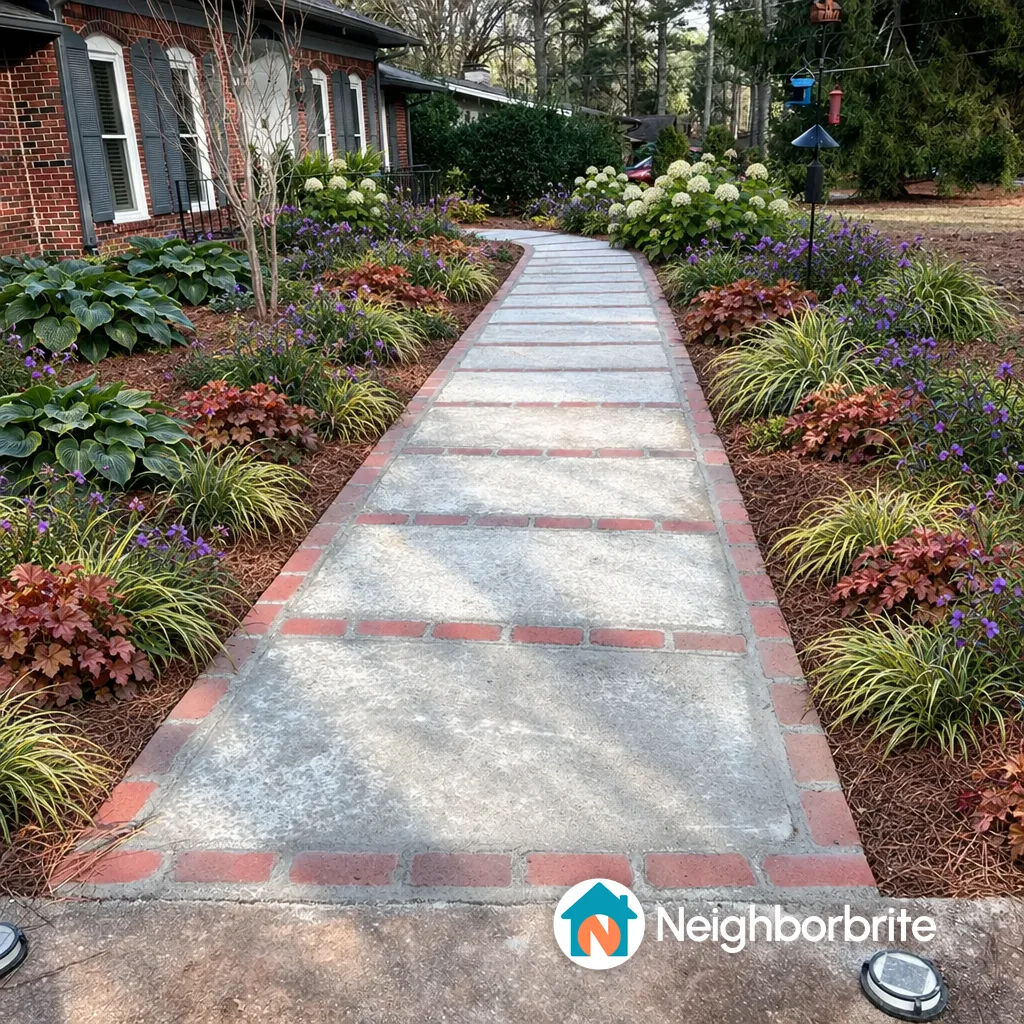
We ran both on October 13, 2026 with the same front-yard photo: a brick ranch, a concrete and brick walkway, two bare pine-straw beds under pines, part sun, zone 8a.
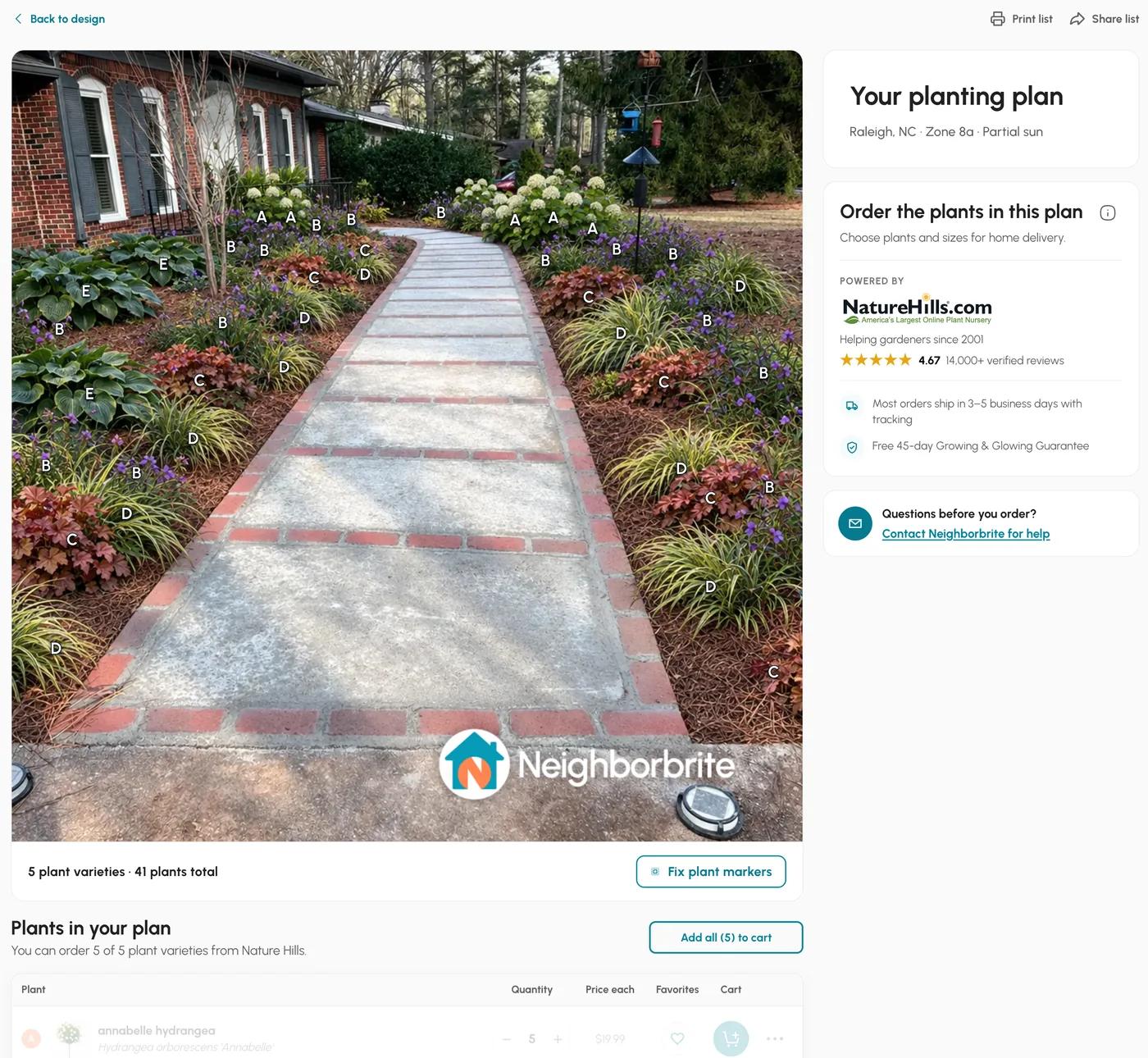
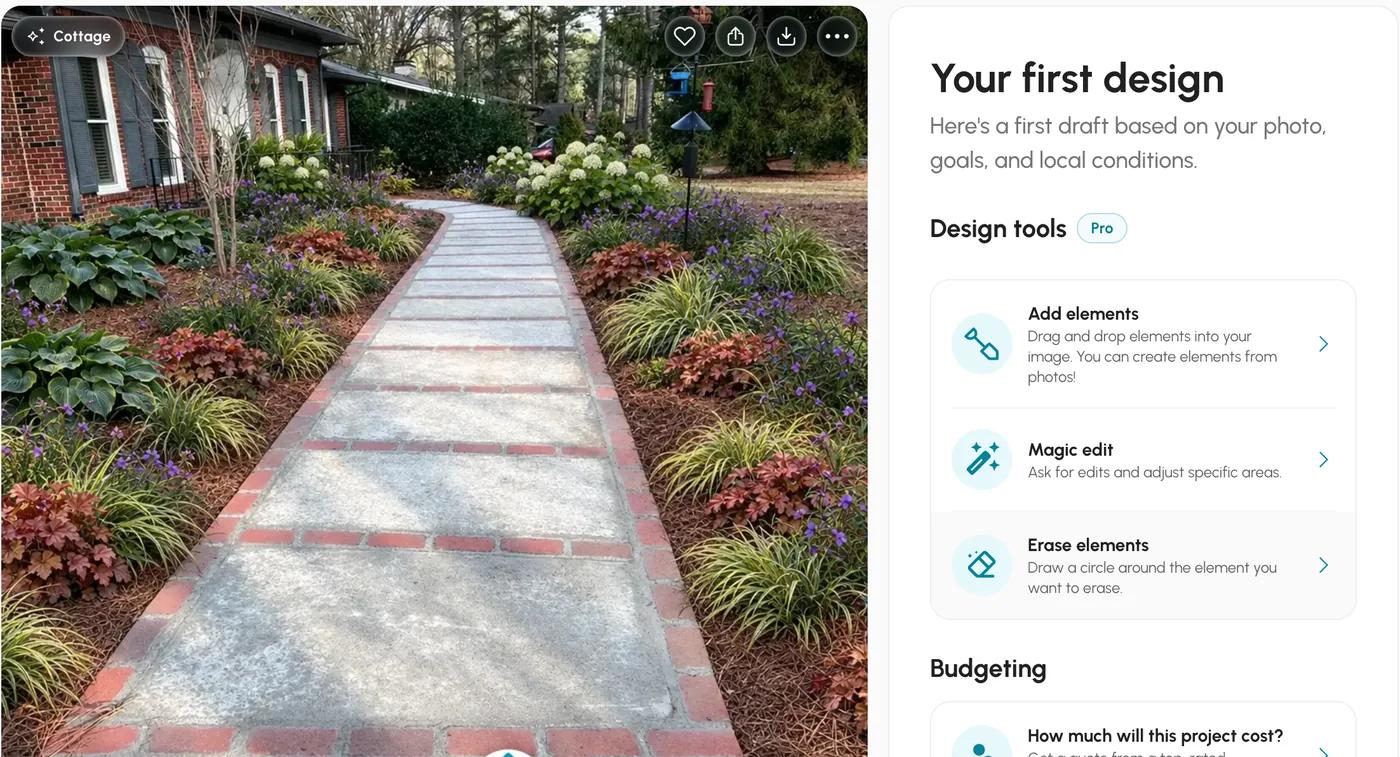
Both returned a cottage-style redesign of the same yard with the house, walkway, pine straw and bird feeder kept, at 1024 by 1024 pixels, with a watermark bottom right on the free tier. Neighborbrite's planted hostas, coral bells and sedges; Sow's planted catmint along the path, white peonies, foxglove spires and roses toward the house. Here they are side by side, then check by check.
Check 1: did it name the plants?
Both did. Sow's names link to mature size and care, and Neighborbrite's to a nursery price.
Neighborbrite. Yes. Before drawing anything it wrote a short design plan with a five-plant palette, Annabelle hydrangea, Concord Grape spiderwort, Northern Exposure Sienna coral bells, Evergold sedge and Big Daddy hosta, and the plant list that came with the first free design carried botanical names (Hydrangea arborescens 'Annabelle', Tradescantia 'Concord Grape', Heuchera 'Northern Exposure Sienna', Carex hachijoensis 'Evergold', Hosta 'Big Daddy') with quantities and nursery prices: 5 varieties, 41 plants, about $1,049 before shipping. The button that opens that list carries a Pro badge, and we could not confirm it stays free after the first design.
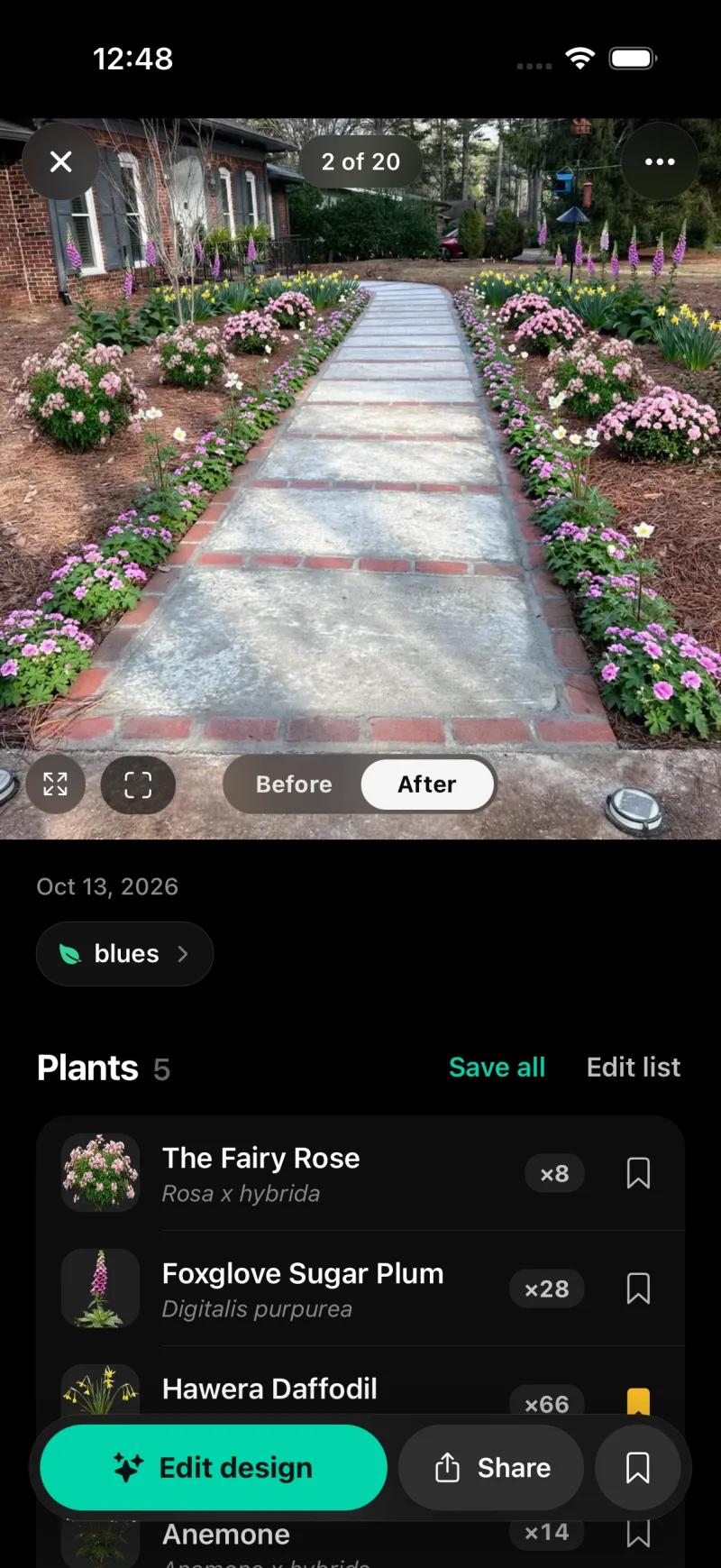
Sow. Yes. On the web the result card listed five plants linked to catalog pages: Buff Beauty rose, Duchesse de Nemours peony, Camelot Lavender foxglove, Baltic parsley and Snowflake catmint. On the iPhone the result showed five species with botanical names and quantities: The Fairy Rose (Rosa x hybrida) x8, Foxglove Sugar Plum (Digitalis purpurea) x28, Hawera Daffodil x66, Anemone x14, and one more. Every one opens to a catalog entry from a 12,000+ plant library with zone, sun, mature size, bloom and care data.
The difference on this check is not naming, which both do, but what the name is attached to. Neighborbrite's list has quantity and a price from the one nursery partner it sells through, and no mature size or spacing.
Sow's has quantity, mature size and care, and on the web its Shopping List PDF gives each species a quantity, a unit price and a line total, the unit price being the lowest listed across the online nurseries Sow tracks, with Sow not paid by the sellers; mature size and spacing stay on the plant pages rather than in the list.
Check 2: did it check your zone and light?
Both got the zone. Light needed a manual fix in Neighborbrite and was skipped by Sow's web flow.
Neighborbrite. Zone yes, light wrong until corrected. It inferred Raleigh from our connection, put hardiness zone 8a and a flat slope on the confirm screen, and showed "Matching plants to Zone 8a" and "Choosing partial sun plants" while it worked. But it guessed "Full sun" for a bed the photo shows under pine trees. We changed it to partial sun by hand before generating, and the palette it then chose is sensible for part shade in 8a. Had we not looked, we would have had a sunny border drawn in the shade.
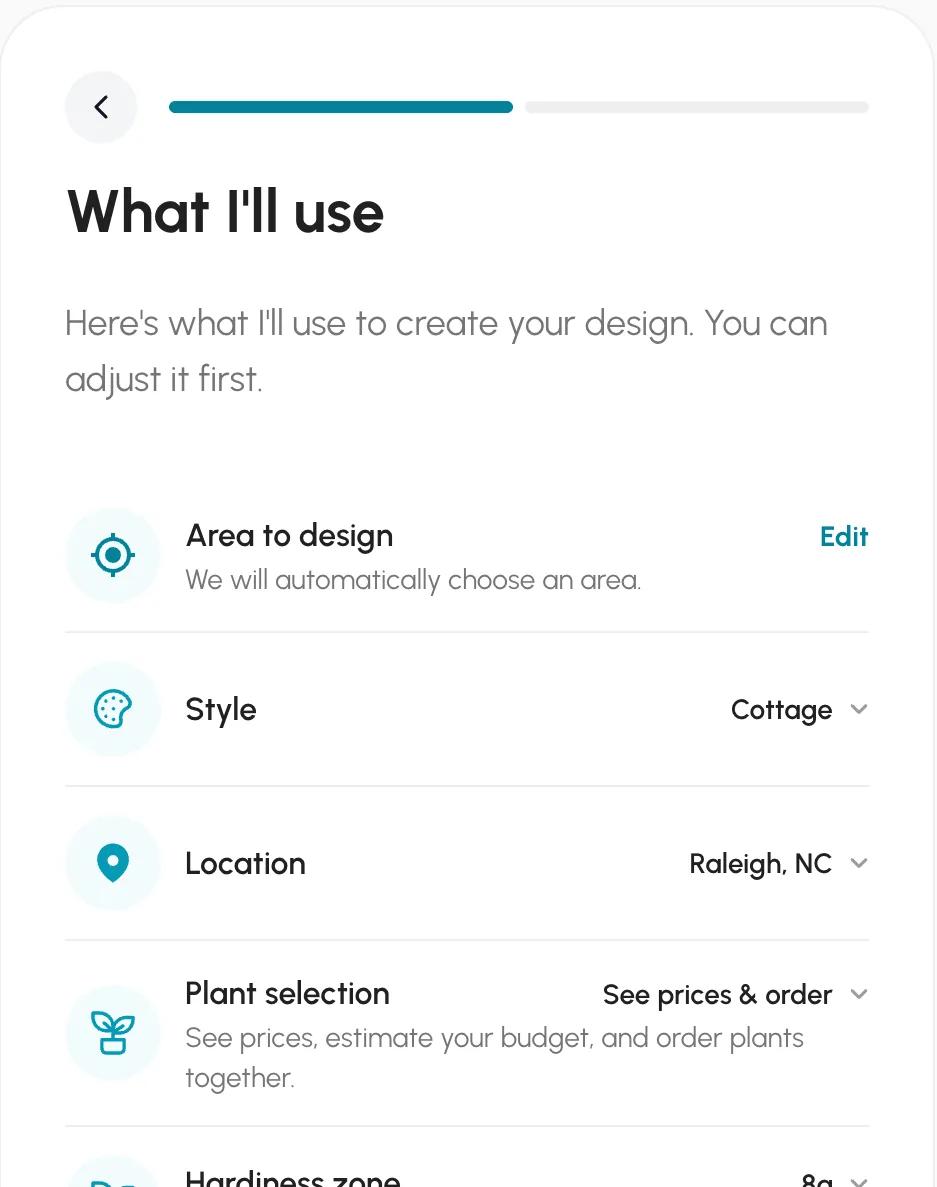
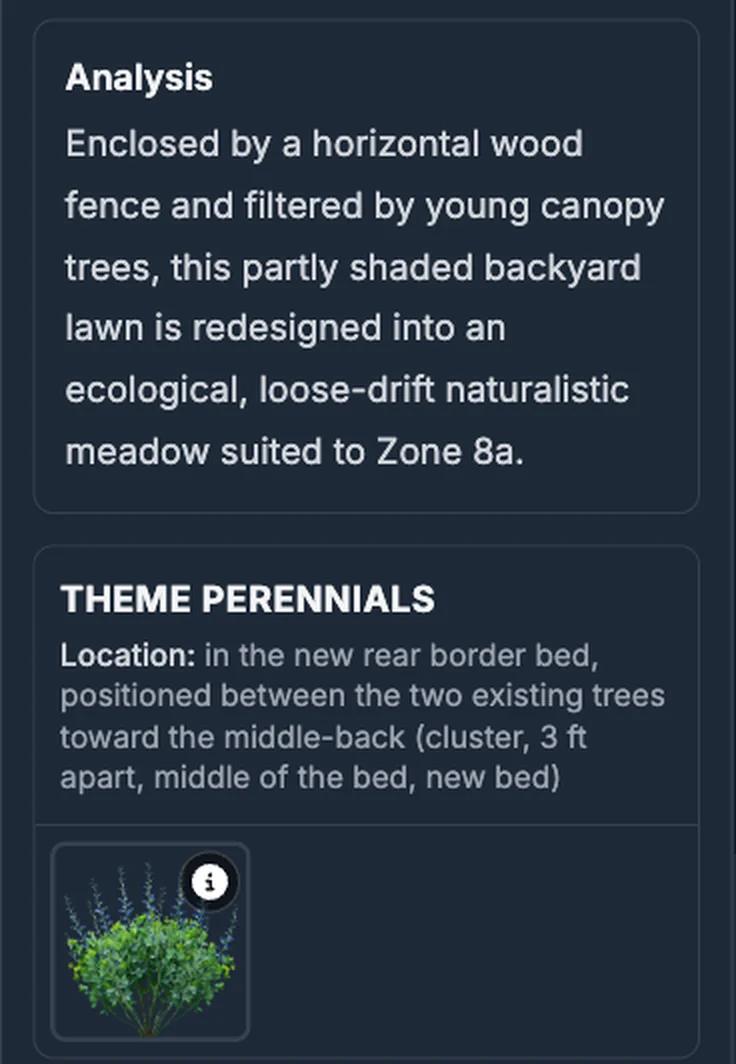
Sow. Yes. On the iPhone, every saved space carries its sun and zone ("part sun, zone 8a" on ours), the Auto Design sheet pre-fills a sun chip from it, and with Part sun set the picks were foxglove, anemone and daffodil. On the web, every plant links to a catalog page with its zone range, and Design Studio's Help Me Choose panel recommends plants from a zip code and a sunlight preference.
So on the check that matters most for whether plants live, the lesson from both apps is the same: find the sun setting and set it yourself before you generate.
Check 3: can you change one plant?
In Sow on mobile, yes. Neighborbrite edits the image, and only on Pro.
Neighborbrite. Not on free, and not as plant objects on Pro. On the free tier you can generate again, choose another style, or go back and edit the plan text before the image is drawn. The tools that touch the picture itself, Add elements, Magic edit, Erase elements and text changes, carry a Pro badge at $24.99 a month, and they edit the image rather than a named plant you can swap.
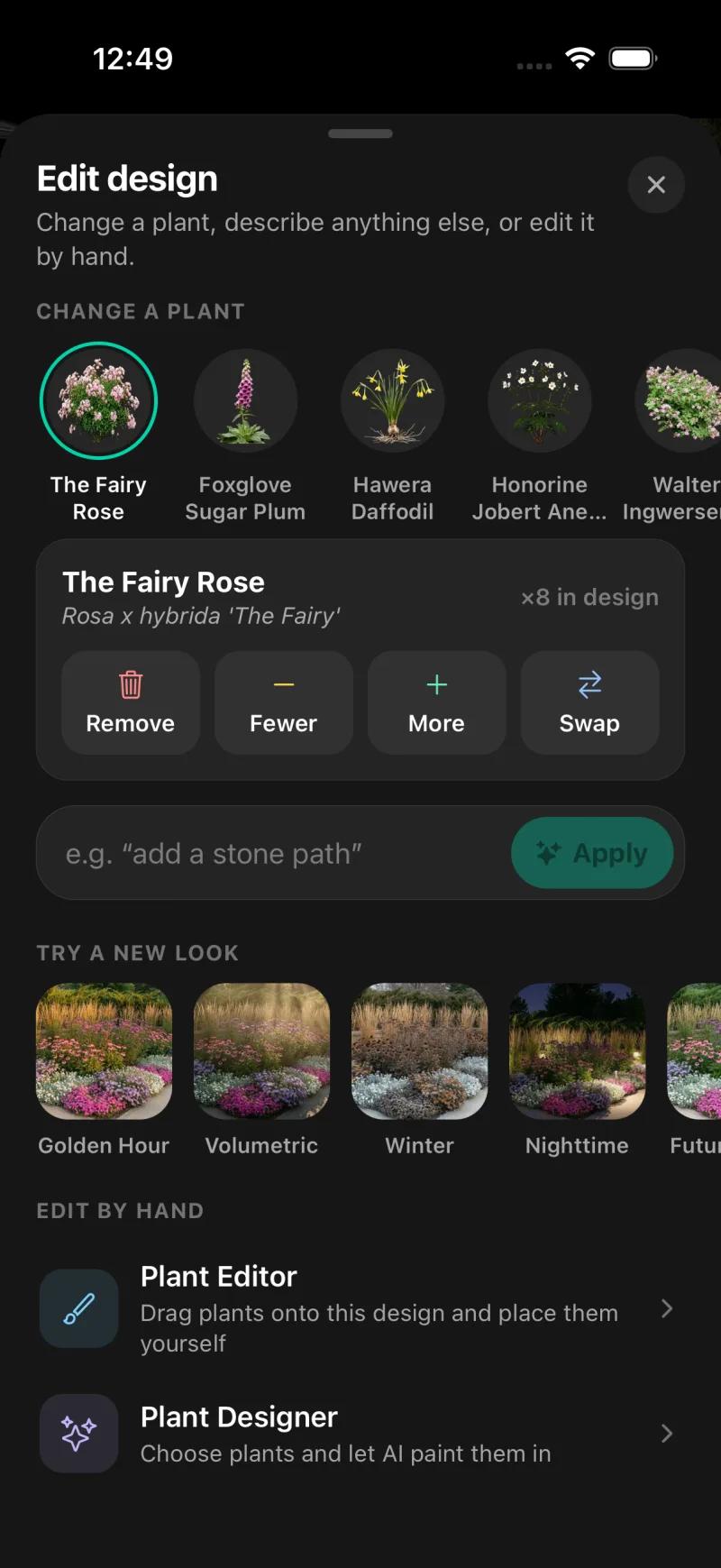
Sow. Yes, on mobile. Tap The Fairy Rose in the plant list and you get Remove, Fewer, More and Swap, with the count in this design shown. The Edit design sheet also offers a "Change a plant" chip per species, a free-text instruction box, restyles, and "Edit by hand" through the Plant Editor and Plant Designer. On mobile, every generated species can be removed, counted up or down, or swapped, and the Plant Editor lets you drag in plants, furniture, lighting and paving by hand, on a generated design or a plain photo; on the web, Design Studio places plants and objects over the render. We could not confirm that individual generated plants are movable objects on the web, so take the web claim as "edit over the render" rather than "move each plant".
Check 4: where is the watermark, and which tier removes it?
Bottom right on both. Sow Pro removes it; Neighborbrite needs Business at $49.99 a month.
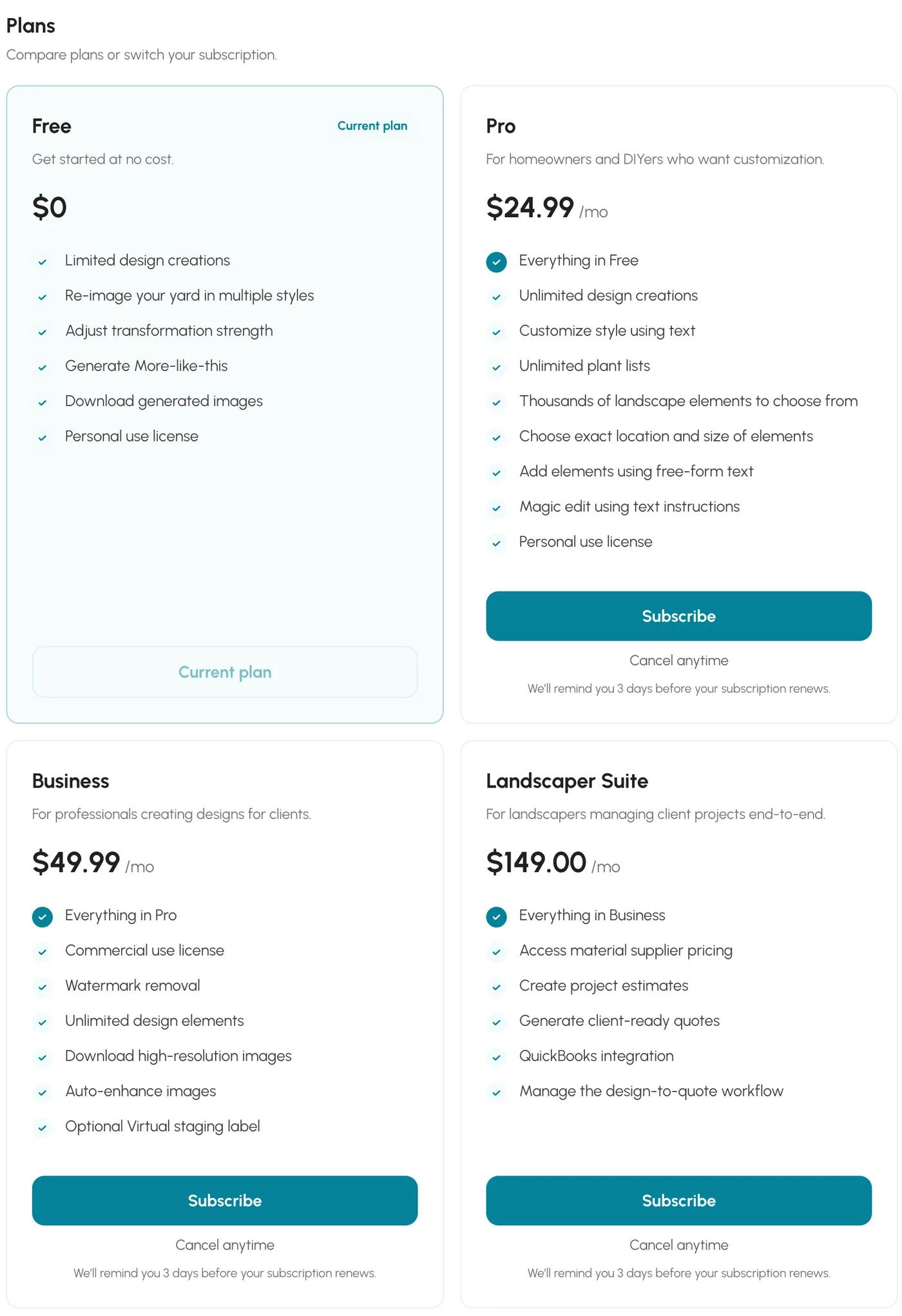
Both free results carry a watermark bottom right. The difference is what removes it. Neighborbrite's in-app billing page, captured October 13, 2026, lists watermark removal under Business at $49.99 a month, not under Pro at $24.99 a month; Pro keeps the watermark. Sow's free designs carry a "Made with Sow" watermark, and Pro removes it.
This is the check most people skip and then regret, because the first paid tier is the one you assume removes the mark. Read the billing page before you pay, on any of these apps.
Check 5: what are the subscription terms?
Sow Pro is $39.99 a year on the web. The App Store generators show their prices only inside the app.
Prices checked October 2026. Neighborbrite: free with a daily cap of 4 designs, Pro at $24.99 a month, Business at $49.99 a month, no annual price shown. Sow: free to start; Pro from $39.99 a year on the web ($59.99 a year through the App Store); Pro+ $99.99 a year.
Sow's free plan is 10 designs to start and more for taking part (posting a design earns 25 credits, a referral 100, and challenges and helpful answers earn credits too).
For the App Store generators, the listings we saw do not state a price. The way to find it is the way to find it on any of them: start the free design, and read the subscription screen that appears before the result or the download. Look for the annual figure and the auto-renew wording.
| Tool | Free | Paid | Checked |
|---|---|---|---|
| Sow | Yes | Pro from $39.99 a year on the web ($59.99 through the App Store); Pro+ $99.99 a year | Oct 12, 2026 |
| Neighborbrite | Yes | Pro $24.99 a month; Business $49.99 a month | Oct 13, 2026 |
How do Sow and Neighborbrite compare feature by feature?
Sow leads on plant data and editing, Neighborbrite on daily free volume. Neither has AR.
Tap or hover any cell for the note behind it.
| Feature | Sow | Neighborbrite |
|---|---|---|
| Redesigns a photo of your own yard | Yes | Yes |
| Plants are real, named species | Yes | Yes |
| Checks hardiness zone or climate | Yes | Partly |
| Mature size and spacing data | Yes | Unverified |
| Move or swap individual plants after generation | Yes | Partly |
| Drag-and-drop editor for plants, objects and paving | Yes | Partly |
| Top-down planting plan or layout | Yes | No |
| Grid bed planner with companion planting | Yes | No |
| Plant list or shopping list | Yes | Yes |
| Diagnoses a sick plant from a photo | Yes | No |
| Measures the sun a spot gets | Yes | No |
| Free tier | Yes | Yes |
| Watermark on free output | Yes | Unverified |
| Works in a browser | Yes | Yes |
| iPhone app | Yes | Yes |
| Android app | Yes | Yes |
Where Sow falls short
No AR, no 3D and no hardscape CAD; weather-aware care is US-only; the web Shopping List PDF prices at the lowest listed price, without mature size.
Where Neighborbrite falls short
A watermark on free and Pro, no plant-by-plant editing, no mature size or spacing, no planting plan or care, and four designs a day on free.
Which AI yard design app should you use?
Run the five checks on any app you try. Of the two we tested, Sow if you will plant it, Neighborbrite for a quick free look.
If you have already downloaded one of the App Store generators, run the five checks in the first free minute. If you have not, here is where the two we tested land.
Choose Sow if
- you intend to plant the result and want botanical names, zone, mature size and quantities on every species
- you want to swap, remove or re-count one plant without regenerating
- you want the design to carry on into a planting plan with prices
Choose Neighborbrite if
- you want a free, fast redesign of your yard today with a priced plant list
- four watermarked designs a day is enough
- you are happy to regenerate rather than edit
Choose Yard AI, AI Garden Design or Garden AI if
- you have tried the free design and the plant list named real species with botanical names
- you have read the annual price on the subscription screen and are fine with it
Alternatives worth a look
Sow
Best for designing your real yard with plants that will live, then planting itPhoto redesign with real, zone-checked, catalog-linked species; per-species Remove, Fewer, More and Swap on mobile; planting plans with quantities and prices. iPhone, Android and web. 10 free designs to start, more for taking part.
Neighborbrite
Best for a free redesign todayA limited free tier of four designs a day, named cultivars, and a priced 41-plant list on the first design in our test. Watermark on free and Pro; edits are regenerations; no mature sizes, plan or care.
DreamzAR
Best for an AR walkthrough before you digPhoto redesign plus a 2D editor on the photo and an AR walkthrough, $19.99 a month or $199 a year with no free tier, 2,000+ plants with care and growth data per the site.
Hadaa
Best for one render with a document for a contractorWeb-only, $12 a render or $9 each for three or more, with a zone-verified planting guide with quantities, a contractor blueprint and a bill of quantities per the site. One-shot renders, not editable.
Gardenly
Best for a low-cost annual plan with a zone-aware list$54 or $84 a year, no free tier, web and iPhone only, with a climate-zone plant list and a shopping list per the site. Editing by regeneration.
Planner 5D
Best for 3D and hardscape layout when species do not matter yetA free 2D and 3D modeler on every platform whose AI generator is interior-first and whose plant objects carry no species, zone or spacing data.
iScape
Best for hand-built hardscape mock-ups and AR on iPhoneThe long-running manual app: you place objects and plants over your photo yourself, with AR on iOS. Free tier with a limited database; Pro $29.99 a month or $299.99 a year; 2D and 3D design iOS-only. No generated redesign.
The bottom line
Yard AI, AI Garden Design and Garden AI are silent on the five things that decide whether a yard app is worth paying for. Their revenue (an estimated $15K, $70K and $30K a month, per ScreensDesign for September 2026) says people are paying, and one free design and the checklist above will tell you in a minute whether you should.
On those same checks, with the same yard, Neighborbrite's limited free tier is a fair quick look: named cultivars, a correct zone, a priced list on the first design, a watermark on free and Pro, and no editing of individual plants. Sow is the answer if you intend to plant what you see: botanical names and quantities, zone and sun carried on every space on mobile, per-species editing, and a planting plan with prices, and 10 free designs to start with more for taking part, but no AR or 3D, and a web flow that should have asked about sunlight and did not.
Questions people ask
Are AI yard design apps accurate?
The two we ran on the same yard both used real, named plants and handled zone 8a correctly. Neighborbrite guessed full sun for a bed under pines until we corrected it; Sow's phone flow took part sun from the saved space and chose part-sun plants. Yard AI, AI Garden Design and Garden AI do not say on their listings whether they check zone or light. Set the sun yourself and read the plant list.
Can AI design my backyard for free?
Yes. Neighborbrite did our backyard photo free: a six-plant palette in about 30 seconds, the image about 30 seconds later, fence and trees kept, planted beds added along the fence, watermarked, with 4 designs a day allowed. Sow gives 10 free designs to start, and more for taking part in the app. Whether the App Store generators give a free design without a card is something we could not confirm.
Is there a free AI backyard design app?
Sow gives everyone 10 free designs to start and keeps giving free designs for taking part (posting a design earns 25 credits, a referral 100), watermarked. Neighborbrite, on web, iPhone and Android, gives 4 watermarked designs a day on its free tier, then $24.99 a month for Pro. Planner 5D has a free tier but no plant species data. For the keyword-named App Store apps, start the free design and read the subscription screen before the result.
Do free AI garden apps add watermarks?
Both we tested do. Neighborbrite watermarks free and Pro images; only Business at $49.99 a month removes it. Sow watermarks free designs; Pro removes it. Check the corners of your first free download on any app and then find the tier that removes it on the billing page.
Do free apps suggest plants that survive my climate?
Neighborbrite inferred zone 8a and matched plants to it on the free tier. Sow carries zone and sun on each saved space on mobile and links every plant to a catalog entry with its zone range. The App Store generators do not state a zone check on their listings; look for it in the first free design.
Can AI design my yard from a photo?
Yes. Neighborbrite returned a planted version of our front yard about 33 seconds after a 60-second plan step; Sow's render took well under a minute on the web and under three and a half minutes end to end on the iPhone. Both kept the house and walkway and named their plants. The useful question is what you can do with the result afterwards.
What is the best landscape garden planner app?
For a planted design of your own photo, Sow, because every species is named and checked and the design carries into a planting plan with quantities and prices. For a quick picture with a plant list, Neighborbrite, on its limited free tier or Pro at $24.99 a month. For a scaled plan you draw yourself from an aerial of your lot, Klora gives you one free design, then $24 or $69, and was the best planning tool we tested, though it generates nothing.
How do I use AI to landscape my yard?
Photograph the bed in flat light, set your location, zone and the real sunlight before you generate, pick a style, then read the plant list rather than the picture. Check mature size against the bed, swap what will not fit, get quantities, and price the list at a nursery. Run the five checks on this page before paying for any subscription.
Keep comparing
- Tested roundupBest AI landscape design appsRead
- Tested roundupBest backyard design appsRead
- Hands-on reviewNeighborbrite review (2026)Read
- Hands-on answerCan ChatGPT design a landscape?Read
- Free tiers, testedBest free landscape design appsRead
- Honest reviewDreamzAR review (2026)Read
- HubAll comparisonsBrowse
Run the five checks on Sow, free
Upload one photo. Sow names every plant with its botanical name, checks your zone and light, and lets you swap any species. Your first 10 designs are free.
We make SowTested October 13, 2026The App Store apps were not installedWe paid nothing for the testsHow we tested
How we tested
- Test subject: a brick ranch front walkway in Raleigh, NC (zone 8a, part sun under pines, bare pine-straw beds) and a fenced backyard; the same two photos and brief (cottage style, low maintenance, keep the walkway and fence) went to each tool we could run.
- What we paid: nothing; Neighborbrite free tier, a fresh free Sow web account, and an existing Sow Pro+ test account on an iPhone 17 Pro simulator for the mobile screens. Yard AI, AI Garden Design and Garden AI were not installed: they are App Store products that cannot be loaded on a simulator, so they are described from their listings and from third-party estimates only.
- Pulled the live Google results for six "ai landscape", "ai garden" and "ai yard" searches on October 12, 2026 and noted where each App Store listing appeared.
- Recorded the monthly revenue estimates published by ScreensDesign for September 2026, labelled as third-party estimates throughout.
- Ran the same front-yard and backyard photos through Neighborbrite (free) and Sow (web free account, then iPhone), and scored each against the five checks below with screenshots.
- Checked every price on the vendor pricing page or in-app billing screen on October 12 and 13, 2026.
Read it the way you would read any maker's comparison
This page is written by the Sow team. We show our work in the screenshots and say where Sow is not the right answer.
Where Sow loses here
- no AR view and no 3D walkthrough
- no hardscape CAD or construction documents
- weather-aware care is US-only, and the catalog is outdoor plants only
- the web Shopping List PDF prices each species at the lowest listed nursery price (often the smallest pot) and does not show mature size or spacing
Spotted a change? Email [email protected] and we will re-test and correct the page.