
How to design a landscape in your browser
Sign up at usesow.com
Email and password, no card. In our test the dashboard opened in about 10 seconds.
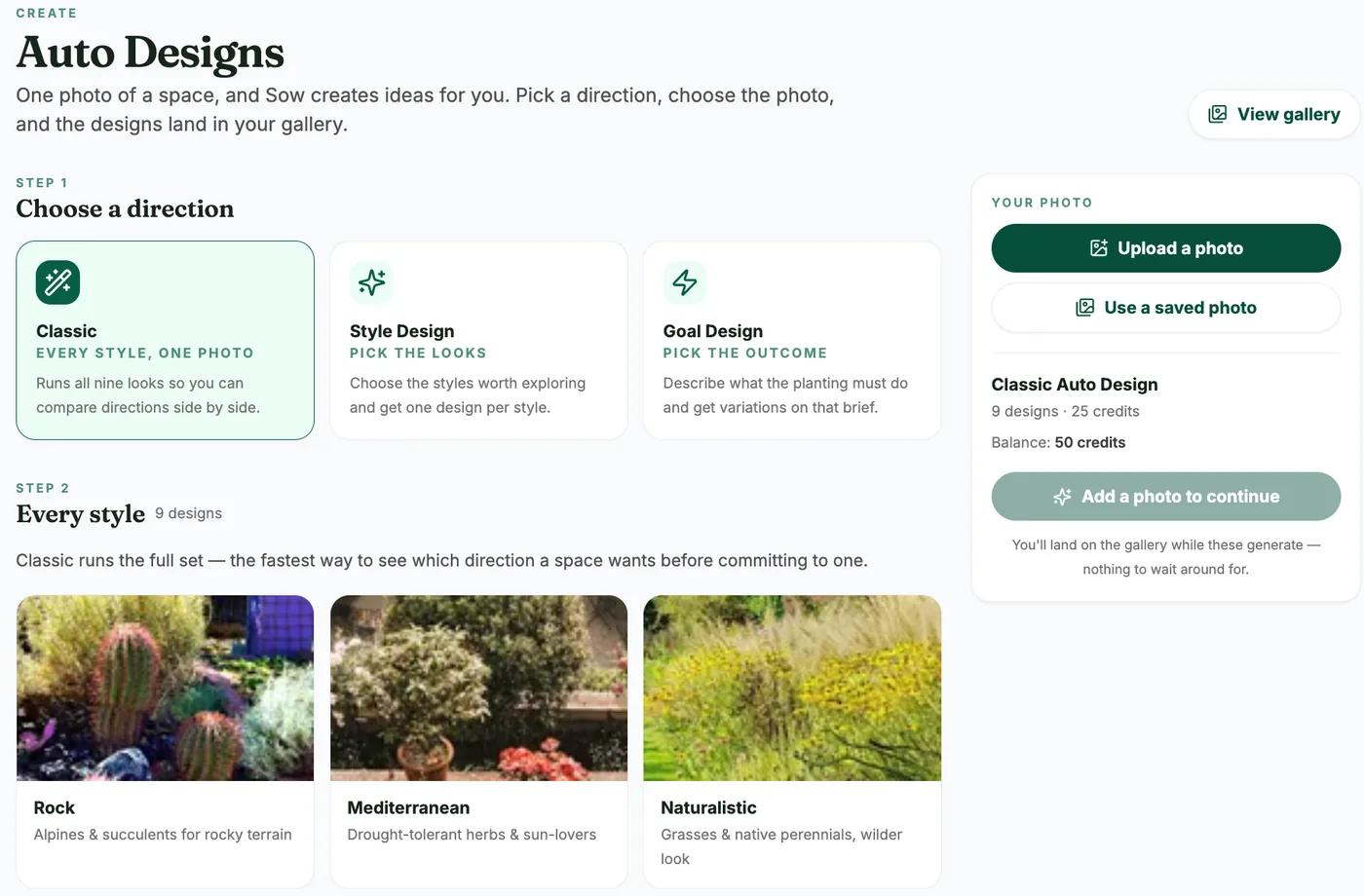
Open Auto Designs and pick a direction
Classic runs all 9 styles for 25 credits, Style Design lets you pick styles at 5 credits per design, and Goal Design takes a written brief, which is where to mention the light if it matters.
Choose a style and upload the photo
Rock, Mediterranean, Naturalistic, City Courtyard, Cottage, Cutting, Traditional, Formal or Coastal. One clear photo of a bed, border or yard area works best. Click Create 1 design.
Open the result from the gallery
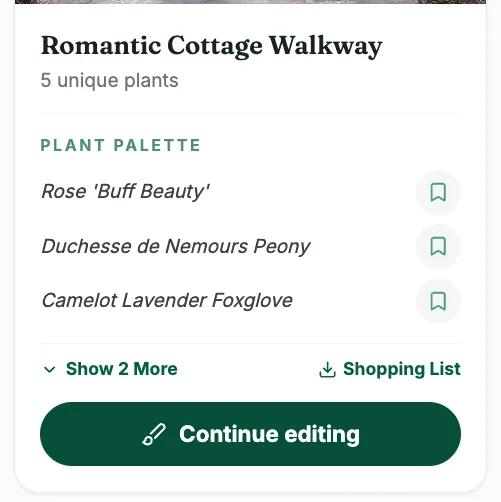
The gallery showed ours 90 to 150 seconds after submitting. The card names every plant with a link to its catalog page, plus Shopping List, Download and Preview.
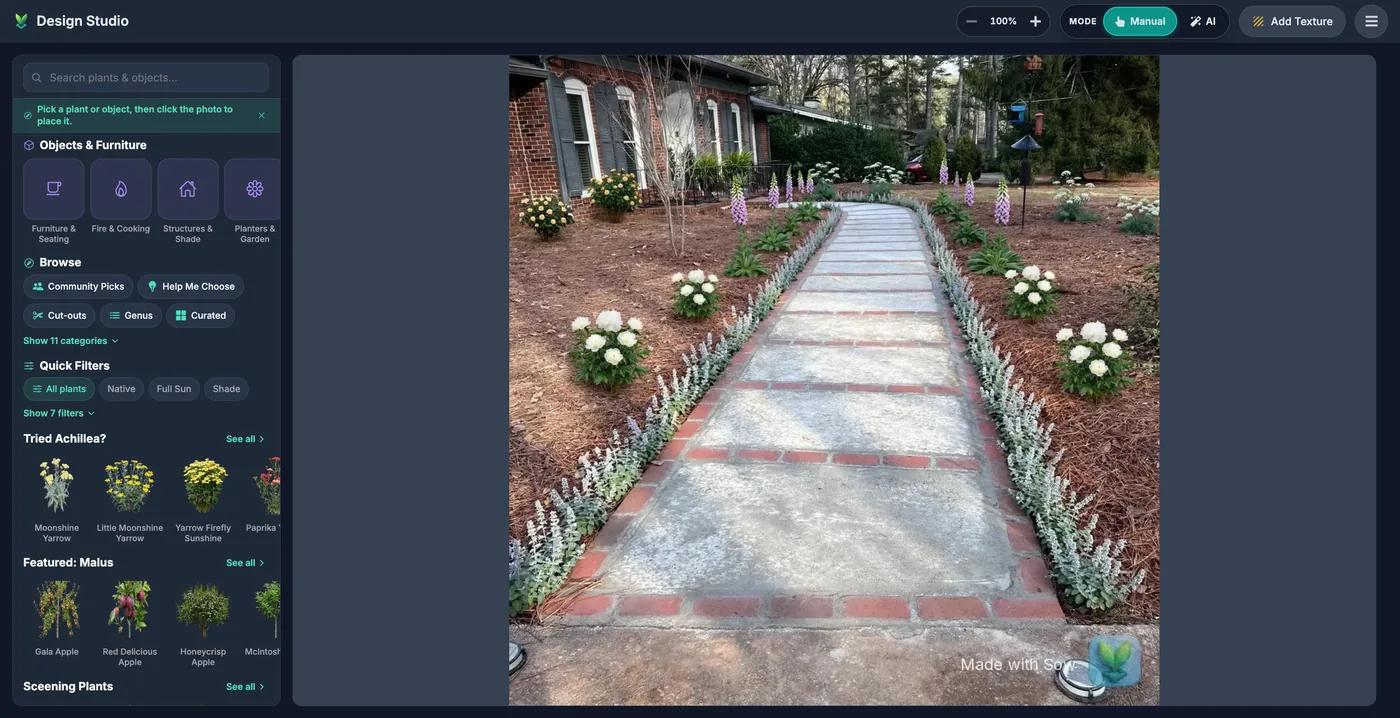
Continue editing in Design Studio
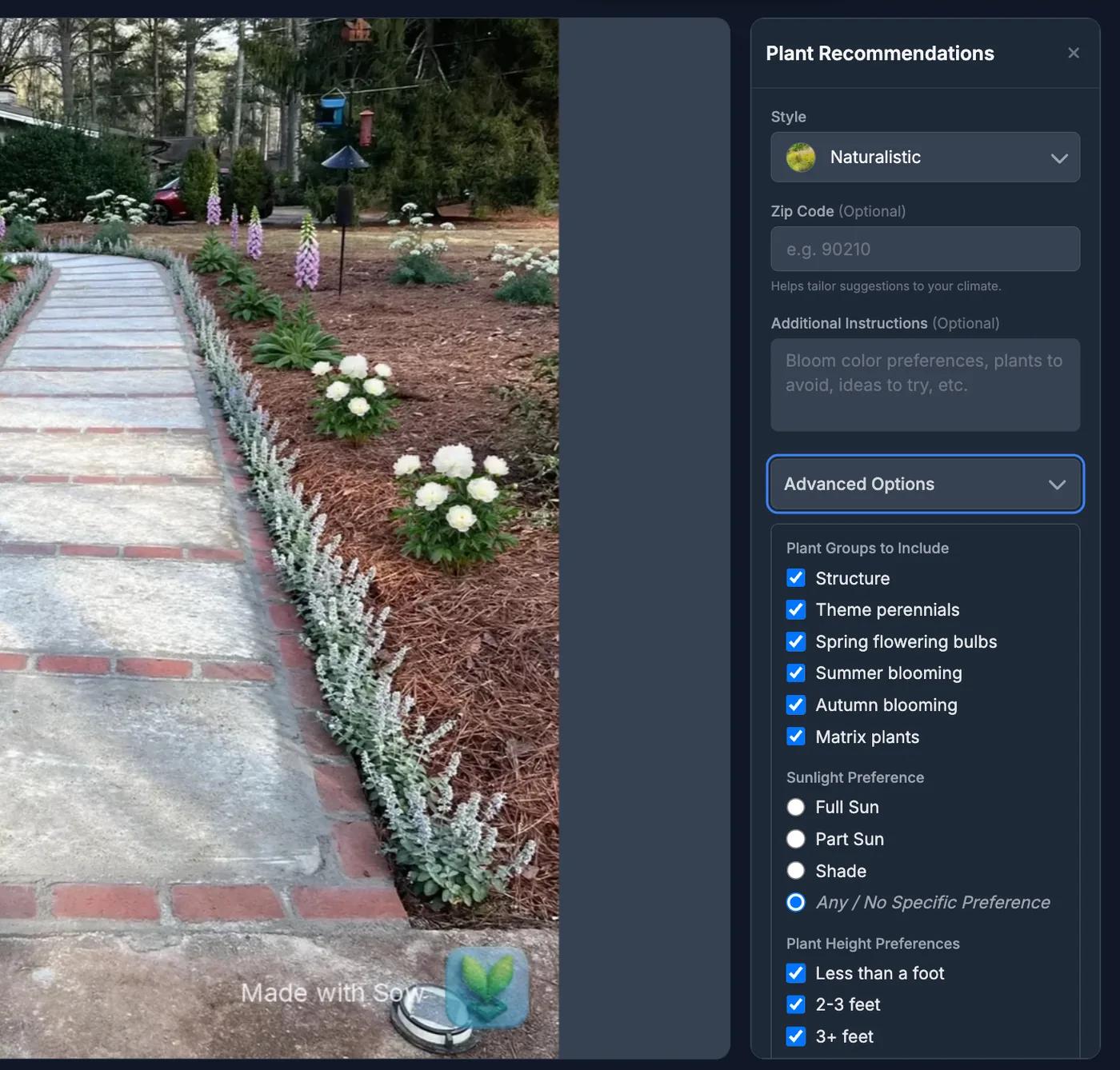
The render becomes the canvas. Place plants and objects from the library over it, or open Help Me Choose for recommendations by style, zip code, plant roles and sunlight.
Finish on the phone for the per-bed priced plan
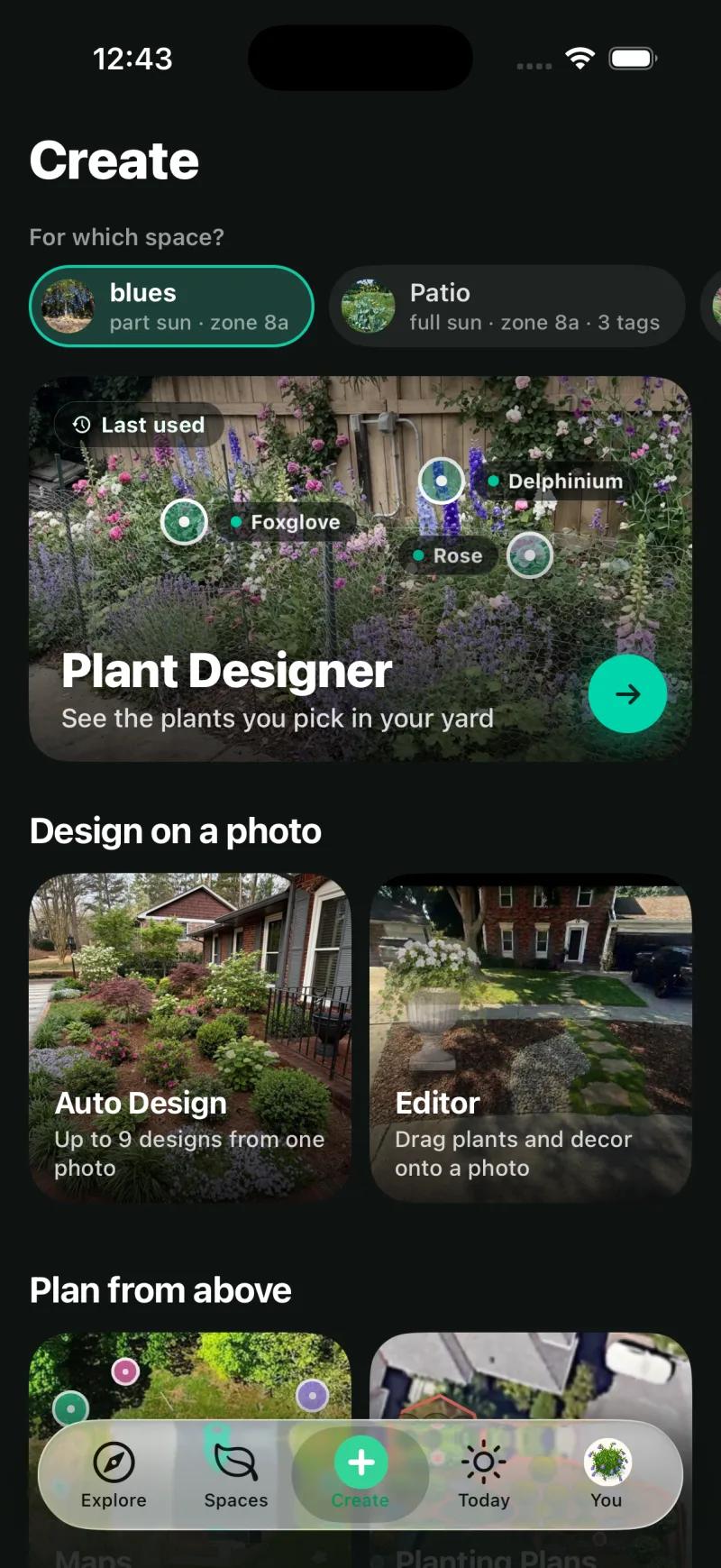
Open the same project in the Sow app for Planting Plans and Review Costs, where every species carries a quantity, unit price and estimated cost before you create the PDF.
What kind of landscape design software is Sow?
The photo-redesign kind, with a planting plan built in. Not 3D and not CAD.
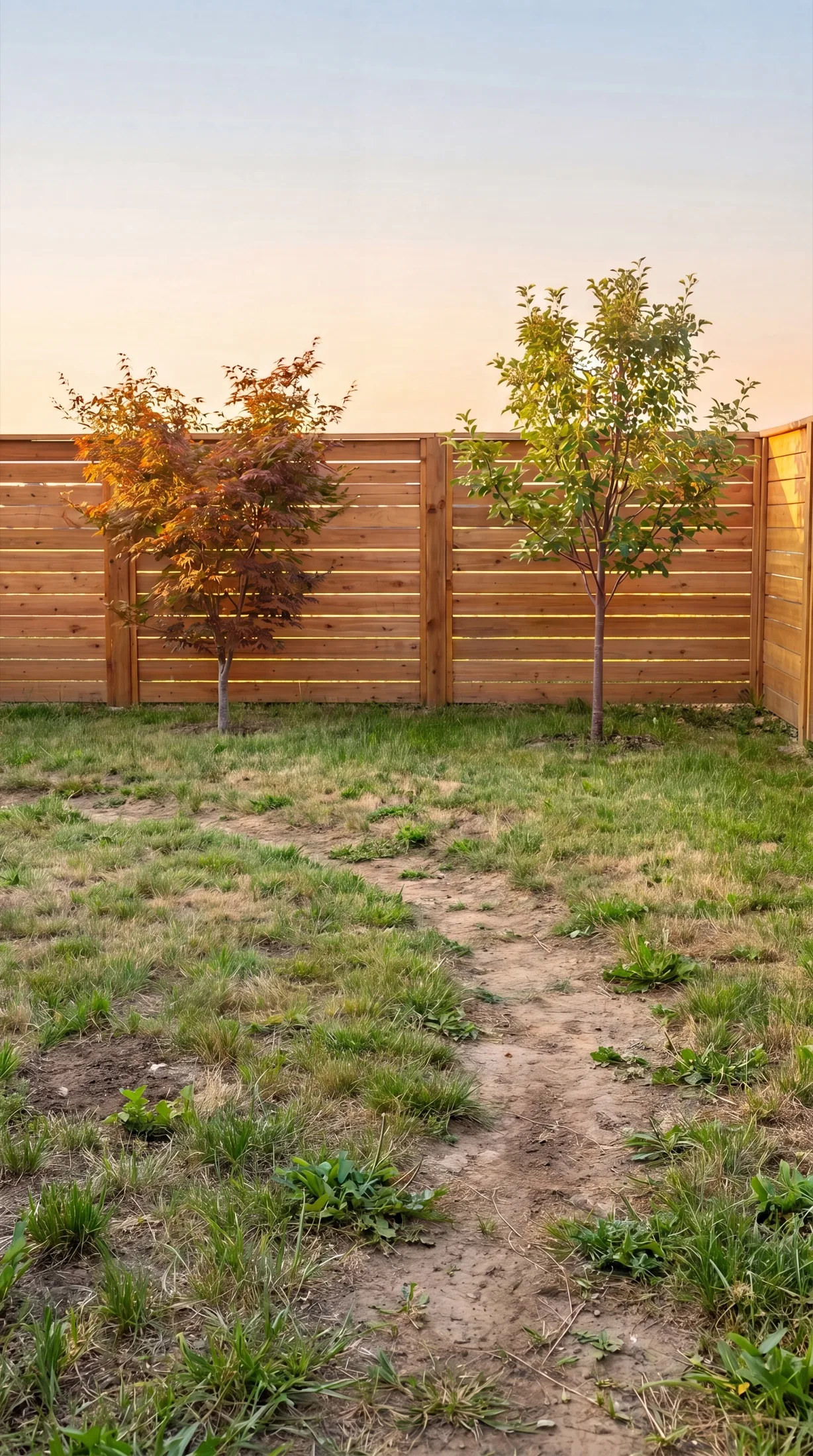
Software that answers to this name does several different jobs: photo redesign returns your own picture planted; plan software draws beds and paths to scale; 3D software builds a model to walk through; CAD produces grading, drainage and construction documents.
Sow is the photo redesign kind, with the plan kind built in for planting: a redesign of your own photo that uses real plants, a Design Studio for placing them by hand, and on the phone a Planting Plans tool that lays out beds on a satellite view with quantities and costs.
Paths, mulch, stone and structures exist as design elements on the photo. There is no CAD, no 3D walkthrough and there are no construction documents.
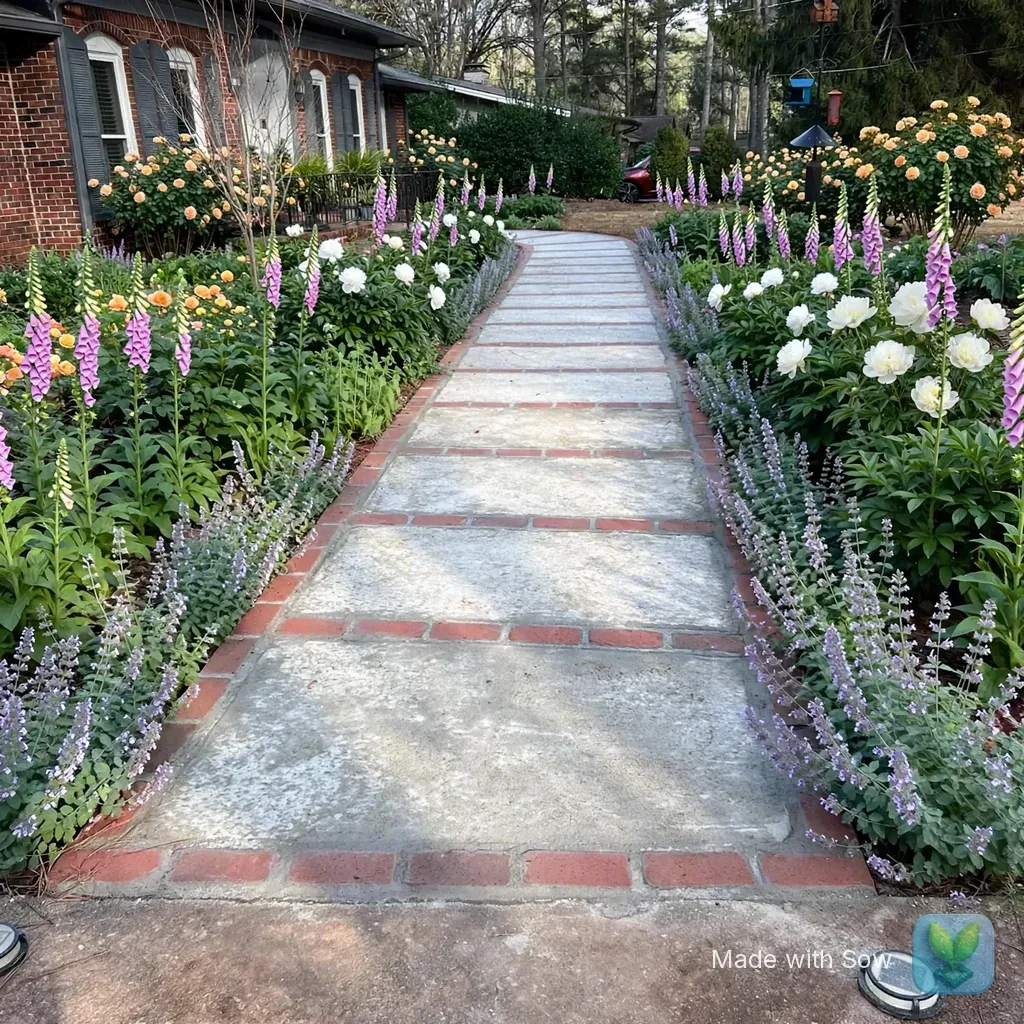
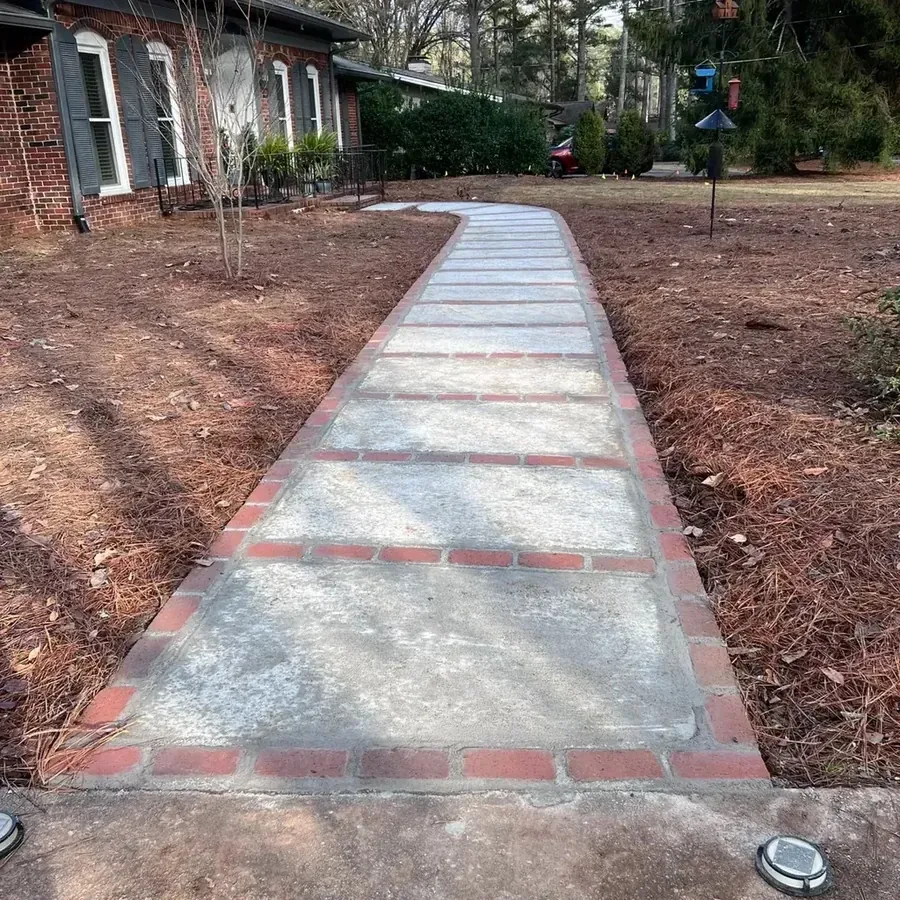
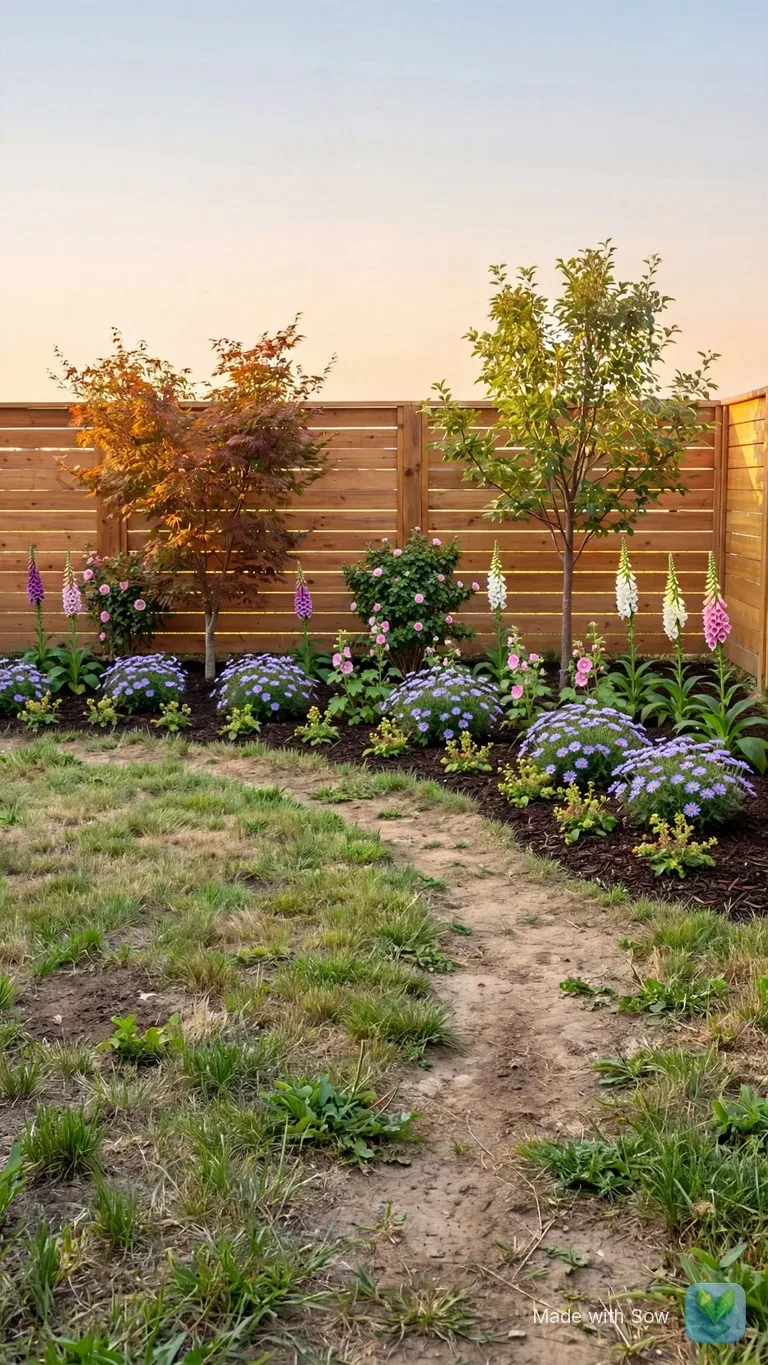
Our test. The same brick ranch walkway with bare beds on both sides went through Sow on the web with a fresh free account, Style Design, Cottage, 5 credits. The gallery showed it 90 to 150 seconds after submitting: "Romantic Cottage Walkway", five unique plants, house, walkway and pine straw kept, "Made with Sow" mark bottom right.
Does it run on a Mac, on Windows and on an iPad?
Yes, in the browser, with nothing to install.
Yes, because it runs in the browser. There is no Mac build and no Windows installer, and none is needed. "Landscape design software for Mac" is simply usesow.com in Safari, and on an iPad you get the same studio in a browser tab.
The browser is best at Design Studio with a mouse, catalog pages and Help Me Choose. The phone is best at photographing the bed, measuring light with the Sunlight Meter, Planting Plans, Plant Doctor and care. One account, one set of projects.
What does the free version of the software include?
10 free designs to start and more for taking part, with a watermark and no card.
A free account gets 10 free designs to start, and more free designs for taking part: posting a design earns 25 credits (five designs), a referral 100, and challenges and helpful answers earn credits too.
Pro lifts those limits and adds Planting Plans and the satellite map editor. Web Pro has a 7-day trial or costs $9.99 a month; the App Store subscription is $59.99 a year as an in-app purchase. Pro+ has a 3-day trial, or $29.99 a month, and adds client tools.
The Shopping List PDF gives each species a quantity, a unit price and a line total with an estimated total, using the lowest price listed across the online nurseries Sow tracks (usually the smallest pot), without mature size or spacing; the per-bed schedule with an editable unit price is Review Costs in Planting Plans on the phone.
Who should use desktop CAD instead?
Anyone whose project is mostly built rather than planted.
If your project is mostly built rather than planted: a patio, retaining walls, drainage, a deck, changes of level, or anything a contractor will quote from a drawing. Sow does none of that; desktop and professional packages do, at a higher price and a steeper learning curve. Our roundup of landscape design software covers that field alongside the apps.
You belong in a drafting tool if any of these is true:
- You need construction documents, grading or drainage plans
- You want a 3D model of the yard to walk through
- You need an AR view on site
- The structures are the project and the plants are an afterthought
How the web studio and the phone app share one project
Every design, space and plant is the same object on the web and on the phone.
Every design, space and saved plant is the same object on the web and in the app: generate at the desk and it is in the gallery on your phone; photograph a bed on the phone and Continue editing on the laptop opens it in Design Studio.
The phone carries the parts that need the map or happen outdoors. Planting Plans finds the beds in a satellite view of your yard on its own, then fills each one with a planting plan you can tweak: area, sun, plant count, four layout styles (Layered, Drifts, Rows and Edged) and a chip per species with its count.
Share, Whole plan, Save PDF opens Review Costs with quantity, unit price and estimated cost per species and a total; our test plan came to 602 plants at $8,919.70 across 17 beds.
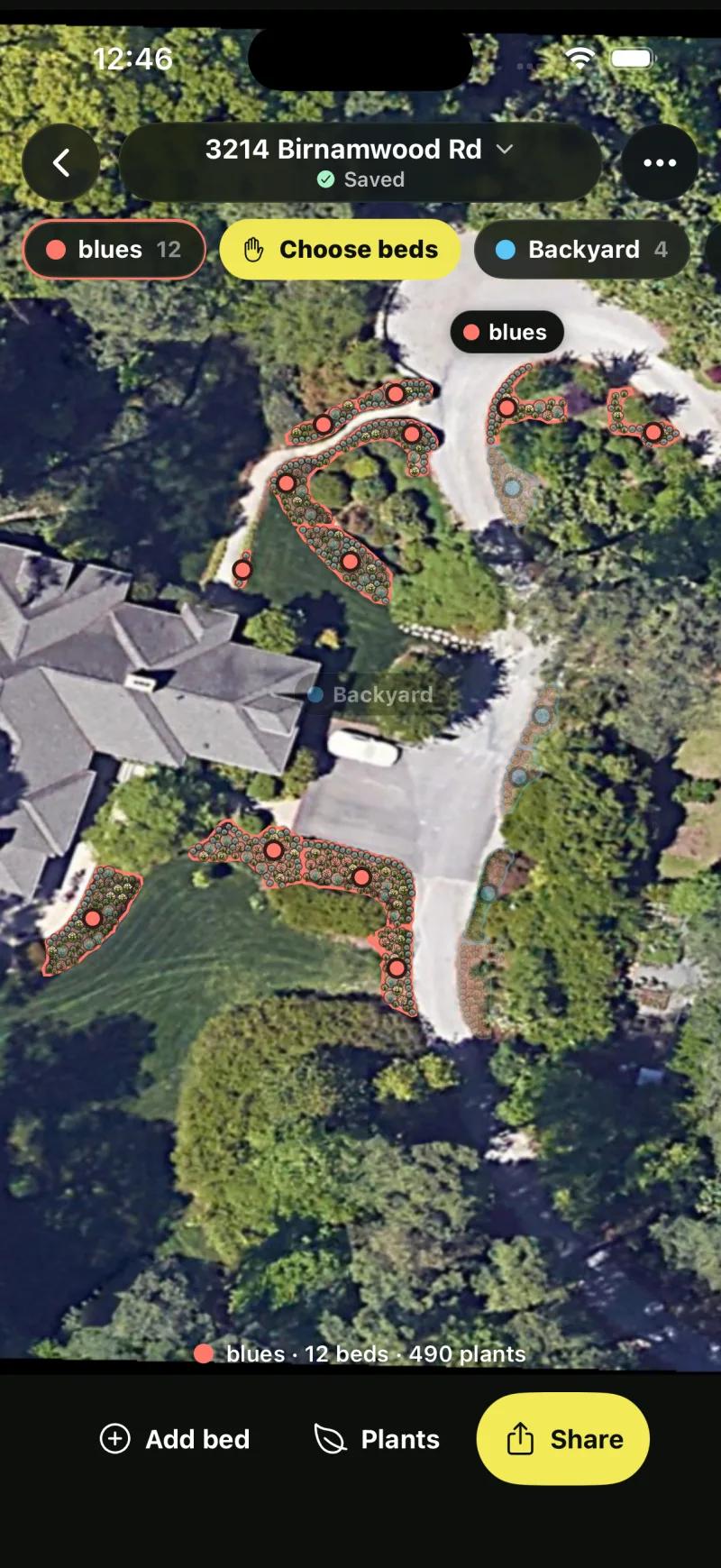
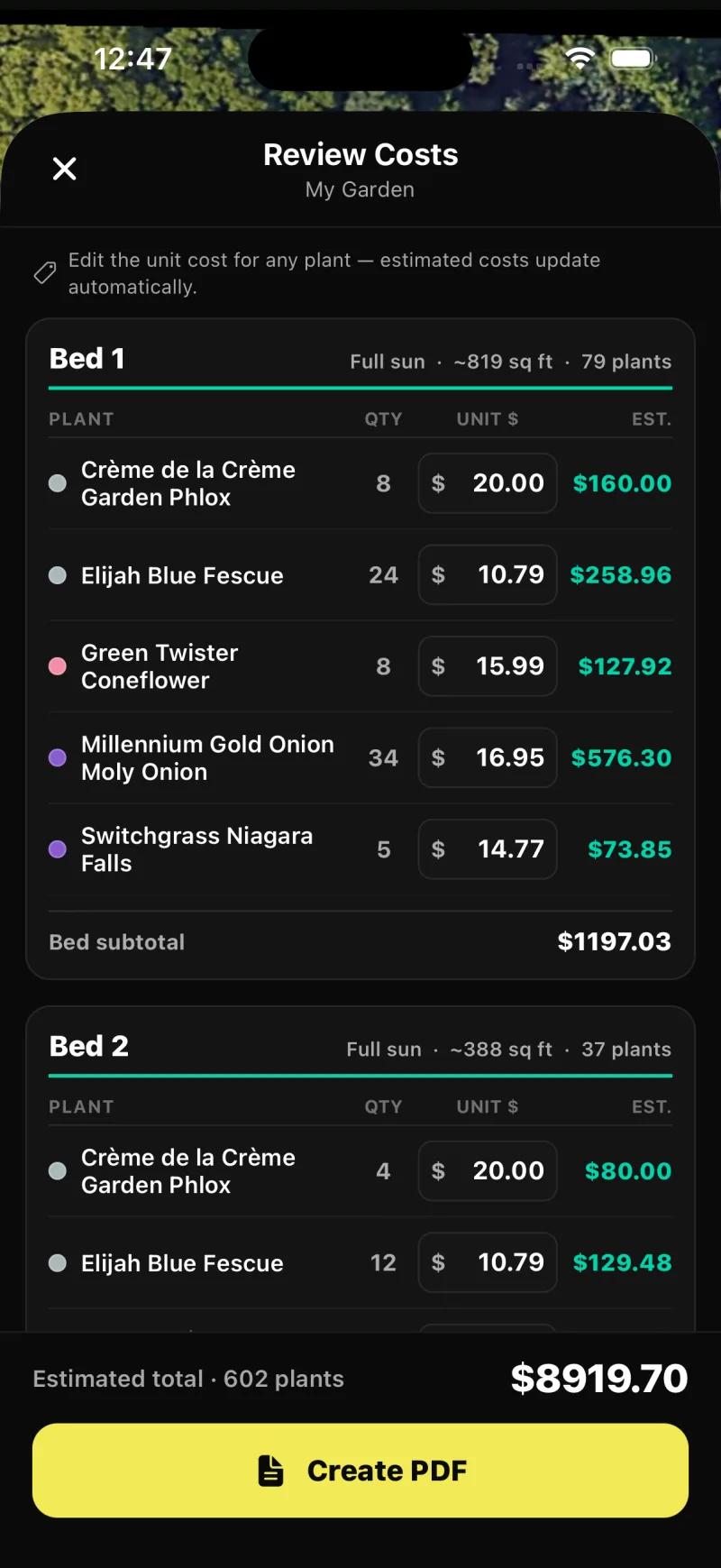
It is also where the design stays editable species by species. On mobile, every generated species can be removed, counted up or down, or swapped, and the Plant Editor lets you drag in plants, furniture, lighting and paving by hand, on a generated design or a plain photo; on the web, Design Studio places plants and objects over the render.
What free includes, and what Sow does not do
What free includes
- A free account in any browser: email and password, no card
- 10 free designs to start, and unlimited more for taking part: posting a design earns 25 credits, a referral 100
- Every plant linked to its catalog page, Download, the Shopping List PDF (quantities, lowest listed nursery prices and an estimated total) and Continue editing in Design Studio
- Upgrading: Pro adds Planting Plans and the satellite map editor; Pro+ adds client tools
- Free to start; Pro from $39.99 a year on the web ($59.99 a year through the App Store); Pro+ $99.99 a year
Pro from $39.99 a year on the web ($59.99 a year via the App Store). Pro+ $99.99 a year. Prices checked October 2026.
What Sow does not do
- No AR view and no 3D walkthrough
- No hardscape CAD or construction documents; paving, mulch, gravel, fences, structures and water features are design elements on the photo
- Weather-aware care uses US forecasts; zone matching covers the US, Canada, the UK and Australia
- Outdoor plants only
- The web Shopping List PDF prices each species at the lowest listed nursery price (often the smallest pot) and does not show mature size or spacing
- Planting Plans and the satellite map editor are on the phone app, not in the browser


Questions people ask
Is there free landscape design software?
Sow is free to start in any browser: everyone gets 10 free designs to start and more for taking part. Our roundups list the other free options with the date we checked.
Is there a free online landscape design tool?
Yes. Sow runs entirely online, so you can upload a yard photo, get a planted design back, open it in Design Studio and read every plant's catalog page without installing anything. The first 10 designs are free. The phone app is optional and adds Planting Plans and care.
What is the best landscape design software?
It depends on the job. For a planted design of your own yard with real species, Sow. For a scaled plan you draw yourself, a drawing tool. For 3D walkthroughs or construction documents, desktop CAD. Our roundup of landscape design software covers every kind and says which to pick for which project.
Is there landscape design software for Mac?
Sow runs in a browser, so it works on a Mac without a Mac-specific build: open usesow.com in Safari or any other browser. The same is true on Windows and on an iPad.
What software do landscape designers use?
Professionals who produce construction documents use desktop CAD and 3D packages, and our software roundup names them. For planting design and client-facing work, Sow's Pro+ tier adds client boards, briefs, proposals with live pricing, presentations and approvals on top of the design tools. It does not replace CAD for the built elements.
Can Sow produce construction drawings or a 3D model?
No. There is no CAD, no construction documents, no 3D walkthrough and no AR view. Paths, mulch, stone and structures exist as design elements on the photo; the built half of a landscape belongs in a drafting tool.
Do I have to install anything?
Not for the web version. Sign up with an email and a password and the dashboard opened in about 10 seconds in our test. The iPhone and Android apps are separate installs that share the same account and projects; they add Planting Plans with the priced schedule, the Sunlight Meter, Plant Doctor and care reminders.
Does the software work outside the US?
Zone matching covers the US, Canada, the UK and Australia, and the design tools and plant library work wherever you are. Weather-aware care uses US forecasts, so outside the US you will not get forecast-driven watering and frost alerts.
Keep reading
Open the studio in your browser
No download. Sign up, upload a photo of your yard, and see it planted with real species for your zone. Your first 10 designs are free.